Microsoft Cloud IT Pro Podcast · 2026-02-26 · 42 min
Key moments - from our scoring
Substance score
66 / 100
Five dimensions, 20 points each
The hosts explore why they've shifted from desktop AI interfaces to terminal-based CLI tools for their everyday work. Scott describes upgrading to Claude's $100/month plan after using it to redesign PowerPoint presentations where Microsoft Copilot fell short, while Ben details how he's built custom plugins and skills in Claude stored in GitHub to maintain consistent voice, tone, and terminology across different models. Both highlight the power of Model Context Protocol (MCP) servers - like Asana, WorkIQ, and Notion integrations - that provide contextual data from business tools. They explain the token efficiency gains from using CLIs (which show detailed context window usage) versus desktop clients, and note that GitHub Copilot CLI, Gemini CLI, and Claude Code all support portable configuration files, letting users switch between models without rebuilding setup. A significant concern raised is Microsoft 365 Copilot's lack of equivalent CLI functionality and local file access, creating a competitive gap despite enterprise security advantages.
Hosted by Ben Stegink, Scott Hoag. The show scores 78.4/100 on substance across its analysed episodes. See the full show profile.
Claude Code CLI provides better token visibility (showing system prompts, MCP tools, skills, and message token breakdown), local file system access, and the ability to see exactly how many tokens you're using before the context window fills up, whereas the desktop app abstracts this away and burns through tokens less transparently.
Partially - GitHub Copilot CLI respects claude.md and gemini.md config files because it's designed to work in a multi-model ecosystem, so you can port your configurations between tools, though each CLI has its own native format (agents.md, skills, plugins).
MCP servers like Asana, WorkIQ, and Notion let you query multiple business tools in a single CLI session, returning contextual data (tasks, emails, meeting notes) that the AI can reason over - but this density uses tokens quickly and requires strategic session management.
Claude's $100/month plan offers better model performance, local file access, MCP server integration, CLI functionality, and desktop tool plugins (PowerPoint, Excel), whereas Microsoft 365 Copilot is limited to cloud-stored files and lacks CLI and MCP support, creating a significant feature and flexibility gap.
Yes - unlike Microsoft 365 Copilot which stays within your tenant, external tools like Claude and Gemini send data to third-party servers, so companies may have data residency or compliance restrictions that prevent their use with internal or client data.
Our reviewer’s read on each dimension, with quotes from the episode.
The episode contains practical, actionable insights about CLI-based AI tools (Claude Code, GitHub Copilot CLI, Gemini CLI) with specific use cases (anonymizing CSVs, building Kusto query agents, PowerShell script generation). However, significant portions consist of conversational filler, meta-discussion about podcast topics, and repetition of core points across multiple examples. The density of genuinely novel technical insights per minute is moderate but diluted by extended anecdotes.
I started moving from the agent chat into the CLIs
you can just go fire up one of these tools. Go fire up Cloud Code, go fire up Copilot CLI, go fire up Gemini CLI, go into that directory, and they all work the same
While the hosts demonstrate genuine hands-on experience with CLI AI tools, the core takeaway - that CLI interfaces are more flexible than desktop chat UIs and can integrate local files/MCPs - is relatively straightforward. The podcast lacks contrarian insight or first-principles rethinking; it reads as 'here's what we discovered works' rather than pushing back on assumptions or challenging conventional adoption patterns. The PowerPoint redesign story and unified audit log analysis are practical but not particularly novel.
I've gotten to this point where I'm opening Versus Code, but a lot of the things that I do are kinda aggregations and chats that go between MCPs... I've started moving from the agent chat into the CLIs
The CLI, like you, I spend way more time in the CLI. I have a lot more flexibility there with loading in different MCP servers
This is a co-hosted episode between two practitioners (Scott and Ben) who are actively using these tools in production environments - not external guest interviews. The hosts demonstrate credible operational experience: managing client Microsoft 365 environments, running internal systems with Kusto queries, publishing internal guidance, and working with real data at scale. Both have hands-on implementation depth and are willing to challenge each other (e.g., Ben's upgrade to Claude $100 plan vs. Scott's remaining with Microsoft Copilot). However, the lack of a true external expert guest slightly limits the dimension's potential.
I actually went in, and this is another cool thing... I created, like, Ben Stedjink's Claude plugins... published it out to GitHub repo
I do a lot of Kusto queries in my day to day job, and I'm working with various databases
The episode includes concrete examples with specific tools (Claude Code, GitHub Copilot CLI, Gemini CLI, Asana MCP, WorkIQ MCP, Notion MCP, Kusto MCP, ADO MCP), token counts (63,000 of 200,000), and measurable outcomes (1,000 CSVs anonymized, 6 columns expanded to 197, 8,000-line audit log CSV parsed). However, many claims lack supporting numbers: 'a lot of time savings,' 'thirty or forty minutes,' 'an hour' - vague quantities. No concrete metrics on productivity gains, cost-benefit analysis, or comparative performance benchmarks against alternative approaches.
I ran it went ran, like, the slash context to see just how much those three questions, all the MCP servers, and everything took up. And I'm already at 63,000 of my 2,000 token or 200,000 token
It turned six columns into a 197 columns in the CSV
This is a co-hosted discussion rather than an interview format, limiting opportunities for sharp questioning and follow-ups typical of conversational craft assessment. The hosts do ask clarifying questions ('Is there, like, one business process...' and 'Have you done some of the same stuff with...') and occasionally build on each other's points. However, dialogue is frequently monologic - long stretches where one host talks for 5+ minutes without pushback or deeper probing. No genuine disagreement is explored; both hosts largely agree. Missing are hard follow-ups like 'But aren't you just shifting the token-burn problem?' or 'How do you validate the anonymization actually worked?'
I'm curious. Like, these tools are out there... Is there, like, one business process or, like, one thing that you've solved that's been really, like, really good for you?
You mentioned there was another one as well?
Computed from the transcript - who did the talking, and the words that came up most.
Welcome to Episode 422 of the Microsoft Cloud IT Pro Podcast. In this episode, Scott and Ben discuss their growing use of in their daily workflows, particularly Claude Code, GitHub Copilot CLI, and Gemini CLI. They explore how these command-line interfaces offer powerful ways to interact with local files and MCP servers beyond traditional desktop AI chat interfaces. They share how they are using these tools in their day-to-day roles to perform different tasks and accelerate their workflows. Your support makes this show possible! Please consider becoming a premium member for access to live shows and more.
Transcribed and scored by The B2B Podcast Index.
Welcome to episode 422 of the Microsoft Cloud IT Pro podcast recorded live on 02/09/2026. This is a show about Microsoft three sixty five and Azure from the perspective of IT pros and end users, where we discuss a topic or recent news and how it relates to you. In this episode, Scott and Ben discuss their growing use of AI CLI tools and their daily workflows, particularly, Claude Code, GitHub Copilot CLI, and Gemini CLI. They explore how these command line interfaces offer powerful ways to interact with local files and MCP servers beyond traditional desktop desktop AI chat interfaces.
They share how they are using these tools in their day to day roles to perform different tasks and accelerate their workflows. Kinda funny, Scott. We're in the same city, but we still record this remotely from our offices. But we'll go out and hang out for breakfast.
And we had this conversation the other day too even around AI of, like I don't I'm curious what listeners think. Like, if there's other stuff that listeners are seeing that we're just missing or not talking about that they wanna hear about. But both you and I have had this feeling of, like, all we talk about is AI because that's 95% of the news, and all the other stuff is just like, there's I've been struggling, and I think you have too, of coming up with non AI topics to talk about new features and functionality.
So I am curious. If there is stuff that other listeners wanna hear, like, let us know because we would love to know what others are interested in that maybe we haven't covered or haven't covered in a while outside of AI. LinkedIn is the best place to let us know, or you if you're looking for something a little more anonymous, we have a contact us form, m s cloud I t pro dot com. Re reach out and let us know what's on your mind.
To your point about, like, the news Or I couldn't find us at a conference. Like, we've done some interviews. We have some coming, but this was on the recording before it crashed, is we'll be at MVP Summit. So if you're an MVP and wanna talk to us about something or have something, find both of us at MVP Summit.
I'll be down in Orlando at the m three sixty five conference in April. So, yeah, that's another way you can find out a find reach out to us, talk to us, tell us what you want us to talk about. Sorry. Now I'll let you talk, Scott.
So you had mentioned kinda news is slow. There's not a lot of new features, thing things like that coming. We keep ending up on this AI thing. But I think for me, what I'm finding is I'm also using these tools more and more, more and more in my day to day life.
And That's fair. And a lot of that is definitely a function of my role in running through things, but I think you use these tools a whole bunch too. And I've been on this path lately where I even see lots of, like, sorry, the normals out there, like, big air quotes, like, the normal people who aren't in tech who are also using these things. Like, I was having a conversation, over the weekend.
We went to it was Super Bowl, so we went to a Super Bowl party. So I was having a conversation with somebody, and they go, oh, hey. Like, you're at Microsoft, this Copilot, AI stuff, blah blah blah. I use ChatGPT, and I'm paying $20 a month for it.
Is there anything better? I've heard about I I heard about ClaudeBot, which then became Maultbot, which then became OpenClaw, blah blah. Like, in the news kind of thing, should I do that? And I was like, I'm of the opinion at this point that if you're not in, like, the m three sixty five ecosystem and, like, you're not doing, like, Microsoft Copilot, things like that, and you're just looking for, like, general, like, AI chat for business, like, man, if you're gonna spend $20 on something, spend it on Claude.
Like, switch what you're doing with ChatGPT and push over to Claude where you have access to all these tools even in, like, their $20 a month plan. So you get, like, Claude Cowork as part of Claude Pro. You get access to MCP servers. Like, we still don't have, like, broad access to, like, local MCP servers within ChatGPT.
You cert ChatGPT desktop, I'm talking about, or, Copilot desktop. Microsoft three sixty five. So these things become super powerful. But then the geek in me has also, like, turned and I don't know how this is going for you.
So I've been on this natural progression of things like Claude or ChatGPT or Copilot just through their desktop interfaces and doing that, and then kind of moving I started moving a bunch of stuff over, what, the past two, three months maybe into Versus Code where I could have native access to MCP servers. But then I got to this point where and I I've been chatting about this with a couple of people too. I've gotten to this point where I'm opening Versus Code, but a lot of the things that I do are kinda aggregations and chats that go between MCPs.
I wanna run them in different models, things like that, but I don't need full access to Versus Code. Like, I'm in this window that has takes up a big portion of my screen, and I'm using, like, a little slice of the window for the agent chat, things like that. So I've started moving from the agent chat into the CLIs. And I've been playing around with Cloud Code, Gemini code, Gemini CLI, and then you've also got GitHub Copilot CLI that sits out there and is and is an option ready to go.
So I'm kinda using GitHub Copilot CLI at work in my day to day job, and then I I subscribe to Cloud Pro. I think you do as well. So, you know, kinda Cloud Code, but then I've also been playing around even with just Gemini code with the free version of Gemini and some of the like the Gemini fast and things like that that are available out there. So I think it'd be fun to just kind of talk through, like, how we're using these things and what you're kind of finding in your day to day.
I know for me, like, I'm actually really having fun going back to terminal life. It reminds me of like being like my career like twenty years ago when I started doing like Raul deployments, and I was in Linux land for customers and having fun there. So I figured maybe we start with, like, Cloud Code and what we're doing, like, with that, and then I can talk a little bit about maybe, like, GitHub Copilot CLI and what I'm seeing there because I don't think you've played around with that one too much.
No. I haven't done Copilot CLI much. I've been, if you're one of my customers, don't hate me, but Microsoft three sixty five Copilot has its advantages. I'm spending way more time in Claude to the point of I had this discussion with somebody earlier today.
I have Microsoft three sixty five Copilot as part of I can't remember where it came from, but I would probably still pay $30 a month for it. I get a few licenses for free through different partnerships and some of that. But the other day, I actually just upgraded beyond the $20 a month plan for Claude to the $100 a month plan for Claude. Oh, you've gone there.
I haven't gone there yet. I have gone there. I have absolutely gone there. And I, like, I legitimately have tried to get Copilot to do some of this stuff, and it's gonna be interesting to see how this all plays out over the next year.
But I have found way more benefits in Claude and even capabilities. So I'll give you an example talking about how we're using it. Going into kind of the first example was in what pushed me to the $100 plan. I was working on a presentation, and I had the presentation all done.
I went into my slides and did, like, bullet points. So it was the first two or three slides, then I had, like, five or six slides of just black and white bullet points. This is what I wanna talk about, and then, like, the outro slide. So the intro slide had some of the theming, some of the pictures on it, all of that.
I actually told Copilot, I'm like, go in and make my PowerPoint look good. Like, keep the colors from the banner, keep the colors from the header. Just clean up those bullet point slides to make them kinda match the theme on the beginning and closing slides, rearrange the text. Like, I want it to look good.
I can come up with the content. I'm not a designer. And the first pass, it came up with something just completely off the wall. Didn't match any of the colors.
Just it didn't work. And then I tried it two or three more times, and it actually wasn't changing anything. I went in and did the exact same thing with Claude. I can't remember if I used Claude code and used the CLI version of it because then I can point it to, like, the physical PowerPoint presentation on that was synced down via OneDrive or if I did it in the desktop chat, but I ran out of tokens when it was trying to process the PowerPoint and reformat it.
So I just paid to upgrade. I'm like, you know what? Let's just see what this does. It did a really good job.
Like, all I had to do was go in and adjust some font sizes. Like, colors were different shades, matched the banner. Everything was formatted nice. It split stuff up into two columns where it made sense.
It put little icons in there. Yeah. I know I should be talking about my accessories as FabQuote, but it yeah. Claude did way better.
That PowerPoint add in, it's in beta. They released a I can't remember. It feels like a Yes. It might have been a little while ago, but it is a good one.
I did not I didn't even use the plugin. I couldn't get the plugin to work yet, so I just did it in native Claude, but I wanna try the plugin because I have one for Excel and one for PowerPoint now. It's an interesting one. So I think that's one of the nice things about when I think about Claude in particular, like as a desktop experience, like Claude desktop automatically, you can just go flip the switch and have desktop integrations and things like that.
You can do similar things, yes, with, with ChatGPT as well on on the desktop. But some things like m three sixty five Copilot, like, they're very much built around, like, hey, use my files that are already stored up in SharePoint or in OneDrive, things like that. So it's a little bit of, like, a disaggregated experience there. So one of the cool things you do with, like, Claude or, like, particularly on Claude code on the desktop side is just go fire up a terminal, and you can do things like say, hey, create maybe you've got like a bunch of markdown or a bunch of other like artifacts that you're gonna build into something, you can just point it at those.
It can enumerate your file system, pick those back up, get you into a good starting space. The other cool thing you can do with Claude, particularly with the these things, I guess, we get into talking about the CLIs, is you have these concepts of things around, like, agents and sub agents and skills and different plugins and different MCPs that you can bring in. But you could potentially, like, go and create like, if you're doing this all the time, hey. I'm creating PowerPoint presentations for maybe customers around the same things, things like that, you could go and create yourself an agent where an agent is just a markdown file that just describes the set of functionality that I want this thing to do.
Hey, go create an agent for maybe PowerPoint presentations on the value of IntelliJunk, and then you can go and spin that for customer by customer or have agents compete with each other. Like, it it it's really cool stuff. My my only limitation, I'm a little jealous that I've created, is the $100 plan, is burning through the tokens very fast. And it does burn through the tokens.
So I just did something kinda where we were getting ready for this. And this is one of the nice things I like about the CLI is you can go see your context usage, how many tokens you're using. So I have some MCP servers. So I popped open Cloud Code, CLI, and just ran, like, two or three, just asked two or three questions, like, overdue tasks and it goes and pulls them from Asana using the Asana MCP server.
It goes in and I asked for, like, emails that I got in the last week, and it used the WorkIQ MCP server. And I asked it about meeting notes and Notion, and it used the Notion MCP server. I have content in all three of those. That alone between the prompts, loading the MCP tools, I do have some custom skills that I've created in the CLI that we can talk about.
And the prompts, like, I ran it went ran, like, the slash context to see just how much those three questions, all the MCP servers, and everything took up. And I'm already at 63,000 of my 2,000 token or 200,000. 63,000 of the 200,000 tokens, for that particular context window before it needs to go in and do things like starting to auto compact the buffer and compact the conversations and do some of that to make additional rooms. So I do like that about the CLI too that I can get some of that and even see it tells me how much of my context window am I using for system prompts, for system tools, for MCP tools, for skills, for messages, save some for the compaction, and then how much free space I have left.
I've noticed it starts to drive me in different directions for some of these things, like token compaction. Like, hey. Let me save off this session or a specific subset of what was done in this session to, like, just just a markdown file. Like, hey.
Just spit this out to a directory and have it come over for me, and then be able to reuse those sessions, save yourself tokens on spinning up the next one, things like that. So so I'm kinda interested. You said you're using MCPs, it sounds like, and kinda wrangling things together. Folks definitely go check out the WorkIQ MCP if they haven't done that yet and you're in the m three sixty five ecosystem.
But you're using MCPs and kinda maybe wrangling that between various various models that are out there. Have you started playing around with, like, agents and skills or plug ins, any of that stuff? I've done some stuff with plug ins and skills. Agents are kinda next up on my list.
But I would say from the plugins and skills perspective, I actually went in, and this is another cool thing. And I think you can do this with Visual Studio Copilot too. But I actually created my own custom plugins. So I created, like, Ben Stedjink's Claude plugins Yep.
And published it out to GitHub repo. It's a private GitHub repo. And then in that plugin, I created a, like, a Ben Stedjink core plugin, just an overall core plug in, and then an intelligent core plug in or skill. So or no.
Those are those are technically plug ins. And then inside of those different plug ins, I put skills. So, like, inside of the Ben Stedjink plug in, I have a skill for my voice and my tone and different things I wanna do or things I want to do. Like, I never use em dashes or frankly any dashes in any of my responses or anything I type ever.
So in that skill, I'm like, just don't ever use em dashes. I don't use em dashes and dashes. It shouldn't be in anything that I ask you to generate for me. Like my core one, I went in and I created a whole, like, dictionary of Microsoft three sixty five terms.
So m three sixty five is also Microsoft three sixty five. Office o three sixty five is Office three sixty five. AIP is equivalent to whatever they're calling it today. So that as I'm going in and maybe using different acronyms in my typing, it Claude can go in and kinda translate that to maybe the official definition or if I'm using the official one, it knows what the acronyms are for it.
And then IntelliJinx, something similar to the Ben Stedjink one is maybe I wanna use IntelliJinx tends to be a little bit more professional, where Ben Stedjink tends to be a little bit more casual and conversational so that as I'm using Claude code, clogged in the CLI, to generate all this different stuff, because at this point in time, it's it is clogged code, but I use it for way more than coding. I just use it for all kinds of stuff in the CLI. It can know those different characteristics, those different traits, how I want it to behave using those different skills, writing styles.
Oh, I put, like, background in there, professional background of IntelliJinc, my personal professional background, all those different things in these various skills. They're all bundled up in this plugin. And then for me, the nice thing about this and I did not come up with all of this to be fair. Andrew Connell and I were sitting down and talking about all this the other day, and he kinda got me, hooked on this too, was because I publish them up to GitHub, I can have all these plugins and skills come down to whatever computer.
If I'm sitting at my desk, if I'm on my laptop, if I have to format my computer and wanna bring them all down. And there's even an update in there to automatically update these plugins and skills. So whenever I boot up Claude, it goes and looks at my private GitHub repo and will automatically update these skills and plugins from my GitHub repo without me even having to do anything. So it's super interesting once you start to kinda get in there, I think, get into the ecosystem a little bit of some of the plugins, the agents, the the skills, things like that.
I I was really surprised at how approachable it was. I think maybe I was a little scared or tentative in the beginning to go in and go like, oh my gosh. Like, I have to build something. Like, I'm so far gone from the days of, like, coding things myself that, like, I would need the help of this thing to do it.
But you can go in and you can do things. Like, yeah, you'll burn some context and some tokens to get it done, but you can do things like go in and say, like, hey. I want to build a new skill that does this and this. Help me stub it out.
And then it'll actually go and create the skill markdown file for you. It'll generally put things together, and then you can go and fill in the details, or you can iterate on that. Because again, these things have access to your local desktop, so it's just writing out to markdown files and or whatever kind of artifact that you have it pushing out, PowerPoint, for example, and having that get to where it needs to be. So it's very powerful, and you can kind of walk this chain.
So when I started, because I was coming over from Versus Code land where I was living so much in GitHub Copilot and kind of the agent chat mode in Versus Code, I actually started by bringing things over like my Copilot instructions. Those were just directly translatable to bringing them over as kind of like a subset of instructions and either a global set or like a per project kind of set like you were talking about in Claude. And then the nice thing is, if you start to get into some of the other CLI ecosystems that are out there, like let's say you are a GitHub Copilot subscriber or using GitHub Copilot for free, there's a GitHub Copilot CLI.
Works very similar to the Cloud Code CLI to the point where you get an agents.md, and you get skills, and you get plugins, and you get MCP integrations. It turns out Gemini is the same way. So Gemini has a Gemini CLI as well.
So if you're a Gemini subscriber and you're using that, or even if you're not a subscriber and you're just using kinda like the free versions of these, you can still tie them in and get going with them. So the funny thing is like Gemini CLI, like it does a Gemini. Md or Claude does like Claude. Md, things like that when you're in Cloud Code.
But if you go into this ecosystem, like if you go into something like GitHub Copilot CLI, GitHub Copilot CLI respects claw. Md and gemini. Md because it knows that you might be using these things in, like, another ecosystem. So it's super nifty, like, in in regard to that and kind of being able to tie this stuff together.
So if you are out there, the other thing that's happened, like I said, is like there's kind of portability between these things, so you're not locked into one. Like, you could start, like and I would encourage somebody, like, if you haven't been hands on in the terminal with one of these things today, go fire up probably Gemini CLI, a nice easy one to get started with. You can use Gemini fast, the one that you get access to for free. You don't have to pay anything.
Kind of play around with it a little bit, set it up, see how far you get. And if you get to the point where you're like, oh, I wanna go try it in Claude now, or you're a GitHub Copilot subscriber, like I said, you can just kind of bring it over and carry that context and all these things with you. It's turned out to be a very kind of powerful ecosystem. And I find myself like this is the weird thing to me, is I find myself living in the CLI now more than any of the other desktop experiences that are out there.
Like I don't even open like M365 Copilot anymore, unless I really need to. Like, I just try and do everything from, like, in in my case, like, my work stuff, like GitHub Copilot CLI, or my personal stuff. It's a mix of Gemini and Claw depending on what's going on. It's interesting.
I'm curious to see how where Microsoft goes with this because the CLI, like you, I spend way more time in the CLI. I have a lot more flexibility there with loading in different MCP servers. And like you said, doing stuff with files on my file system. I would love to be able to do some of the same stuff with Microsoft three sixty five Copilot.
Again, especially if it can save me a $100 a month. Indeed. But right now, this it feels like a huge gap and it's a huge limitation. And because I'm in one or in the CLI, I tend to just stay there.
The one thing I would say, like, from a Microsoft three sixty five Copilot comparing them, there's still the security thing I think about too. Right? Like, working with client data or, in your case, working with internal company data, you do wanna be careful about pulling a bunch of that out, throwing it up into Quad or Gemini. Your company may have restrictions around it.
So I think that's where I would love to see Microsoft come out with some type of alternative for this for the m three sixty five Copilot version of it, hopefully, before, in my opinion, they fall too far behind on this particular aspect of it. We can always talk about other aspects of it too, but I'm with you. I would at this point in time, I'd much rather load a bunch of MCPs into my CLI than just hang out in the CLI all day. I've spent more time in the terminal lately than ever before.
Yeah. It's interesting. I feel like I'm only a throwback to, like, previous parts of my career, things like that along the way. Do you feel overwhelmed by trying to manage your Office three sixty five environment?
Are you facing unexpected issues that disrupt your company's productivity? Intelligink is here to help. Much like you take your car to the mechanic that has specialized knowledge on how to best keep your car running, Intelligink helps you with your Microsoft cloud environment because that's their expertise. Intelligent keeps up with the latest updates in the Microsoft cloud to help keep your business running smoothly and ahead of the curve.
Whether you are a small organization with just a few users up to an organization of several thousand employees, they want to partner with you to implement and administer your Microsoft cloud technology. Visit them at inteliginc.com/podcast. That's intelligink.
com/podcast for more information or to schedule a thirty minute call to get started with them today. Remember, Intelligink focuses on the Microsoft cloud so you can focus on your business. So I'm curious. Like, these tools are out there.
I think, like, they're they are very accessible for folks. Like, if you're on a Mac, you can use Homebrew, you can do Winget installs. Like, they make it super easy to to get this stuff spun up. So if you are like, you wanna play with it, I think that's easy enough to do.
You mentioned things like PowerPoint. Is there, like, one business process or, like, one thing that you've solved that's been really, like, really good for you? Like, I can certainly describe one of my one of mine in, like, my day to day, but I'm curious, like, what's the one thing that's out there that you've done where it's like, oh, like, this is a real accelerator for me, or it's, like, genuinely, like, augmenting something else that was a lot of toil and friction before.
One is gonna be just kind of a bucket. Writing PowerShell scripts, especially commenting, error checking, making them complete rather than, like Making them pretty. Yeah. Making them pretty and just making them, I would say, much more functional and that I can take it from client to client because it's a whole lot easier to build it out with a whole bunch of different parameters and error checking and all of that versus making them specific to a client and then having to alter it every time I go to another client.
That process has gotten better. The other one that I did this the other day and super nice. I've I did some I've done some work for clients where I go in and look at their preparation for Copilot. I think we've talked about this.
That PowerShell script, it'll generate like a CSV for every single site that contains URLs, sharing links, all of that. I was doing a presentation at it down in Miami this last weekend, and I'm like, damn, this would be really nice to show in the presentation, but I can't share all of my client data, usernames, UPNs, potential sensitive information where it's like, oh, this has the site, any of that. Anyways, again, it was a thousand CSVs. I actually went into Cloud Code, again, because it has access to the file system and said, go look at this folder with all these CSVs in it.
Look for anything with this client name, this client abbreviation, anything that looks like it could potentially be sensitive. Go find all the usernames and create a company. Make up a company and change the company name to a fake company name. Change all of the usernames to fake usernames, change all of the FQDNs and all the usernames to match the company you made up in the URLs.
And it what it ended up doing watching in the CLI, it went in and created, like, five or six different Python scripts to go through and analyze all of these files and update all of them. So it essentially anonymized a thousand different CSV files so that I felt comfortable using them in a presentation. And while there were, like, some site titles that were specific to the company, there was gonna be no way to tie them back to who this company actually was. So I was able to give real company data, real data from real projects that was completely anonymized, I never would have spent the time to go update a thousand CSVs even doing find and replace Never.
Before this. So that was one of mine the other day that was like, this was it was awesome. It took maybe thirty or forty minutes to generate everything, and I went through a few iterations of, okay. Now go review it again.
Let's go make sure. Let's go look for these the spellings. And then I just ask it, do you see anything else in there that looks potentially sensitive? And it would maybe come back with a couple other things.
So it was a conversation, and it still took an hour, but doing that manually would have taken, like, a day Yeah. At least. You mentioned there was another one as well? Well and then the PowerShell scripts.
Gotcha. Gotcha. It was those two. Alright.
PowerShell scripts and then anonymizing data have been two of the big ones. Probably two of the bigger ones, bigger time savings. Let me talk a little bit maybe about, like, some of the ones I'm doing, which are helping me augment business process. So the nice thing about LLMs is they're very tuned around passing in text, like things like markdown.
So I do a lot of Kusto queries in my day to day job, and I'm working with various databases. So one thing is, like, what's the schema of that database and its tables? Like, what's the actual schema of the tables, and what does those represent? So we we document those things as we build them out.
We document them in markdown. They go in a they they go in one of our internal wikis. So I just went into that wiki, which is all markdown at the end of the day. I pulled out that subset of markdown files that said, here's the documented schema for table x, table y, table zed, right, to, like, walking down the thing.
And then I built a custom agent around that understands the schema of those things. So when I'm talking to the Kusto MCP, the fabric MCP that integrates with Kusto and all that, it knows that when it's talking to this database and it's interacting with this database, here's the schema of all these things that are out there. So that's super powerful. It knows that this column is this name, and this is a string.
This one's a GUID. Here's what the GUID represents. Here's the relationship of this GUID, this identifier maybe to, like, another table so we can do joins and things the right way. So that's super cool.
Kusto, if you go out and you just read the documentation, there's a public Microsoft doc out there that says, here's all the best practices for Kusto. Again, Microsoft documentation for learn is just a markdown file. So if you go out to the GitHub repo, which is public, you just grab that markdown file, bring it over, pull it into your agent. Oh, hey.
Now my agent knows not only the schema, but it knows the public best practices. Well, let me augment that with my best practices. So when I'm doing things like converting, a summary of bytes to gibibytes to megibytes to pebibytes, whatever it happens to be, I always want that conversion to be done in this way, not this way kind of thing. Or when you're doing joins, always make sure you're including, like, hint dot strategy equals shuffle.
So I've got this whole set of things that are out there now where before, like, going in and writing Kusto queries sometimes was, like, a lot of ways of, like, just friction because I would have to go pull up, like, oh, what's the scheme of that table? How do I do the join? What's going on? So now I've got this just little agent out there that I can go and fire up quickly in Copilot CLI, and I can say, hey, agent at blah blah blah, go run, this query for me.
Go find me the top whatever by petabytes in region x y z. So that that's super cool and super powerful. The other one that's out there that I've done is there's an MCP server for Azure DevOps. Ops.
So you mentioned things like Asana and kinda work item management, Notion, things like that. So I live in ADO for a lot of my work item management. I've got epics and features and tasks and all sorts of things out there. Same thing.
We publish a set of guidance internally, like, for our PMs to say, hey. Here's the way your epics should be structured. Here's how they should be named. Here's, like, the set of best practices.
So I can take the ADOMCP, and I can take that markdown file that already exists as, like, internal documentation. Like, hey. So let me plunk this down and and plunk it down and create an agent around this that is now my ADO agent, which knows my best practices. It knows my business process.
Hey. Go through and grab all my epics that are in this iteration path or this area path that are assigned to me or where I'm the PM owner for them, and make sure that they adhere to the best practices. Flag the ones that don't. What do you think?
Like, what are some suggestions that I can improve and and make those better? And those are two things that I could absolutely do on my own, but they're so much better just having a thing there that can kinda constantly check them for me. It's almost like having a set of, like, unit tests that I can run on top of everything every time, but I'm not running unit tests against code that I've written. I'm running unit tests against business process or or other things that are out there.
That's been just a, a super cool one to go through and have come together. And then you can start to combine these things. Like, I can take the ADO MCP and the WorkIQ MCP plus that agent or plus that skill or that plug in or whatever I've written out and have it come together and do what it needs to do. So you can get started with this stuff, like, super quick.
Like I said, if you work with maybe like a Microsoft technology, be it something in Azure or m three sixty five, maybe what you can do is go out to GitHub, pull the markdown for, like, maybe like a feature area that you're interested, things like that, bring that markdown locally for you, put it in a directory, and then go and fire up one of these tools. Go fire up Cloud Code, go fire up Copilot CLI, go fire up Gemini CLI, go into that directory, and they all work the same. So once you've got like a bunch of context in there or artifacts, you can fire off a slash init, and slash init will go ahead and initialize effectively like a project in that directory for you, where then it can start to contextualize, and you can start to, like, build out those agents or skills or plugins or whatever you need to do just rapidly.
So it's been really cool on that side, and maybe one of the other things that I've been doing I don't know if you've done this at all. I've been playing around more with the dictation engines that are out there and just being able to, like, dictate straight in. So even rather than me typing a lot of this stuff, I can just hit a set of hot keys on my keyboard, and all of a sudden, I can just start talking into the terminal and have it figure out my gibberish and come back the other way.
It's starting to get really weird and wonky out there. I've thought about the voice. I haven't done it a ton yet. I should play with it more.
I won't lie. Part of the problem is I also have family at home, and as soon as they hear me talking to my computer or Siri, all of a sudden, well, I'm crazy or I hear them from the background start yelling a bunch of gibberish to try to mess me up. And I'm like, come on, guys. Like, stop.
My work Siri just started going. So I haven't done that. I wanna do that. I would say when you were talking about that, the other example I had just super quick, I had a client the other day that wanted to know some about a particular event that happened in their tenant, their Microsoft three sixty five tenant.
They didn't have Sentinel, so all we had was, Microsoft three sixty five, like, the audit log, the unified audit log. You can go in and export that, but have you ever do you remember looking at an export of the unified audit log? It's just column after column of It's not even that. It's five columns of usable information or say four or five followed by a last column that's, like, data, and it's a massive JSON string because all of these different events, to your point earlier about schemas, have different schemas.
So I went in and downloaded one around this event, like, four hour block. This user exported a 8,000 line CSV with all this gibberish. I said, go take the CSV, parse the JSON and the last end, and recreate a adequately formatted CSV. It turned six columns into a 197 columns in the CSV.
Then I had to go in and duplicate it because I also found out in this some of the schemas don't use the same headers. One of them will use IP address, one will use client IP address. Stupid stuff like that. Claude actually separated stuff out based on case sensitivity, so I had to combine some where the case was cases were different.
But then I was able to go in once I had all that done. I was able to have a whole conversation with Claude about, okay, find IP addresses that are uncommon in here, find activities where a bunch of files were downloaded that maybe look suspicious, or go look and see if there were any mail rules created in here. And instead of writing KQL or going through and analyzing this manually, I let Claude code have the first pass or maybe I didn't regular Claude. I can't remember.
I let AI have the first pass at it to help me drill down to what information I might be looking for, things I wanna go look at a little bit closer. I find Claude in particular is very good at even if you ask it a basic question, it always comes back with a little bit of more, but not in the chat GPT way, which is very, I think, just over the top, sometimes, like, sycophantic, right, where it's, like, it's gotta, like, bleed in and say, like, oh, hey. Like, great job. We're all ready to go.
Like, I can do things, like, any for example, with, like, the Cousteau stuff that I do, very similar. Like, I'm just querying off, trying to figure out, like, hey. Give me give me, like, a table back, and give me some columns that are summarized and things like that. But it's also, like, good at just saying and it because it's so enterprise oriented, I think, over things like Copilot, where it comes back and it just kinda says, oh, hey.
Here's the data you wanted, and here's some insights about that data. Can I tell you more, or would you like to dig in more? Which is very different than, you know, I think my experiences in Copilot or things where, like, yeah, it'll come back and it'll say, like, do you want more? But usually, do you want more is something that's gonna, like, break down horribly or not generally work as part of the process.
Yeah. I would agree. I feel like interactions in Claude, from my experience, tend to feel more, I would say, conversational in terms of that back and forth to get to where you wanna be. So I think TLDR.
If you are somebody who's out there and you're using the desktop versions of Claude, ChatGPT, whatever it happens to be, there are these CLI experiences, and the CLIs, I think, tie together a set of capabilities. Like, if you are working with local files, local folders, you have just kind of you wanna publish, like, hard guidance through instructions, things like that. Build a custom agent, which has like I said, it's a markdown file. It's not like it's not like you're going in there and writing code.
It's a markdown file with header one, header two, header three, just formatted in a way that shows, hey. Here's how you can do things, or here's how I want you to execute this piece of code. Like, you can go into an agent or a skill, and you can actually define, like, code blocks. You can say, like, oh, this is PowerShell, or this is Bash, and it'll go ahead.
It'll figure it out. It'll run it and do what it needs to do. So I would encourage folks, like, if you haven't, get hands on with this. And then back to your earlier call out, like, if you are using this stuff and you found an interesting way to use it, we'd love to hear it and hear more about, what you're all doing with it.
I found it to be, like, genuinely one of those things about AI that is helpful in my day to day job. I've been struggling there a little bit with Copilot lately, where this is M365 Copilot rather. So this has kind of reignited a bunch of things for me, and it's helpful in my world. You mentioned the things about, like, boundaries and internal versus external data.
Like, if I'm doing something like iterating on writing PowerShell scripts or bash scripts or KQL, things like that, There's all this public documentation. Just go out and pull that stuff down. Like, that's all it's all you're doing is saying, like, hey. I wanna teach this thing to help me be better through the use of public artifacts and things like that.
It's it's super cool. I'm having a ton of fun doing it, and it's not like, oh, this is just, like, geeking out. Like, it's genuinely helping me in my day to day job. Yeah.
And don't let the I would say following up with that, don't let the code I'm putting it in their codes. The code part of all these scare you away because that kept me away for a little bit because it was Claude code or it was Visual Studio GitHub or it's Gemini code or it's all of these. It's like, no. I use this for way more than code and just because it says code, you don't need to use it for code and you don't have to be a developer or a coder to use the CLI version.
It's just another way to leverage these AI engines. And from my perspective, they it's easier to access files on your file system through the CLI too versus the, desktop UI client based ones. So don't let the code label on these scare you away from trying them out and using them. They are super approachable at the end of the day.
I've actually been impressed with things like just copy paste from, like, like, raw text into the terminal, things like that. Like, they they all of these CLI tools have done a very good job, with being able to wrap this stuff together and that experience. So, yeah, I think super cool stuff. Probably, as say, let's revisit it in a couple months and see what else is out there.
The AI train continues to March, and, we'll continue to use it in our day to day roles here. Yeah. It'll be different a month from now. So Probably.
I am. I'm curious to see where it goes over this course of 2026. So with that, I should probably go to a meeting that I just told everybody I'd be right there for. There you go.
Back to work. Yeah. Right. It never stops.
Alright. Well, thanks, Scott. Appreciate it. That was a fun conversation.
I back to terminal days. Let's just get rid of the UI. Let's just go back to pure terminal days. Yeah.
Everything's gonna be ASCII art. We're gonna love it. Absolutely. Oh, I haven't asked Claude to create ASCII art.
Have you tried that? I have not. But maybe next time we chat, you can let me know how your experiment goes. Yep.
Takeaway, test. See what we can create with ASCII art between this podcast and the next. Alright. Perfect.
Thanks, Ben. Have fun. Thanks, Scott. Talk to you later.
If you enjoyed the podcast, go leave us a five star rating in iTunes. It helps to get the word out so more IT pros can learn about Office three sixty five and Azure. If you have any questions you want us to address on the show, or feedback about the show, feel free to reach out via our website, Twitter, or Facebook. Thanks again for listening, and have a great day.
Other episodes covering the same guests and topics, from across The B2B Podcast Index.
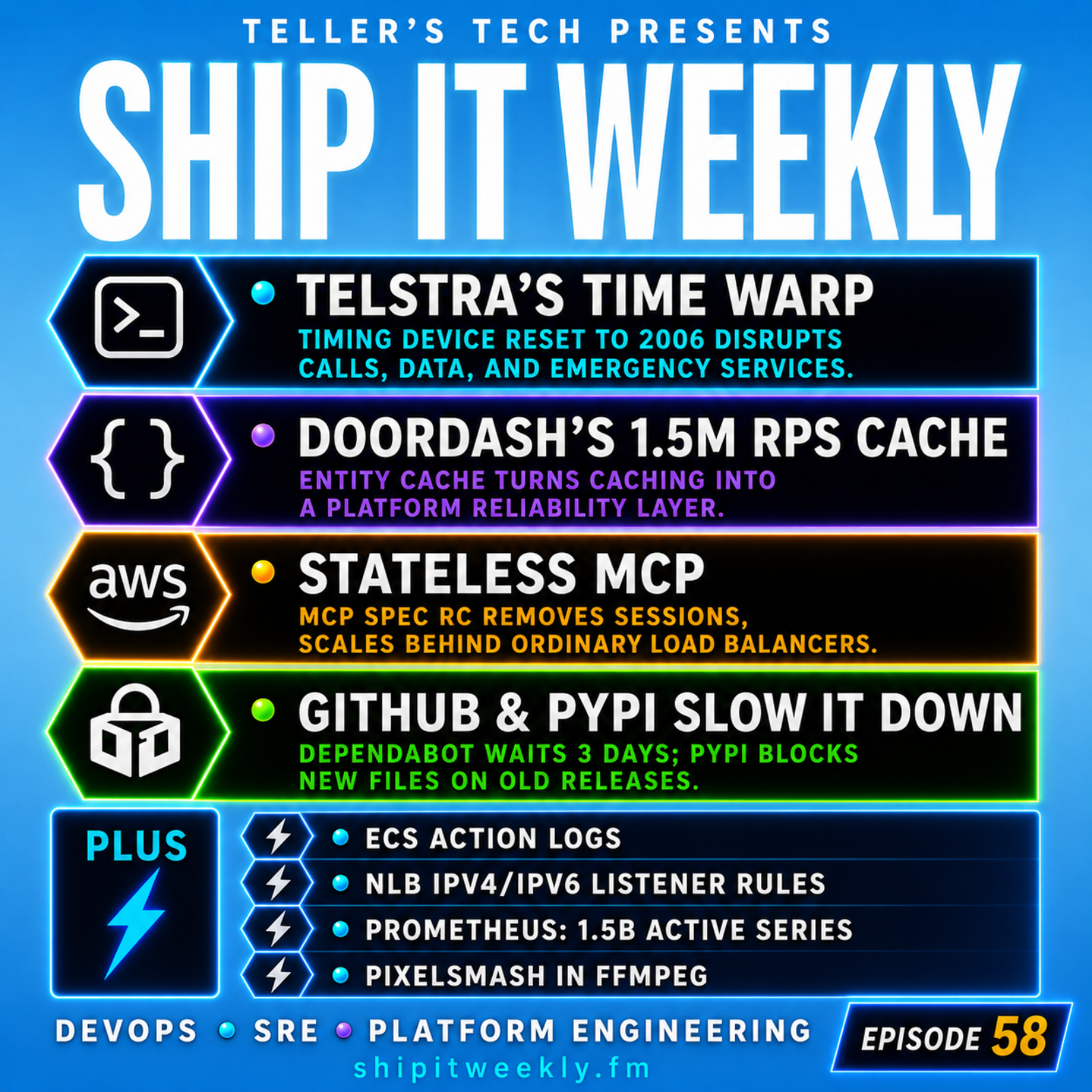 Telstra’s Time Sync Outage, DoorDash’s 1.5M RPS Cache, Stateless MCP, GitHub and PyPI Supply Chain Delays, and Why the Quietest Infrastructure Often Has the Biggest Blast RadiusShip It Weekly · on Model Context Protocol (MCP)97 / 100
 The Terminal as an Agentic InterfacePodcast Archives · on Gemini CLI87 / 100
 Late checkouts, AI agents and the future of guest communication with Cole Rubin of ConduitMatt Talks Hospitality: Real conversations for innovative hoteliers · on Model Context Protocol (MCP)83 / 100
 The End of Software as We Know It: How AI Agents Are Rewriting HR, SaaS, and Organizational DesignAI First with Adam and Andy · on Model Context Protocol (MCP)81 / 100
 HN848: NetClaw: Your Open Source Network AssistantThe Everything Feed · on Model Context Protocol (MCP)80 / 100
 Boilerplate in Seconds: AI Handles Setup, Engineers Handle Logic - Klaudia Dussa ZiegerSoftware Testing Unleashed · on Model Context Protocol (MCP)80 / 100Episode 433: Passkeys, Passwords, and the End of SMS MFA88 / 100Episode 431: Agent Governance Is the New App Governance77 / 100Episode 430: Scouting out Microsoft Scout65 / 100Episode 429: Getting started with LLM Wikis85 / 100Episode 427: Copilot Cowork Hands-On Experiences77 / 100