
M365.FM · 2026-07-02 · 1h 16m
Key moments - from our scoring
Substance score
35 / 100
Five dimensions, 20 points each
Build 2026 marked a structural shift in how organizations should think about Microsoft agents: not as chatbot features, but as infrastructure requiring identity, governance, and runtime management. The episode presents a four-layer architecture model that cuts through the noise of competing products - Copilot, Copilot Studio, Security Copilot, Dynamics agents, Azure agents, GitHub Copilot, and Microsoft Scout. The experience layer (where users interact) is only the visible part; the critical decisions happen in the agent layer (domain-specific intelligence), runtime layer (execution and orchestration via Foundry Agent Service), and governance layer (identity and policy via Agent 365). Most organizations fail because they build in one layer while thinking they're in another, or skip governance entirely. The convergence of Agent 365 (May 2026 GA) and Foundry Agent Service (March 2026 GA) fundamentally changes what's possible: agents now get unique identities in Entra, subject to conditional access, least-privilege permissions, and full Purview audit trails - treated as hired infrastructure, not bolted-on features. This shift from experimental to operational agent deployment requires understanding the full four-layer stack before choosing products.
Hosted by Mirko Peters - Founder of m365.fm, m365.show and m365con.net. The show scores 65.8/100 on substance across its analysed episodes. See the full show profile.
The experience layer (Copilot, Scout, GitHub Copilot, embedded agents in Word/Excel) is where humans interact; the agent layer houses domain-specific intelligence (Security Copilot's phishing agents, Dynamics sales agents); the runtime layer (Foundry Agent Service) manages execution, state, and agent orchestration; and the governance layer (Agent 365) handles identity, policy, and audit via Entra and Purview.
Agent 365 reached general availability on May 1, 2026, and Foundry Agent Service hit GA in March, enabling governance and runtime to work together - agents now receive individual Entra identities, subject to least-privilege access controls and full audit logging, transforming them from invisible features to accountable infrastructure.
Organizations build only in the experience layer (Copilot Studio, Scout) and skip governance entirely, resulting in fragile setups with no visibility into what agents access, no way to revoke permissions, and duplicate agents doing the same work because there's no organizational discovery or policy mechanism.
Scout is a proactive, always-on work agent that watches activity across Teams, Outlook, OneDrive, and SharePoint to surface relevant information and flag decisions without being asked, whereas traditional Copilot is reactive - you ask a question and it responds, following a Q&A model.
Each agent becomes a unique principal (not a shared service account), allowing conditional access policies, least-privilege permissions, credential revocation, regular access reviews, and complete audit trails of what the agent accessed, when, and why - making agents governable like any other system.
Our reviewer’s read on each dimension, with quotes from the episode.
The episode packs in genuine infrastructure concepts - three memory types, toolbox discovery, A2A protocol, Foundry IQ as managed RAG, private VNet hosting - along with a defensible four-layer framework and a solid shadow-agent governance analysis. However, heavy repetition of the same points across sections and a promotional product-catalogue tone dilute the density of truly non-obvious ideas per minute.
Foundry's orchestration layer cuts token consumption by about 50% compared to naive approaches.
Before Agent 365, these agents were invisible. Now they are governed like infrastructure.
The 'agents as infrastructure not features' thesis and the shadow-agent framing are genuinely useful reframes, and the 'you are not just using an agent anymore, you are hiring one' line is memorable. But the episode largely recycles well-circulated concepts (RAG, least-privilege, governed identity) without first-principles reasoning or contrarian positions, and the four-layer model is intuitive rather than surprising.
You are not just using an agent anymore. You are hiring one.
A sales agent applied to operations is worse than useless because it will be confidently wrong.
There is no guest at all - this is an unattributed solo narrated monologue, essentially a long-form blog post read aloud. No practitioner is being interviewed, no credentials are established, and there is no external voice to evaluate for seniority or real-world experience.
Let's start with the model that makes sense of the noise. The four layers, how to think about agents.
We will start with the experience layer because this is where most people encounter agents. This is the surface.
The episode provides named products with specific GA dates, illustrative cost figures with dollar amounts and percentages, and concrete failure-mode descriptions. However, all ROI numbers ($1.2M freed capacity, 70-80% phishing triage reduction, 75% rep productivity gain) are presented without sourcing, case studies, or named organizations, making them feel illustrative rather than empirical.
Agent 365 moved from preview to general availability on May 1, 2026 and Foundry Agent Service hit GA back in March.
A mid-level analyst costs your organization something like $120 to $180,000 per year in full cost. The fishing triage agent reduces the time and analyst spends reviewing suspicious messages by 70 to 80%.
This is a solo narrated monologue with no host, no guest, no questions, no follow-ups, and no pushback whatsoever. The conversational craft dimension cannot be meaningfully evaluated; the format is structurally incapable of producing the probing dialogue the dimension rewards.
Everyone is calling Build 2026, the AI event. They're focused on the keynotes and the new models. But the real shift is much quieter.
Computed from the transcript - who did the talking, and the words that came up most.
Everyone is calling Build 2026 the AI conference. Most of the attention went toward new copilots, voice experiences, and increasingly capable models. But beneath the headlines, Microsoft quietly introduced something far more significant. The real story is not about another AI feature. It is about the emergence of a completely new infrastructure layer for enterprise computing. For years, organizations approached AI as a chatbot problem. Build a conversational interface, connect it to some data, add a few prompts, and call it an AI strategy. That approach worked for experimentation, but it was never designed for scale. Chatbots forget context, struggle with governance, and become increasingly difficult to manage as more departments begin building their own solutions. What Microsoft is building now is fundamentally different. We are moving from assistants that answer questions to agents that operate as active participants inside the enterprise. THE FOUR-LAYER MODEL THAT CHANGES EVERYTHING One of the most important concepts emerging from Microsoft's latest announcements is the idea that agents should no longer be viewed as products.
Transcribed and scored by The B2B Podcast Index.
1 - > Everyone is calling Build 2026, the AI event. 2 - > They're focused on the keynotes and the new models. 3 - > But the real shift is much quieter. 4 - > It isn't happening in the headlines.
5 - > It's happening in the structure underneath. 6 - > But here's what actually changed. 7 - > We moved from chatbots that assist to agents that operate. 8 - > That sounds like a small feature update.
9 - > It isn't. 10 - > It's a fundamental shift in how we build. 11 - > It changes identity governance and orchestration. 12 - > It's the infrastructure layer.
13 - > The stuff you can't see in a demo. 14 - > Most organizations are building agents that are fragile. 15 - > They pick products without understanding the model. 16 - > They deploy without any governance.
17 - > They end up with multiple agents doing the exact same work 18 - > because they don't know what already exists. 19 - > They're about to hit a wall. 20 - > We need to move past product names. 21 - > We need to look past what's in preview and what's ready now.
22 - > We have to look at the structural reality of how agents work. 23 - > Because that determines if your deployment scales 24 - > or if it fails. 25 - > Let's start with the model that makes sense of the noise. 26 - > The four layers, how to think about agents.
27 - > The problem is simple. 28 - > There are too many agent products. 29 - > You have security, co-pilot and dynamics agents. 30 - > You have Azure agents and co-pilot studio.
31 - > Then there's Foundry, GitHub, co-pilot and Microsoft Scout. 32 - > Most organizations don't have a mental model for which one to use. 33 - > They pick based on a recommendation or a random headline. 34 - > That isn't a strategy.
35 - > The solution is also simple. 36 - > Stop thinking about agents as products. 37 - > Start thinking about them as a system with four layers. 38 - > Each layer has different needs.
39 - > Each layer requires different people to make decisions. 40 - > When you confuse these layers, your deployment fails. 41 - > Experience layer. 42 - > This is where humans talk to agents.
43 - > It includes co-pilot and Microsoft Scout, 44 - > which is the always on work agent. 45 - > It includes GitHub, co-pilot and the agents built into Word or Excel. 46 - > You also have computer using agents that click and navigate, 47 - > just like a person does. 48 - > This layer is about discovery.
49 - > Most companies start here, but they also stop here. 50 - > And that's why their setup is fragile. 51 - > Agent layer. 52 - > This is where specific intelligence lives.
53 - > Security co-pilot has agents for phishing and threat intelligence. 54 - > Dynamics 365 has agents for sales and customer intent. 55 - > Azure co-pilot has agents for migration and troubleshooting. 56 - > These aren't generic assistants.
57 - > They are built for one specific job with one specific context. 58 - > An agent that doesn't understand your domain 59 - > is just a chatbot that's going to hallucinate. 60 - > But once you have a dozen of these running, you hit a problem. 61 - > You have to figure out how to control what they can actually access.
62 - > Run time layer. 63 - > This is where agents execute. 64 - > It's where they keep track of their state and call other tools. 65 - > Foundry agent service is the platform that manages this.
66 - > You define the logic and Microsoft handles the scaling and the networking. 67 - > The run time manages memory, including how to do things 68 - > and what the user prefers. 69 - > Multiple agents live in the same run time and call each other as tools. 70 - > A coordinator agent can delegate tasks to a specialist.
71 - > This is infrastructure. 72 - > It isn't a feature you just bolt on at the end. 73 - > Governance layer. 74 - > This is the part most organizations are missing.
75 - > It covers identity, policy and audits. 76 - > Agent 365 is the governance plane for all of it. 77 - > Every agent gets its own identity in Entra. 78 - > It isn't a shared account or a human account.
79 - > It's a unique principle. 80 - > That means you can use least privilege access. 81 - > You can revoke an agent's power. 82 - > You can audit an agent just like any other system.
83 - > Because of purview, every action an agent takes goes into an audit log. 84 - > You can apply the same policies to agents that you apply to your users. 85 - > Before Agent 365, these agents were invisible. 86 - > Now they are governed like infrastructure.
87 - > Each layer has different owners. 88 - > They have different controls. 89 - > Most projects fail because the team is building in one layer 90 - > while they think they're in another. 91 - > Or they just skip governance entirely.
92 - > When you understand these four layers, 93 - > you can navigate the whole ecosystem. 94 - > It's the difference between picking products at random 95 - > and making a real architectural decision. 96 - > So let's look at what actually changed at Build 2026 97 - > to make this model real. 98 - > Build 2026, the moment agents became infrastructure.
99 - > Everyone heard the same headlines coming out of Build 2026. 100 - > Computer using agents when GA, Copilot Studio got a redesign. 101 - > Voice agents arrived and teams got a fresh set of agent features. 102 - > It is a solid product roadmap.
103 - > It is exactly what you would expect to see at a major conference. 104 - > But there is a quieter headline underneath that one. 105 - > Nobody opened the show with it. 106 - > It did not get the keynote spotlight.
107 - > Agent 365 moved from preview to general availability on May 1, 2026 108 - > and Foundry Agent Service hit GA back in March. 109 - > For the first time, you have a governance plane 110 - > and a runtime plane actually talking to each other. 111 - > That is not just a new feature. 112 - > That is the moment the infrastructure became real.
113 - > Let's look at what Agent 365 actually does. 114 - > It treats agents as first class identities. 115 - > Not features, not capabilities bolted onto your existing systems. 116 - > Identities.
117 - > Every agent gets its own identity in Entra, 118 - > which means it is not a shared service account or a human user account mapped to a bot. 119 - > It is its own principle. 120 - > It has its own identity in your directory, 121 - > just like any other actor in your system. 122 - > That changes everything about what is actually possible.
123 - > Because once an agent has its own identity, 124 - > it can have its own permissions and its own audit trail. 125 - > You can apply conditional access policies to it, 126 - > put it through regular access reviews or revoke its credentials in an instant. 127 - > You can see exactly what it accessed when it happened and why it was there. 128 - > The shift here is subtle but fundamental.
129 - > You are not just using an agent anymore. 130 - > You are hiring one. 131 - > It comes with all the governance machinery that you would expect when hiring any other system. 132 - > You get purview audit logs that track every move it makes, 133 - > and entrapolices that constrain exactly what it can reach.
134 - > It is not a feature you just turn on. 135 - > It is a system you are now accountable for. 136 - > Foundry agent service hit GA in March. 137 - > And that is the runtime piece of the puzzle.
138 - > This is the managed platform where agents actually execute and maintain their state. 139 - > It is where they coordinate with other agents and call tools at scale. 140 - > You get procedural memory that lets agents learn how to do things across different sessions. 141 - > You get user memory that persists, preferences and session memory for context.
142 - > These agents run in sandbox sessions that Microsoft manages for you. 143 - > Scaling is handled automatically, so you define the logic while Microsoft handles the heavy lifting. 144 - > Before Bill 2026, Foundry was just an experimental platform. 145 - > It was interesting but it was not enterprise grade because the governance layer did not exist yet.
146 - > You could build agents but you had no way to govern them at the organizational level. 147 - > Now both pieces are GA and production ready. 148 - > They are designed to work together from the ground up. 149 - > Agent 365 discovers and governs while Foundry hosts and executes.
150 - > One gives you identity and policy and the other gives you runtime and orchestration. 151 - > Neither one works without the other in a real deployment. 152 - > That is the convergence that matters. 153 - > For the first time, organizations have the actual infrastructure required to run agents at scale with governance baked in.
154 - > It is not bolted on after the fact. 155 - > It is identity first, policy driven and fully auditable. 156 - > This is why the change is structural. 157 - > Before Bill 2026, agents were just features.
158 - > They were advanced features but you still just built one and hoped it did not break anything. 159 - > You had no visibility into what it was accessing. 160 - > If it went rogue, you had no clean way to shut it down. 161 - > After Bill 2026 agents are infrastructure, they have identities, policies and audit trails.
162 - > They run on managed platforms that scale and coordinate with other agents. 163 - > They are governed, like any other system in your environment. 164 - > That is not just a product announcement. 165 - > That is the moment when building agents stopped being experimental and started being operational.
166 - > The four layers we talked about are no longer just concepts. 167 - > They are an architectural reality. 168 - > This changes how you should be thinking about your agent strategy right now. 169 - > The question is no longer which agent product you should try.
170 - > The real question is how you architect agents across your entire organization. 171 - > The experience layer, where work begins. 172 - > So we have established the model. 173 - > Now let's look at what each layer actually does.
174 - > We will start with the experience layer because this is where most people encounter agents. 175 - > This is the surface. 176 - > This is what you interact with every day. 177 - > The experience layer is straightforward and concept.
178 - > It is where humans interact with agents directly without needing to think about infrastructure or governance. 179 - > It is just you and an agent getting work done. 180 - > But even this surface level thinking has changed. 181 - > Microsoft Scout is the clearest example of how this works now.
182 - > Scout is positioned as an always on personal work agent. 183 - > It is not a chatbot you ask questions, 184 - > and it is not something you have to manually invoke. 185 - > It is an agent that watches what you are doing across teams, 186 - > outlook, one drive and share point. 187 - > It acts proactively.
188 - > You are in a meeting and Scout monitors the conversation. 189 - > You are preparing a document and Scout watches the context. 190 - > Without being asked, 191 - > it surfaces relevant information and flags decisions you need to make. 192 - > It does not wait for you to formulate a question 193 - > because it understands your context and anticipates what you need 194 - > compared that to traditional co-pilot, which is reactive.
195 - > You open word and type a prompt to write an introduction to a report. 196 - > Co-pilot responds, and it is helpful, 197 - > but it is still a Q&A model. 198 - > You ask and it answers. 199 - > Scout flips that entirely.
200 - > It observes and then it acts. 201 - > That is a fundamentally different way to interact with software. 202 - > GitHub co-pilot CLI brings that same agent concept 203 - > to developers in a completely different environment. 204 - > You are in a terminal and you need help with a Git workflow 205 - > or a command you cannot remember.
206 - > Instead of switching to a browser to look at documentation, 207 - > the agent operates right there in your terminal. 208 - > It is the same principle as Scout, just on a different surface. 209 - > Then you have agents embedded in the applications themselves. 210 - > Word has an agent that understands the tone and audience 211 - > of the document you are writing.
212 - > Excel has an agent that knows your data structure 213 - > and helps you analyze it. 214 - > PowerPoint has an agent that understands the story you are telling with your slides. 215 - > These are not generic assistance. 216 - > They understand the specific context of the work happening 217 - > in that specific application.
218 - > Co-pilot Studio sits somewhere different on this layer. 219 - > It is the tool that lets teams build custom agents without writing any code. 220 - > You use a low-code interface to define the behavior you want 221 - > and connect your knowledge sources. 222 - > You test it and then you launch it.
223 - > Most organizations start here because the bar to entry is genuinely low. 224 - > Computer using agents take a different approach entirely. 225 - > Instead of understanding natural language and calling APIs, 226 - > these agents see your screen. 227 - > They watch your UI, click like you do, 228 - > and navigate exactly like a human would.
229 - > This matters for legacy systems that do not have clean integrations. 230 - > A computer using agent can work with any system a human can work with. 231 - > Here is the pattern you see across the experience layer. 232 - > It is all about accessibility and meeting people where they already work.
233 - > Whether it is in teams, a terminal, or a calendar, 234 - > the infrastructure is not the focus. 235 - > The experience is, you want to know how quickly you can get value 236 - > and how well the agent fits into your existing workflow. 237 - > Most organizations start right here. 238 - > They try Scout, build something in co-pilot studio, 239 - > and enable co-pilot in their apps.
240 - > They see the value and they think they are done. 241 - > And that is where the fragility comes in. 242 - > Because the experience layer is only one layer. 243 - > It is the visible part, but underneath, 244 - > there is a whole architecture that determines whether this actually scales.
245 - > It determines whether your data stays secure 246 - > and whether you can actually manage these agents according to your company policies. 247 - > The agent layer, domain-specific intelligence. 248 - > Under the surface experience, something else is operating. 249 - > The agents themselves, and this is where the model matters.
250 - > Because an agent built for security is fundamentally different from an agent built for sales. 251 - > They have different training, different constraints, different context. 252 - > They serve a different purpose. 253 - > That is the agent layer.
254 - > The agent layer is where domain-specific intelligence actually lives. 255 - > These are not generic assistants. 256 - > They are not chatbots that sort of help with anything. 257 - > These are agents built for a specific job in a specific context with specific constraints.
258 - > They understand deeply. 259 - > Take security co-pilot agents as an example. 260 - > These are not general-purpose assistants that happen to work on security. 261 - > They were built from the ground up to understand security signals, 262 - > threat patterns, and remediation workflows.
263 - > There is a phishing triage agent that analyzes suspicious messages. 264 - > It separates likely phishing from legitimate mail 265 - > and helps analysts prioritize what to investigate. 266 - > That is not a generic language model answering questions. 267 - > It is a specialist agent that understands email signals the way security teams understand them.
268 - > Alert triage agents work the same way. 269 - > Security teams get flooded with alerts every day. 270 - > Most are noise, but some are signals. 271 - > The alert triage agent learns to distinguish between them 272 - > because it understands context.
273 - > It knows which alerts cluster together to suggest a larger incident 274 - > and surfaces what actually requires human attention. 275 - > It was built for that specific problem. 276 - > Conditional access agents, vulnerability remediation agents, 277 - > and threat intelligence agents are all specialized. 278 - > Each one has been trained on domain-specific data and workflows.
279 - > Each one has constraints built in 280 - > because security people understand what bad output looks like 281 - > and what could cause harm. 282 - > Then look at Dynamics 365 agents. 283 - > This is a completely different domain. 284 - > The sales qualification agent is not a chatbot.
285 - > It was built to understand lead scoring criteria, 286 - > customer fit, and pipeline progression. 287 - > It assesses inbound leads against what your sales team actually cares about 288 - > and surfaces high-probability opportunities 289 - > instead of everything that comes in. 290 - > The account reconciliation agent solves a different problem. 291 - > Finance teams spend enormous amounts of time matching records 292 - > like invoices to payments or purchase orders to receipts.
293 - > The agent understands matching logic 294 - > and knows what constitutes a match. 295 - > It flags exceptions and reduces the hours human spend 296 - > on purely mechanical work. 297 - > The customer intent agent works across multiple channels. 298 - > Sales and service teams have interactions through email, calls, 299 - > web forms, and social media.
300 - > The agent analyzes those signals to understand 301 - > what the customer actually wants 302 - > underneath what they explicitly asked for. 303 - > This helps teams respond with better timing 304 - > and better solutions. 305 - > Supplyer communications and field service 306 - > each have their own agents built for specific domains 307 - > with specific workflows. 308 - > Azure brings its own set to the table.
309 - > There are migration agents for assessing and planning complex Azure migrations 310 - > and deployment agents that guide implementation 311 - > once the architecture is decided. 312 - > Optimization agents run on existing environments 313 - > to improve cost, performance, and utilization. 314 - > Observability agents connect disparate telemetry signals 315 - > to surface what is actually happening in your infrastructure. 316 - > Resiliency agents strengthen fault tolerance 317 - > before failure happens.
318 - > And troubleshooting agents diagnose problems faster than humans can. 319 - > And then there is the open category. 320 - > Copilot Studio lets teams build custom agents 321 - > for business specific workflows 322 - > that do not fit any pre-built pattern. 323 - > These are processes unique to your industry 324 - > or workflows specific to your organization.
325 - > And those agents are built by business teams 326 - > who understand that context deeply. 327 - > The key distinction is that these are not generic assistance 328 - > with domain knowledge bolted on. 329 - > They were built from the ground up for a specific job. 330 - > They have constraints, they have specialized training.
331 - > They understand the specific signals 332 - > that matter in that domain. 333 - > This means an agent that does not understand your domain 334 - > is just a chatbot with hallucination risk. 335 - > A security agent applied to sales is useless. 336 - > A sales agent applied to operations is worse than useless 337 - > because it will be confidently wrong.
338 - > But this creates a governance problem. 339 - > Once you have dozens of specialized agents running across your organization, 340 - > you have to control what they access. 341 - > Some are pre-built, some are custom, and some are from vendors. 342 - > You need to keep them aligned with policy 343 - > and you need to know they even exist.
344 - > That is where the runtime and governance layers become critical. 345 - > The runtime layer, where agents actually execute, 346 - > the infrastructure where agents actually run 347 - > is a different problem entirely. 348 - > Once you have agents with specialized capabilities, 349 - > they need somewhere to live. 350 - > They need a place to maintain state, call tools and connect to data.
351 - > They need to coordinate with other agents doing related work. 352 - > That is the runtime layer. 353 - > Foundry agent service is the manage platform for this. 354 - > Think of it like this.
355 - > You write the agent logic and define what it should do. 356 - > You specify what tools it needs access to 357 - > and then you hand it to Foundry. 358 - > Foundry handles everything underneath, 359 - > including scaling, isolation, networking, and identity. 360 - > It manages session management and state persistence 361 - > so you can focus on the logic while Microsoft manages the infrastructure.
362 - > That distinction matters more than it sounds. 363 - > Building agents yourself means managing containers, 364 - > scaling groups, and databases for state. 365 - > You have to manage memory and networking. 366 - > Building agents on Foundry means you are not managing any of that 367 - > because the platform does it for you.
368 - > You define the agent and deploy it, and then it runs. 369 - > This is what managed actually means in practice. 370 - > Agents run in hosted sessions where each session gets its own sandbox. 371 - > The session has file system access and persistent state 372 - > that survives across interactions.
373 - > When a user talks to an agent that conversation maintains context, 374 - > when the agent needs to do work, it has a place to store intermediate results. 375 - > When another agent needs to call this agent, 376 - > the call goes through a standard protocol. 377 - > Microsoft handles the isolation and the scaling. 378 - > If traffic spikes, the platform scales automatically, 379 - > and if one agent fails, it does not cascade.
380 - > Memory is built into the runtime instead of being bolted on. 381 - > This is where the model shows its maturity. 382 - > Procedural memory means agents remember how to do things. 383 - > Once they have executed a workflow, they remember the steps, 384 - > which makes them faster and more accurate the second time.
385 - > User memory persists across sessions, 386 - > so an agent learns your preferences, your constraints, 387 - > and your typical patterns. 388 - > It carries that forward. 389 - > Session memory holds context for the current conversation, 390 - > but only the current conversation. 391 - > Once the session ends, session memory goes away, 392 - > but procedural and user memory stick around.
393 - > Multi-agent orchestration happens in the runtime. 394 - > One agent can call another agent as a tool. 395 - > You have a coordinator agent that breaks down a complex task 396 - > and calls a data retrieval agent. 397 - > That agent goes to fetch information 398 - > and then calls an analysis agent.
399 - > That agent processes what was retrieved 400 - > and calls a communication agent to draft a response. 401 - > The coordinator stitches it all together 402 - > while the runtime handles the choreography. 403 - > Each agent knows what tool it is calling 404 - > and what response to expect. 405 - > If one agent fails, the coordinator can retry or escalate.
406 - > The agent to agent protocol standardizes this process. 407 - > Agents do not just work within foundry. 408 - > They can call agents built on other frameworks 409 - > as long as they speak the A2A protocol. 410 - > Agents built on semantic kernel can call agents built on auto-gen.
411 - > Custom agents can call pre-built agents. 412 - > They do not all have to run on the same platform 413 - > as long as they understand the protocol. 414 - > Toolboxes are the discovery mechanism. 415 - > Instead of hard-coding every tool an agent might need, 416 - > toolboxes let agents discover tools at runtime.
417 - > A toolbox is a collection of tools, integrations, and data sources. 418 - > An agent looks at the task it is facing 419 - > and checks what is available in the toolbox. 420 - > It selects what is relevant and uses it. 421 - > If new tools get added to the toolbox, 422 - > every agent automatically has access 423 - > without any redeployment or reconfiguration.
424 - > Foundry IQ is the knowledge layer underneath. 425 - > It unifies retrieval across documents, data warehouses, 426 - > web content, and enterprise sources. 427 - > An agent that needs to answer a question 428 - > does not have to know where the answer lives. 429 - > It asks Foundry IQ and the platform finds it.
430 - > It returns relevant context 431 - > and the agent uses that context to construct a response. 432 - > There are no custom rag pipelines 433 - > to build a no-vector databases to manage. 434 - > Foundry IQ handles the orchestration 435 - > of multiple retrieval sources. 436 - > The reason runtime matters is simple.
437 - > Without a managed runtime, 438 - > you are building agents that run in your own infrastructure. 439 - > You are responsible for scaling, 440 - > state management, and keeping them secure. 441 - > You have to make sure they do not break other systems. 442 - > With Foundry, you are building agents 443 - > that scale automatically and maintain 444 - > state without your involvement.
445 - > They coordinate with other agents 446 - > without custom orchestration and access tools 447 - > without hard-coded integrations. 448 - > The runtime is what lets you move 449 - > from experimental agents to operational agents at scale. 450 - > The governance layer sits on top and controls all of this 451 - > but the runtime layer is what makes it actually work. 452 - > The governance layer, the missing piece, 453 - > the runtime layer gives you the basics.
454 - > Hosting, memory, scaling. 455 - > But infrastructure without control is just chaos. 456 - > That is where the governance layer comes in. 457 - > Before agent 365 agents were essentially invisible.
458 - > You would build an agent in Co-Pilot Studio 459 - > and it would just run somewhere. 460 - > It might be in the power platform 461 - > or a custom environment 462 - > or even on a laptop running a local script. 463 - > Nobody knew it was there. 464 - > It did not know.
465 - > Security did not know. 466 - > The organization had no idea what was operating, 467 - > what data it was touching 468 - > or who was even responsible for it. 469 - > That invisibility was fine when agents were just experiments. 470 - > It became dangerous the moment they started calling real APIs 471 - > and making decisions at scale.
472 - > The governance layer changes that. 473 - > It makes agents visible. 474 - > More importantly, it makes them manageable. 475 - > Agent 365 acts as a central registry.
476 - > It discovers every agent in your tenant 477 - > not just the ones you officially deployed. 478 - > It finds the agents in power platform environments 479 - > that have not been touched in six months 480 - > and it surfaces the Co-Pilot Studio bot someone built 481 - > in a private workspace. 482 - > It discovers shadow agents that nobody told it about. 483 - > For the first time, you can actually see what is running.
484 - > But discovery is only the start. 485 - > Once you see an agent, you have to control it. 486 - > And that is where EntraAgentID changes the model. 487 - > Every agent gets its own identity in your EntraDirectory.
488 - > This is not a shared service account 489 - > or a human account mapped to a bot. 490 - > It is its own principle. 491 - > When an agent acts, it acts as itself. 492 - > It has its own permissions, its own audit trail 493 - > and its own life cycle.
494 - > That sounds like a minor detail. 495 - > It is not. It is foundational. 496 - > Because an agent with its own identity 497 - > can follow the rule of least privilege.
498 - > If an agent only needs to read 499 - > from one specific SharePoint library, 500 - > it gets read-only access to that library and nothing else. 501 - > It does not get broad access to all of SharePoint. 502 - > It does not use a service account 503 - > that can read every file in the company. 504 - > It gets exactly what it needs to do the job.
505 - > That is the opposite of how agents usually work today. 506 - > Right now, they either have no identity at all 507 - > or they run under a service account with permissions 508 - > that were set once and never checked again. 509 - > With EntraEgentID, every agent is secure by design. 510 - > Because every agent has its own identity, 511 - > you can scope that identity with total precision.
512 - > If an agent goes rogue or gets compromised, 513 - > you simply revoke its identity. 514 - > It stops immediately. 515 - > It does not wait for a manual shutdown or a service restart. 516 - > It dies the moment the identity is gone.
517 - > Every action an agent takes is logged under its own name. 518 - > Because of Pervue integration, 519 - > that audit trail flows into the same logs 520 - > that track everything else in your environment. 521 - > You can see what every agent accessed 522 - > and exactly what it did. 523 - > For compliance or for figuring out what went wrong, 524 - > the trail is finally complete.
525 - > The same conditional access policies you apply to humans 526 - > now apply to agents. 527 - > If your policy says sensitive data 528 - > must only come from a managed device 529 - > that rule applies to your agents too. 530 - > If you restrict access based on risk or location, 531 - > agents have to follow those rules. 532 - > You are no longer managing agent security 533 - > in a separate silo.
534 - > It is all one system. 535 - > The agent control specification 536 - > lets you define what agents are allowed to do. 537 - > This is different from access control. 538 - > It is about actions.
539 - > Maybe an agent can read documents but cannot modify them. 540 - > Maybe it can send a message but cannot delete one. 541 - > You define the boundaries. 542 - > And the runtime enforces them.
543 - > This is the structural shift. 544 - > Before agent 365 agents were invisible and uncontrolled. 545 - > Now, they are governed like any other system. 546 - > They have identity.
547 - > They have audits. 548 - > They have a life cycle. 549 - > Governance is not an add-on. 550 - > It is infrastructure.
551 - > The decision framework, 552 - > Azure and GitHub agents. 553 - > We have covered the layers. 554 - > You understand the model. 555 - > But the model does not tell you which agent to actually use.
556 - > That requires a decision framework. 557 - > And it starts with a simple question. 558 - > Is the work you are doing focused on infrastructure 559 - > or on developers? 560 - > If the work is about deployment, operations, 561 - > or cloud optimization, 562 - > you are looking at Azure agents.
563 - > These are specialized for the cloud. 564 - > They understand the specific problems 565 - > that operations teams deal with every day. 566 - > Take the migration agent. 567 - > You use this when you are planning a move to Azure 568 - > with complex dependencies.
569 - > Your environment likely has systems 570 - > that talk to each other in ways you do not fully see. 571 - > The migration agent understands those relationships. 572 - > It maps what is connected to what 573 - > and finds the dependencies you might miss 574 - > during a manual check. 575 - > It surfaces the risks of moving system A 576 - > before system B.
577 - > This speeds up the assessment phase 578 - > where most companies waste months 579 - > just documenting what they own. 580 - > The deployment agent is for a different stage. 581 - > Use this when the architecture decisions are already made. 582 - > You know where the workloads are going 583 - > and what services you need.
584 - > Now you need a guide for implementation. 585 - > How do you deploy this at scale? 586 - > How do you make it repeatable 587 - > to the fifth deployment is as clean as the first? 588 - > It helps you build a process 589 - > so someone else can deploy the same setup 590 - > without needing the knowledge inside your head.
591 - > The optimization agent runs on environments 592 - > that are already live. 593 - > Use it when you are past the setup phase 594 - > and into a steady state. 595 - > Your infrastructure is running 596 - > but you might be spending too much on compute 597 - > or leaving performance on the table. 598 - > This agent analyzes what you are actually using 599 - > versus what you are paying for.
600 - > It finds right sizing opportunities 601 - > and unused resources. 602 - > It is not about changing the architecture. 603 - > It is about making what you have run more efficiently. 604 - > The observability agent is for when you have plenty of data 605 - > but the signal is buried in noise.
606 - > Your systems are producing logs, metrics 607 - > and traces. 608 - > Connecting those signals into a real understanding 609 - > of what is happening is the hard part. 610 - > The observability agent looks across all your data sources 611 - > to correlate events. 612 - > It helps you understand not just that something failed 613 - > but why it happened.
614 - > The resiliency agent works before things break. 615 - > Use this when you want to strengthen your fall tolerance. 616 - > What happens if a database goes down? 617 - > What happens if a network connection fails?
618 - > The resiliency agent looks for weak points in your architecture. 619 - > It suggests improvements 620 - > so you can build in redundancy 621 - > where it actually matters. 622 - > The troubleshooting agent is for when things go wrong. 623 - > Something broke and you need a diagnosis fast.
624 - > The problem could be in the network, the app or the database. 625 - > This agent pulls signals from every source at once. 626 - > It diagnosis faster than a human 627 - > because it does not have to switch between different tools 628 - > and documentation. 629 - > It sees everything at the same time.
630 - > GitHub Copilot CLI is the version for developers. 631 - > Use this when teams need help without leaving their workflow. 632 - > They are in the terminal and they need a command 633 - > or help with an error message. 634 - > Instead of switching to a browser, 635 - > the agent operates right there in the environment 636 - > where the work is happening.
637 - > The modernization agent helps teams update old code 638 - > without starting from scratch. 639 - > You have legacy systems that need to move toward a new architecture. 640 - > This agent understands those patterns. 641 - > It suggests the best approach 642 - > and can even help with the actual refactoring.
643 - > The code review agent improves quality at scale. 644 - > When humans review every pull request, 645 - > the process is slow and inconsistent. 646 - > You can add an agent to do the first pass. 647 - > It checks for security floors and performance issues.
648 - > Humans still do the final review, 649 - > but they are looking at code that has already been cleaned up. 650 - > The pattern here is clarity. 651 - > You are not asking which agent is the most advanced. 652 - > You are asking what specific problem you need to solve.
653 - > And which agent is built for that task? 654 - > The decision framework, Dynamics 365 and M365 agents, 655 - > as your agents operate on your infrastructure. 656 - > But Dynamics and Microsoft 365 agents operate on your business. 657 - > That distinction matters because the decision point is different.
658 - > You aren't asking what technical problem you need to solve. 659 - > You're asking where intelligence is already sitting inside 660 - > the way your people actually work. 661 - > Take the sales qualification agent. 662 - > It exists because your sales team is drowning in leads.
663 - > Your inbound volume is high, 664 - > but most of those leads are low probability. 665 - > Your reps spend their entire day assessing people 666 - > instead of selling to them. 667 - > This agent looks at every lead against your specific criteria. 668 - > It understands what a qualified opportunity looks like 669 - > for your business.
670 - > It separates the high probability wins from the noise. 671 - > Because the agent handles the filtering, 672 - > your reps can finally focus on the opportunities 673 - > that are actually worth their time. 674 - > The account reconciliation agent solves a different problem. 675 - > Finance teams spend hours matching invoices to payments.
676 - > Operations teams reconcile orders to shipments. 677 - > It is mechanical work. 678 - > It is time consuming. 679 - > And because humans get tired doing repetitive tasks, 680 - > it is incredibly error prone.
681 - > The agent understands your matching logic. 682 - > It knows what a valid match looks like 683 - > and flags the exceptions for a human to review. 684 - > This reduces hours of pure manual labor. 685 - > Now your finance team audits the results 686 - > instead of doing the reconciliation themselves.
687 - > The customer intent agent listens across every interaction. 688 - > A customer sends an email. 689 - > They call support. They fill out a form or post on social media.
690 - > Those interactions contain signals about what they actually want 691 - > even if they don't say it explicitly. 692 - > The intent agent analyzes those signals to surface patterns. 693 - > It helps your team understand what the customer is signaling 694 - > so you can respond at the right time. 695 - > You aren't just answering a question.
696 - > You're understanding what is really needed. 697 - > The supplier communications agent handles 698 - > a very specific friction point. 699 - > Supplier interactions are frequent and operational. 700 - > They usually follow the same repeatable patterns.
701 - > Someone asks to expedite an order. 702 - > Someone else wants a delivery status or an inventory check 703 - > on a specific SKU. 704 - > The agent handles these routine inquiries 705 - > and only escalates the genuinely complex issues to a person. 706 - > It cuts out the operational overhead 707 - > of that constant back and forth.
708 - > The field service agent coordinates complexity. 709 - > When a technician is dispatched to a job, 710 - > the agent pulls all the contacts together. 711 - > It looks at the service history on the equipment, 712 - > known issues with that model, 713 - > and the availability of parts. 714 - > It even estimates the time to repair.
715 - > The agent coordinates the next appointment 716 - > before the current one is even finished. 717 - > It ensures the follow-up actually happens. 718 - > This reduces the coordination overhead 719 - > that usually requires a dispatch team to manage by hand. 720 - > Agents in Word, Excel, and PowerPoint 721 - > embed intelligence directly into the tools 722 - > where knowledge work happens.
723 - > If a writer is working in Word, 724 - > the agent understands the tone and the audience. 725 - > It helps them without pulling them out of their flow. 726 - > If an analyst is building a spreadsheet, 727 - > the agent understands the data structure. 728 - > It helps build formulas, finds errors, 729 - > and suggests the right visualizations.
730 - > A presenter building slides can use an agent 731 - > to maintain narrative flow and story coherence. 732 - > None of this requires leaving the app. 733 - > None of it breaks your focus. 734 - > Co-Pilot Studio is the catch-all for custom agents.
735 - > When your business process doesn't fit a pre-built pattern, 736 - > you build it here. 737 - > If your workflow is specific to your industry 738 - > or how your company operates, 739 - > you can create what you need 740 - > without writing code or hiring developers. 741 - > It allows business teams to build for their own specific needs. 742 - > The pattern here is fundamentally different 743 - > from the Azure side.
744 - > Azure agents solve infrastructure problems. 745 - > Dynamics and M365 agents 746 - > embed intelligence into the systems your teams use every single day. 747 - > You aren't bolting on new tools. 748 - > You're making your existing tools smarter.
749 - > You aren't asking teams to learn a new interface. 750 - > You're putting the help exactly where the work is already happening. 751 - > That is why the scale is differently. 752 - > An IT ops team might have to learn a new platform like Foundry 753 - > but a sales rep doesn't have to learn anything new at all.
754 - > Their existing CRM just suddenly has intelligence. 755 - > A finance person doesn't need software training 756 - > because their spreadsheet now helps them work faster. 757 - > Your support team doesn't need a new system. 758 - > Their existing tools just got better.
759 - > The advantage is obvious but the challenge is deeper. 760 - > Embedding intelligence into business systems 761 - > requires a deep understanding of how those systems work. 762 - > You have to understand the workflows, 763 - > the data models, and the rules your people live by. 764 - > A generic agent cannot do that.
765 - > The agent has to be built for your specific business. 766 - > This is why governance and orchestration matter. 767 - > You aren't just running one or two tools anymore. 768 - > You're managing dozens of specialized agents 769 - > across your entire company.
770 - > Without a framework, that becomes chaos. 771 - > The shadow agent problem. 772 - > Why governance isn't optional? 773 - > Most organizations haven't confronted this reality yet.
774 - > You likely have agents running in your tenant right now 775 - > that IT doesn't even know about. 776 - > This isn't because IT is bad at their job. 777 - > It's because building agents has become trivially easy 778 - > while governance remains hard. 779 - > Teams would rather build first and ask for permission never.
780 - > These agents are hiding everywhere. 781 - > Someone spins up a co-pilot studio environment 782 - > to build a tool for their department. 783 - > They don't tell IT because they don't see it as infrastructure. 784 - > To them, it's just a feature in a platform they already use.
785 - > A power platform team creates a bot for their own automation. 786 - > A Teams channel has a bot handling admin tasks. 787 - > Someone else is running a custom Python script 788 - > that calls an API. 789 - > Even your vendors are bringing their own agents bundled 790 - > into their software.
791 - > By the time IT realizes these exist, 792 - > dozens of them are already in production. 793 - > They are accessing data and making decisions, 794 - > but nobody is officially responsible for them. 795 - > The risks start to compound quickly. 796 - > You might have an agent reading your entire sharepoint tenant 797 - > because someone granted it broad permissions 798 - > without thinking about security.
799 - > Another agent might be sending emails from a shared mailbox 800 - > with no audit trail to show who actually sent them. 801 - > You could have agents calling APIs with credentials stored in plain text. 802 - > Often, a dozen different agents are doing the same work, 803 - > but nobody knows it because they aren't registered anywhere. 804 - > The access restricted data duplicate effort 805 - > and create massive data quality problems.
806 - > This happens because the friction is asymmetrical. 807 - > Building an agent is frictionless. 808 - > It takes hours instead of weeks. 809 - > Governance is the exact opposite.
810 - > It requires planning, coordination, and policy definitions. 811 - > Most organizations haven't built that process yet, 812 - > so teams take the path of least resistance. 813 - > They build, they test, and they deploy. 814 - > They just skip the governance part entirely.
815 - > This is where agent 365 changes the structure of the problem. 816 - > It doesn't require you to have a perfect governance process in place before you start. 817 - > Instead, it provides visibility. 818 - > It discovers the agents that are already running.
819 - > Every agent talking to enter, 820 - > every agent accessing M365 data, 821 - > and every bot in the power platform is surfaced. 822 - > It doesn't depend on teams registering themselves. 823 - > It finds what already exists. 824 - > But discovery is only half the battle.
825 - > Once you find an agent, you have to be able to control it. 826 - > The Entra agent ID requirement changes the baseline for security. 827 - > Every agent gets its own identity in your directory. 828 - > When IT finds an agent with too much access, 829 - > they don't have to shut it down or beg the creators to fix it.
830 - > It can scope that identity themselves. 831 - > They can apply access controls directly to the agent. 832 - > If it only needs to read one specific SharePoint library, 833 - > IT grants access to that library and nothing else. 834 - > The agent can't accidentally or maliciously touch anything else.
835 - > The scope is locked. 836 - > If an agent starts misbehaving, 837 - > you can revoke its access instantly. 838 - > You don't need to have a meeting with the team that built it. 839 - > You just revoke the identity.
840 - > The agent stops working right then and there. 841 - > Every single action that agent takes is logged under its own identity. 842 - > When something goes wrong, your logs won't just show 843 - > that a system account accessed the data. 844 - > You will see exactly which agent did it and when it happened.
845 - > The audit trail leads directly to the source. 846 - > This is why governance isn't an optional add-on. 847 - > It isn't something you bolt on after you have 50 agents running. 848 - > It is the foundation that makes visibility 849 - > and control possible in the first place.
850 - > You cannot govern what you cannot see. 851 - > Agent 365 makes those agents visible. 852 - > You cannot have control without identity. 853 - > Entra agent ID makes those agents controllable.
854 - > Together, these tools solve the shadow agent problem. 855 - > The goal isn't to stop teams from building. 856 - > The goal is to make sure those agents are manageable, 857 - > auditable and secure by design. 858 - > If you skip this piece, you are building a fragile system.
859 - > Foundry agent service, the production runtime. 860 - > Governance is the control plane. 861 - > But control only matters if there is something to manage. 862 - > The runtime is what gives governance a purpose.
863 - > It is the infrastructure where your agents actually live and operate. 864 - > Foundry agent service is a managed platform. 865 - > In practice, this means the division of labor is very clear. 866 - > You write the logic.
867 - > You define the goals, you pick the tools, 868 - > then you deploy it into Foundry. 869 - > Microsoft handles the rest. 870 - > They manage the scaling, the isolation, 871 - > the networking and the persistent state. 872 - > You focus on how the agent behaves 873 - > while the platform handles the operational heavy lifting.
874 - > Agents run in hosted sessions. 875 - > Every session gets its own sandbox. 876 - > When a user starts a conversation, 877 - > that interaction is placed in an isolated container. 878 - > The agent can read and write files within that specific session.
879 - > It maintains state across multiple turns. 880 - > If the session ends, that local state disappears. 881 - > But you can design agents to remember things 882 - > across sessions if the use case requires it. 883 - > This isolation ensures that if one agent misbehaves, 884 - > it won't crash your other executions.
885 - > The responses API is the single entry point for everything. 886 - > When a system needs to call an agent, 887 - > it hits this one endpoint. 888 - > The API is agnostic to how you build the agent. 889 - > It works with semantic kernel.
890 - > It works with autogen. 891 - > It works with the agent framework. 892 - > Even custom code is fine as long as it follows the protocol. 893 - > This is a big deal because it prevents vendor lock-in.
894 - > Different teams can use different frameworks, 895 - > but they all converge at the same runtime. 896 - > Memory and Foundry is a core feature. 897 - > It isn't bolted on. 898 - > There are three distinct types.
899 - > Procedural memory is how the agent learns workflows. 900 - > It does a task once, remembers the steps, 901 - > and becomes faster the second time. 902 - > User memory stays active across sessions. 903 - > The agent learns your preferences and constraints over time.
904 - > Session memory is strictly contextual. 905 - > It lives for the current conversation 906 - > and vanishes the moment you close the window. 907 - > This distinction changes how agents actually feel to the user. 908 - > A sales agent with user memory knows your industry 909 - > and your typical deal size.
910 - > It uses that history to calibrate every suggestion it makes. 911 - > But session memory keeps the current thread clean. 912 - > When you start a new topic, 913 - > you aren't fighting irrelevant history from three days ago. 914 - > It prevents the context from getting polluted.
915 - > Multi-agent orchestration happens naturally here. 916 - > One agent can call another agent just like it would call a tool. 917 - > You might have a coordinator agent talking to the user. 918 - > When a complex request comes in, the coordinator breaks it down.
919 - > It calls a retrieval agent for data. 920 - > It calls an analysis agent to process that data. 921 - > It calls a communication agent to draft the final text. 922 - > The runtime manages this entire flow.
923 - > Each agent knows what to call and what to expect back. 924 - > If a step fails, the coordinator can retry or escalate the issue. 925 - > Toolboxes are how agents find new skills at runtime. 926 - > You don't have to hard-code every tool into the agent itself.
927 - > Instead, you create a managed library. 928 - > When an agent hits a problem, it checks the toolbox 929 - > and picks the right tool for the job. 930 - > When you add a new tool to the library, 931 - > every agent gets access to it immediately. 932 - > There is no redeployment and no configuration change.
933 - > It is just instant availability. 934 - > MCP support allows agents to talk to model context protocol servers. 935 - > These are external data sources that speak a standard language. 936 - > You don't need to build custom connectors for every legacy system in your stack.
937 - > The agent just needs to understand MCP. 938 - > If a tool exposes that protocol, the agent can use it. 939 - > Private networking is the final piece of the puzzle. 940 - > For regulated industries, public endpoints are a non-starter.
941 - > Foundry supports end-to-end private networking. 942 - > Your agents run entirely inside your vnet. 943 - > There are no public endpoints and no outside exposure. 944 - > If you work in banking or healthcare, 945 - > this is the feature that makes agent infrastructure possible.
946 - > The outcome is simple. 947 - > You aren't managing clusters. 948 - > You aren't writing scaling logic. 949 - > You aren't designing database schemas for conversation state.
950 - > You define the behavior and let the platform handle the execution. 951 - > Multi-agent orchestration, the real complexity. 952 - > The runtime gives you a place to run your code, 953 - > but running one agent is easy. 954 - > Running dozens of agents that have to cooperate 955 - > is where most projects fail.
956 - > That coordination is the real challenge. 957 - > It isn't that the agents are broken, they work fine. 958 - > The problem is that orchestration is structurally difficult. 959 - > Most organizations haven't built a model to handle it.
960 - > The connected agent's pattern is the simplest place to start. 961 - > This is where one agent calls another as a tool. 962 - > Think of a coordinator agent facing the user. 963 - > It receives a request and breaks it into smaller tasks.
964 - > It tells a retrieval agent to get information on a specific topic. 965 - > It tells an analysis agent to find patterns in that data. 966 - > Finally, it tells a communication agent to write the response. 967 - > The coordinator then takes those pieces 968 - > and stitches them together for the user.
969 - > This model works, but it is sequential. 970 - > One agent has to finish before the next one can start. 971 - > That is fine for basic tasks, 972 - > but for complex work, you are wasting time waiting on steps 973 - > that could be happening at once. 974 - > This is why we use multi-agent workflows.
975 - > This is a stateful layer that sits above the runtime. 976 - > It coordinates agents over long, multi-step processes. 977 - > It isn't just a chain of calls. 978 - > It involves branching logic and parallel execution.
979 - > It handles errors and keeps state alive over long periods of time. 980 - > Durable orchestration handles the most complex scenarios. 981 - > Imagine an agent preparing a legal proposal. 982 - > It submits the document for approval, 983 - > and then it waits.
984 - > This might take days or even weeks. 985 - > When a human finally approves it, 986 - > the workflow resumes with the full context intact. 987 - > The agent doesn't have to reread the file. 988 - > The state remembers everything.
989 - > The execution just continues as if the pause never happened. 990 - > Group chat is a completely different model. 991 - > Instead of a top-down coordinator, 992 - > multiple agents see the same message thread. 993 - > They collaborate and they debate.
994 - > The control shifts based on the needs of the conversation. 995 - > If the group decides to try one approach and it fails, 996 - > they can pivot to another. 997 - > They are working the problem out together, 998 - > rather than following a fixed script. 999 - > The choice between sequential and concurrent is about efficiency.
1000 - > You use sequential when step B depends on step A. 1001 - > You can't analyze data you haven't found yet. 1002 - > But you use concurrent when tasks are independent. 1003 - > You can pull data from three different databases at the same time 1004 - > and then merge the results.
1005 - > A good orchestration layer lets you mix both patterns 1006 - > in the same workflow. 1007 - > Then you have the handoff pattern. 1008 - > When a task moves from one agent to another, 1009 - > the transition has to be clean. 1010 - > It isn't enough to just pass the data.
1011 - > You have to transfer the context. 1012 - > The second agent needs to know what the first agent already tried. 1013 - > It needs to know what failed, 1014 - > so it doesn't repeat the same mistakes. 1015 - > It picks up exactly where the last agent left off.
1016 - > The real complexity starts when you combine these ideas. 1017 - > You might have a workflow that is mostly sequential 1018 - > but has parallel steps in the middle. 1019 - > You might have agents collaborating in a chat 1020 - > while a human approval step pauses the whole thing. 1021 - > Context has to flow through all these different patterns without breaking.
1022 - > Most deployments fail here because the orchestration wasn't planned. 1023 - > Someone builds three great agents that work in isolation 1024 - > but getting them to work together with proper, 1025 - > error handling and audit trails is the actual work. 1026 - > A single agent is a useful tool 1027 - > but multiple agents working in a coordinated system are transformative. 1028 - > They can solve problems that no single model can touch.
1029 - > Understanding these orchestration patterns 1030 - > is the difference between a toy and a production system. 1031 - > The identity shift, agents as principles, not features. 1032 - > The structural foundation of everything we've talked about comes down to one thing. 1033 - > Identity.
1034 - > And how Microsoft fundamentally changed what an agent identity actually means. 1035 - > In most organizations building agents today, 1036 - > there's an old pattern. 1037 - > The agent runs under a shared service account. 1038 - > Maybe it's a generic automation account 1039 - > or maybe it's a human user account 1040 - > that was mapped to the agent because someone needed a quick solution.
1041 - > The account has broad permissions because nobody wanted to be granular. 1042 - > When the agent acts, the audit log shows that generic account doing the work. 1043 - > You can't see which agent did what. 1044 - > You can't revoke just that agent.
1045 - > You can't apply policies to just that agent. 1046 - > It's invisible in the identity system. 1047 - > The new model is fundamentally different. 1048 - > Every agent gets its own entry agent ID.
1049 - > Not a service account, not a user account. 1050 - > It's own principle in your directory. 1051 - > It shows up in an entry like any other actor. 1052 - > It has its own credentials.
1053 - > It's own audit trail. 1054 - > It's own life cycle. 1055 - > That sounds like a technical detail. 1056 - > It's actually the foundation that makes governance possible.
1057 - > Start with credentials. 1058 - > In the old model, agents either had credentials 1059 - > hard coded in configuration files 1060 - > or they inherited them from whatever account was running the process. 1061 - > Both approaches are vulnerable. 1062 - > Hard coded credentials and files get checked into repositories 1063 - > where they get exposed and shared across multiple agents.
1064 - > If one agent is compromised, 1065 - > the credential is compromised for every single agent using it. 1066 - > With EntraAgentID, 1067 - > credential management changes completely. 1068 - > The agent doesn't store credentials. 1069 - > It doesn't even know them.
1070 - > It requests a token from Azure. 1071 - > Azure validates the agent's identity. 1072 - > If the identity is legitimate and hasn't been revoked, 1073 - > the agent gets a token. 1074 - > That token is short-lived.
1075 - > It expires. 1076 - > It's tied to that specific agent. 1077 - > If the agent is compromised, 1078 - > the token is compromised, 1079 - > but only for that agent, other agents are unaffected. 1080 - > More importantly, credentials stay in Azure Key Vault.
1081 - > They aren't in files or code. 1082 - > They're in a secured vault that's separate from the agent itself. 1083 - > If the agent requests what it needs from Key Vault 1084 - > which then validates the agent's identity 1085 - > and returns the secret. 1086 - > If you need to rotate a credential, 1087 - > you do it in Key Vault.
1088 - > Every agent that uses that secret automatically gets the new version. 1089 - > No redeployment, no configuration changes. 1090 - > The audit trail changes too. 1091 - > Every action an agent takes is logged with its identity.
1092 - > Not a generic account, not a human user, the specific agent. 1093 - > When an audit log shows agent X access this data at this time, 1094 - > you know exactly which agent did it. 1095 - > You can trace back to who built it, 1096 - > who deployed it, and who owns it. 1097 - > For regulated industries, this is transformative.
1098 - > You can prove compliance. 1099 - > You can show that access was controlled. 1100 - > You can demonstrate that unintended access 1101 - > was impossible because the agent's permissions were scope 1102 - > to prevent it. 1103 - > Revocation is immediate.
1104 - > If an agent is compromised or misbehaving, 1105 - > you revoke its identity. 1106 - > Not let's shut down the process or let's escalate this to the team that built it. 1107 - > You revoke the identity in Entra. 1108 - > The agent stops operating immediately.
1109 - > Any request it makes is rejected because its identity is no longer valid. 1110 - > Everything downstream knows this agent is revoked. 1111 - > Conditional access policies work for agents the same way they work for humans. 1112 - > If you have a policy that says access to sensitive data requires a managed device, 1113 - > that policy applies to agents too.
1114 - > If you've set risk-based access controls, agents are subject to them. 1115 - > Access reviews include agents. 1116 - > If someone leaves the company, you don't have to hunt down every agent they built and disable it. 1117 - > If their identity is in a group that's being reviewed, agents they created show up, 1118 - > they get audited, they get disabled if necessary.
1119 - > The shift is structural. 1120 - > Agents stop being invisible infrastructure 1121 - > and become managed principles in your identity system. 1122 - > That's why it matters. 1123 - > You can't have governance without identity.
1124 - > With Entra agent ID, governance becomes possible. 1125 - > Security agents, reducing analyst fatigue. 1126 - > Now that we understand the structural foundation, 1127 - > how agents get identity, 1128 - > how they're governed and how they orchestrate, 1129 - > let's look at what this actually enables in practice. 1130 - > Security is where agents start delivering immediate value because the problem they solve is acute and measurable.
1131 - > The problem is straightforward. 1132 - > Alert volume in most organizations is overwhelming. 1133 - > Your team generates thousands of alerts per day. 1134 - > Your email system flags suspicious messages, 1135 - > your endpoint detection tools, flag anomalous behavior, 1136 - > your vulnerability scanner's find issues.
1137 - > The volume is relentless. 1138 - > And security analysts who are expensive and in short supply 1139 - > spend their time waiting through alerts that are 80% noise. 1140 - > They're looking for the 20% that actually matter. 1141 - > That's not security work, that's filtering.
1142 - > The fishing triage agent handles that filtering at the email layer. 1143 - > An organization gets hundreds of suspicious messages every week 1144 - > and while some are legitimate, many are phishing attempts. 1145 - > The agent analyzes incoming messages flagged as potentially malicious 1146 - > by looking at sender reputation and message structure. 1147 - > It checks for common fishing indicators 1148 - > and separates likely phishing from legitimate mail.
1149 - > Not perfectly, nothing is perfect, 1150 - > but accurately enough that you're reducing the email analysts' 1151 - > review workload significantly. 1152 - > Instead of reviewing 50 messages to find five that actually need escalation, 1153 - > the analyst reviews 20 because the agent already filtered out the obvious cases. 1154 - > Alert triage agents work the same principle 1155 - > but across the security infrastructure. 1156 - > Your tools are generating alerts.
1157 - > Some indicate real threats, some are false positives, 1158 - > some are legitimate findings but low priority. 1159 - > The alert triage agent understands the relationships between alerts. 1160 - > It knows which ones cluster together 1161 - > and suggests a larger incident. 1162 - > It prioritizes based on risk context.
1163 - > It surfaces what actually needs immediate attention. 1164 - > If you had a thousand alerts yesterday and 500 required investigation 1165 - > but only 50 actually mattered, 1166 - > the agent helps security teams see the 50 instead of drowning in the 500. 1167 - > The conditional access agent operates differently. 1168 - > It's not triaging, it's helping security teams manage identity policy at scale.
1169 - > Most organizations have conditional access policies. 1170 - > Rules that say things like require multi-factor authentication 1171 - > for sensitive data access or block access from unusual locations 1172 - > but conditional access is complex. 1173 - > A change to one policy can have cascading effects 1174 - > across other policies and systems. 1175 - > The agent helps teams understand policy impact 1176 - > before they deploy changes.
1177 - > What happens if we modify this rule? 1178 - > Who gets affected? 1179 - > What breaks? 1180 - > Where's the risk?
1181 - > The agent helps teams operate their identity policies more safely. 1182 - > Vulnerability, remediation agents address the backlog problem. 1183 - > Every organization has more vulnerabilities than resources to fix them. 1184 - > The agent doesn't just find vulnerabilities.
1185 - > That's what scanners do. 1186 - > It prioritizes by risk, it connects vulnerability data with threat intelligence. 1187 - > It understands which vulnerabilities are actually being exploited in the wild right now 1188 - > versus theoretical vulnerabilities. 1189 - > It helps plan remediation.
1190 - > What should we fix first? 1191 - > What can we defer? 1192 - > What do we need to monitor while we're waiting to patch? 1193 - > The agent reduces the time analysts spend prioritizing and planning.
1194 - > The threat intelligence agent connects internal signals with external context. 1195 - > Your organization has internal logs and observations 1196 - > but threat intelligence, information about campaigns, 1197 - > threat actors and emerging techniques, lives outside your network. 1198 - > The agent pulls those together. 1199 - > It helps analysts understand what they're seeing in that external context.
1200 - > This alert you're investigating. 1201 - > Is it related to a known campaign? 1202 - > Are other organizations seeing similar activity? 1203 - > What's the likely motivation?
1204 - > How should we respond? 1205 - > M-Dash is the testing layer. 1206 - > Security agents make decisions that matter. 1207 - > You need to validate those decisions before they go into production.
1208 - > M-Dash is a security harness that tests agent workflows. 1209 - > It runs scenarios. 1210 - > It validates that agents are making the right calls. 1211 - > It ensures consistency.
1212 - > The pattern across all of these is identical. 1213 - > Analysts are expensive. 1214 - > Agents are cheap. 1215 - > If an agent can handle routine assessment and prioritization 1216 - > accurately enough that analysts focus their time on 1217 - > investigation and response instead of filtering 1218 - > that changes the economics.
1219 - > Not by replacing analysts. 1220 - > By letting them do the actual security work. 1221 - > Business process agents embedding intelligence where work happens. 1222 - > The security example works because the boundaries are clear.
1223 - > Security agents live in a specific domain with specific tools 1224 - > and specific workflows. 1225 - > But most work doesn't happen in a vacuum. 1226 - > It happens inside the business systems your teams use every single day. 1227 - > That's where the real scale is.
1228 - > The shift from security agents to business process agents is fundamental. 1229 - > Security agents reduce the noise for an analyst. 1230 - > Business process agents actually become part of how the work gets done. 1231 - > They aren't separate tools you open when you need a hand.
1232 - > They live inside the systems where the work is already happening. 1233 - > Take sales qualification. 1234 - > Most sales teams are drowning in inbound leads. 1235 - > A campaign runs, the leads pour in, and then sales development reps 1236 - > spend hours trying to figure out which ones are actually worth passing to an account executive.
1237 - > Some leads are high probability, some are low probability, 1238 - > but at the right company others are just a waste of time. 1239 - > The sales qualification agent sits right in your CRM. 1240 - > The moment a lead arrives the agent assesses it. 1241 - > It understands your specific sales criteria.
1242 - > Deal size, industry, company profile, and use case fit. 1243 - > It scores leads against what actually matters to your business. 1244 - > The result is that sales reps see the high probability leads in their queue first. 1245 - > They spend their time on opportunities that deserve their attention 1246 - > rather than triaging every single person who filled out a form.
1247 - > A counter-conciliation is similar but it lives in finance. 1248 - > Finance teams upload transactions every day. 1249 - > They have to match them against existing records. 1250 - > Invoice to payment.
1251 - > PO to receipt. 1252 - > Shipment to invoice. 1253 - > Historically this meant someone sitting at a spreadsheet matching rows. 1254 - > It's mechanical work.
It's slow. 1255 - > And it's prone to human error. 1256 - > The account reconciliation agent understands the matching logic. 1257 - > It knows what a valid match looks like.
1258 - > It connects the transaction data and flags the exceptions that don't match automatically. 1259 - > The finance team still reviews the work they have to, 1260 - > but they're reviewing the outliers and validating the results 1261 - > instead of doing the manual labor. 1262 - > The customer intent agent operates on a broader scale. 1263 - > Your customer calls support.
1264 - > They send an email. 1265 - > They post on social media. 1266 - > Every one of those interactions contains a signal about what they actually want. 1267 - > But finding that signal is hard.
1268 - > The agent analyzes these interactions across every channel and surfaces the patterns. 1269 - > It tells your team what the customer is actually signaling 1270 - > underneath what they explicitly asked for. 1271 - > It's not just about answering the question. 1272 - > It's about understanding what's really needed 1273 - > so you can respond with better timing and better solutions.
1274 - > Supply Communications works the same way. 1275 - > If you're a large buyer, you get supplier questions constantly. 1276 - > They want to know if you can expedite an order, what the status is, 1277 - > or if you have inventory on a specific SKU. 1278 - > The supplier communications agent handles the routine stuff.
1279 - > It knows your inventory, it knows your lead times, 1280 - > it knows your escalation procedures. 1281 - > It answers the straightforward questions. 1282 - > When an inquiry requires human judgment, 1283 - > like a special request or a complex issue, it hands it off. 1284 - > Your supplier relations team can then focus on the actual relationships 1285 - > rather than answering the same three questions over and over.
1286 - > Field service takes that coordination 1287 - > and pushes it out to the edge. 1288 - > A technician gets sent to a job. 1289 - > The Field Service agent pulls together everything that person needs 1290 - > before they even arrive. 1291 - > Service history on the equipment.
1292 - > Known issues with that specific model, 1293 - > current parts inventory, estimated time to repair. 1294 - > It can even schedule the next appointment 1295 - > while the current one is still happening. 1296 - > It flags the follow-up is needed 1297 - > and coordinates the logistics around the actual fieldwork. 1298 - > The advantage here is obvious.
1299 - > These agents live in the systems your teams already use. 1300 - > A sales rep stays in the CRM, 1301 - > a finance person stays in Excel or the ERP. 1302 - > A support person stays in the ticket system. 1303 - > The agent helps them without pulling them out of their flow, 1304 - > but here's the problem.
1305 - > This is harder than it sounds. 1306 - > These agents can't be generic. 1307 - > They require a deep understanding 1308 - > of the business logic and data models 1309 - > that are specific to your organization. 1310 - > What counts as a qualified lead for you 1311 - > might be junk for another company?
1312 - > What a valid match looks like in your finance department 1313 - > depends on your specific processes. 1314 - > The agent has to understand your rules, 1315 - > your workflows, and your constraints. 1316 - > That's where governance and identity 1317 - > become the priority again. 1318 - > You aren't just running software.
1319 - > You're embedding agents into systems 1320 - > where they make recommendations 1321 - > and decisions that affect real-world operations. 1322 - > They have to be auditable. 1323 - > They have to be scoped. 1324 - > And they need clear ownership.
1325 - > This is the moment where agents stop being 1326 - > an optional upgrade. 1327 - > This is where they become the way work gets done. 1328 - > Integration, how agents connect to everything. 1329 - > An agent sitting by itself is useless.
1330 - > It doesn't matter how smart it is 1331 - > or how well it was built. 1332 - > If it can't get to the data 1333 - > and the systems it needs to do the work, 1334 - > it's just a language model having a conversation. 1335 - > That's the integration problem. 1336 - > Every organization has data scattered everywhere.
1337 - > SharePoint, Teams, Outlook, OneDrive, 1338 - > Data Warehouses, DataBases. 1339 - > Every single one of those has different APIs, 1340 - > different security requirements, 1341 - > and different ways to access the data. 1342 - > An agent needs to connect to all of it 1343 - > without being custom-built for every single system. 1344 - > Toolbox is solved this by creating a discovery mechanism.
1345 - > Think of a toolbox as a managed library of tools, 1346 - > integrations, and data sources. 1347 - > It's all catalogued and ready to go. 1348 - > When an agent has a task, 1349 - > it checks the toolbox to see what's available. 1350 - > It picks the right tool and uses it.
1351 - > When you add a new tool to the toolbox, 1352 - > every agent gets access to it immediately. 1353 - > You don't have to redeploy the agent. 1354 - > You don't have to change the configuration. 1355 - > The new capability is just there on day one.
1356 - > Microsoft Graph is the main bridge for your Microsoft 365 data. 1357 - > Through Graph and Agent can see Teams conversations, 1358 - > read and send emails, check calendars, 1359 - > and pull documents from SharePoint. 1360 - > Graph provides a single, consistent interface for all of it. 1361 - > Instead of needing one connector for Teams 1362 - > and another for email, the agent just talks to Graph.
1363 - > The complexity is handled underneath. 1364 - > Azure AI Search is what powers the knowledge-heavy scenarios. 1365 - > If an agent needs to find information 1366 - > across a massive data set, 1367 - > it doesn't try to read everything at once. 1368 - > That would overwhelm the model.
1369 - > Instead, Azure AI Search handles the indexing 1370 - > and the retrieval. 1371 - > The agent asks the question, 1372 - > "Search finds the relevant parts." 1373 - > The agent uses those parts to think. 1374 - > The agent doesn't need to know how the search works.
1375 - > It just needs the results. 1376 - > Fabric data agents work a bit differently. 1377 - > They aren't just for finding files. 1378 - > They're analytical.
1379 - > If an agent needs to query a data warehouse 1380 - > or understand a complex data set, 1381 - > the fabric agents handle that heavy lifting. 1382 - > They understand the data schemers. 1383 - > They write the queries. 1384 - > They return the results in a way the agent can actually use.
1385 - > For everything else, they are MCP servers. 1386 - > The model context protocol creates a common language 1387 - > for agents to talk to external tools. 1388 - > It doesn't matter if you're connecting to Slack 1389 - > or a custom internal system. 1390 - > If it has an MCP server, the agent can use it.
1391 - > This is a big deal because it means 1392 - > you can build an integration once 1393 - > and let agents on different platforms use it. 1394 - > Custom connectors are for the systems 1395 - > that don't fit the standard patterns. 1396 - > Maybe you have a legacy system from 10 years ago 1397 - > that doesn't have an MCP server. 1398 - > You build a custom connector 1399 - > that translates between that system 1400 - > and what the agent understands.
1401 - > Now, every agent can use that legacy system. 1402 - > You aren't writing custom code for every agent. 1403 - > You're building a connector that the agents can discover 1404 - > and use on their own. 1405 - > The governance layer sits on top of all of this.
1406 - > Your data policies don't stop at the agent. 1407 - > They flow through the integrations. 1408 - > If a document is marked as confidential, 1409 - > the agency is that metadata and knows it's restricted. 1410 - > If you've set sensitivity labels in SharePoint, 1411 - > the agents respect them.
1412 - > They won't expose information they aren't supposed to see. 1413 - > The security you've already built doesn't get bypassed. 1414 - > It becomes part of how the agent functions. 1415 - > This is why integration isn't just a feature.
1416 - > It's the point where agents stop being assistance 1417 - > and start being useful. 1418 - > Without integration, an agent can only talk. 1419 - > With integration, an agent can act. 1420 - > The knowledge problem.
1421 - > Grounding agents in reality. 1422 - > Imagine what happens when an agent 1423 - > doesn't have real information to work with. 1424 - > Someone asks a question. 1425 - > The agent generates a response that sounds reasonable.
1426 - > The words flow. 1427 - > The grammar is correct. 1428 - > The tone is confident. 1429 - > And the answer is completely made up.
1430 - > This is hallucination. 1431 - > The agent isn't being deceptive. 1432 - > It's not intentionally lying. 1433 - > It's just doing what language models do 1434 - > when they don't have actual data.
1435 - > They generate plausible sounding text 1436 - > based on patterns they learned during training. 1437 - > The result feels authoritative. 1438 - > And it's often wrong. 1439 - > In a security context, that's dangerous.
1440 - > In a business context, it's expensive. 1441 - > A sales agent tells a customer you have inventory 1442 - > you don't actually have. 1443 - > A finance agent makes assumptions 1444 - > about reconciliation rules that turn out to be incorrect. 1445 - > A support agent confidently explains a feature 1446 - > that actually works differently.
1447 - > These aren't minor issues. 1448 - > They erode trust. 1449 - > They create rework. 1450 - > They undermine the entire value proposition of using agents.
1451 - > The solution is grounding, retrieval, augmented generation. 1452 - > Our ag is the pattern that makes this work. 1453 - > Instead of letting an agent generate responses from memory, 1454 - > the agent first retrieves actual relevant documents or data. 1455 - > Then it answers based on what it actually found.
1456 - > The response is grounded in reality, not in pattern matching. 1457 - > Foundry IQ is the managed implementation of rag 1458 - > across your entire organization. 1459 - > It's a unified knowledge plane. 1460 - > Documents, data from your warehouse.
1461 - > Web content, enterprise sources, 1462 - > all indexed and available for retrieval. 1463 - > When an agent needs information, 1464 - > it doesn't ask you to point it to the right place. 1465 - > It searches across everything. 1466 - > It finds what's relevant.
1467 - > It uses that to answer. 1468 - > The difference between old rag approaches 1469 - > and Foundry IQ is operational. 1470 - > Building rag five years ago meant custom pipelines. 1471 - > You'd set up document ingestion, you'd configure indexing, 1472 - > you'd build retrieval logic, you'd monitor embeddings.
1473 - > It was infrastructure. 1474 - > Now, it's a platform feature. 1475 - > Upload your documents. 1476 - > Foundry IQ handles the rest.
1477 - > Multiple agents use the same knowledge base, 1478 - > updates flow through automatically. 1479 - > Semantic search is what makes retrieval work accurately. 1480 - > You don't ask an agent to match keywords 1481 - > that fails constantly. 1482 - > Someone asks, what's our return policy?
1483 - > And a keyword search returns documents 1484 - > about policy documents because the word policy matched. 1485 - > Semantic search understands meaning. 1486 - > It knows that the question is asking about refunds and returns. 1487 - > It retrieves the right policy document 1488 - > even if that document uses different words.
1489 - > The agent gets relevant information, 1490 - > not just keyword matches. 1491 - > Procedural memory layers on top of this. 1492 - > The agent retrieves information once. 1493 - > It learns from that retrieval.
1494 - > The next time it faces a similar question, 1495 - > it doesn't need to retrieve again. 1496 - > It remembers the approach it used before. 1497 - > This reduces both hallucination and token consumption. 1498 - > Less retrieval, less uncertainty.
1499 - > But retrieval without governance creates a different problem. 1500 - > What if an agent retrieves data? 1501 - > It shouldn't have access to. 1502 - > What if it bypasses your data classification?
1503 - > This is where the governance layer 1504 - > becomes operational, not just theoretical. 1505 - > Sensitivity labels flow through retrieval. 1506 - > If a document is marked confidential 1507 - > and your agent doesn't have access to confidential material, 1508 - > that document won't be retrieved. 1509 - > Access controls don't just prevent direct access.
1510 - > They prevent incidental exposure through agent retrieval. 1511 - > The data governance you've already built 1512 - > doesn't get circumvented. 1513 - > Grounding is the difference between 1514 - > interesting agents and trustworthy agents. 1515 - > Interesting is when the agent sounds smart.
1516 - > Trustworthy is when the agent is actually right, 1517 - > that matters enormously when agents start making decisions 1518 - > that affect your business. 1519 - > When agents recommend actions that depend on accurate information, 1520 - > when ordered trails depend on agents knowing what they're talking about. 1521 - > This is why knowledge integration isn't an optional enhancement. 1522 - > It's foundational.
1523 - > Agents without grounding are worse than no agents at all. 1524 - > They're confident errors. 1525 - > With grounding agents become reliable. 1526 - > Cost and efficiency, the real ROI.
1527 - > Organizations always ask the same question 1528 - > before committing to agents. 1529 - > We can build these, but should we? 1530 - > What's actually the financial case? 1531 - > The answer starts with efficiency.
1532 - > Foundry's orchestration layer cuts token consumption 1533 - > by about 50% compared to naive approaches. 1534 - > That matters because tokens are your cost driver. 1535 - > Every request to the model, every retrieval, every response, 1536 - > each one consumes tokens, 1537 - > reduce token consumption in half, 1538 - > and you've fundamentally changed the economics. 1539 - > How does that work?
1540 - > It's not magic. It's orchestration discipline. 1541 - > When you're building agents without a managed platform, 1542 - > you tend to do things inefficiently. 1543 - > You retrieve more data than you need because retrieval is expensive.
1544 - > You reprocess the same information multiple times 1545 - > because you're not managing state well. 1546 - > You make redundant model calls because you don't have clear orchestration patterns. 1547 - > A managed platform like Foundry, 1548 - > bakes inefficiency patterns. 1549 - > State management reduces reprocessing, 1550 - > caching prevents redundant calls.
1551 - > Orchestration ensures you're retrieving what you need, 1552 - > not everything you might need. 1553 - > The result is fewer tokens per task. 1554 - > Same output, half the consumption. 1555 - > Cost transparency is equally important.
1556 - > You need granular metrics that show cost per agent, 1557 - > per task, per tool call. 1558 - > Old approaches buried costs across infrastructure. 1559 - > You couldn't tell whether agents were actually efficient 1560 - > or whether they were just invisible drains on your budget. 1561 - > With granular metrics, you see exactly what's happening.
1562 - > Agent A costs 50 cents per execution. 1563 - > Agent B costs $2 per execution. 1564 - > Now you can ask why. 1565 - > Did agent B retrieve more data?
1566 - > Did it make more tool calls? 1567 - > Is there a pattern worth optimizing? 1568 - > You can't manage what you can't measure. 1569 - > But the real financial impact comes from what agents replace.
1570 - > Look at security co-pilot, 1571 - > security analysts are expensive. 1572 - > A mid-level analyst costs your organization something 1573 - > like $120 to $180,000 per year in full cost. 1574 - > The fishing triage agent reduces the time 1575 - > and analyst spends reviewing suspicious messages 1576 - > by 70 to 80%. 1577 - > That analyst now spends time on actual investigation 1578 - > instead of filtering.
1579 - > That's not replacing the analyst. 1580 - > That's deploying them where they actually add value. 1581 - > If you have 10 analysts doing triage work 1582 - > that could be reduced by 70%, 1583 - > you've freed up seven analysts worth of capacity. 1584 - > That's roughly $1.
2 million in annual cost. 1585 - > That's still there. 1586 - > The analysts still work. 1587 - > But you've deployed them to work that's actually valuable.
1588 - > The same math applies to sales. 1589 - > Sales development reps spend roughly a quarter of their time 1590 - > assessing leads that aren't actually qualified. 1591 - > The sales qualification agent handles that assessment. 1592 - > 75% improvement in rep productivity on lead evaluation 1593 - > means more qualified leads getting to account executives faster.
1594 - > More deals in the pipeline. 1595 - > Same headcount. 1596 - > Better output. 1597 - > Account reconciliation in finance looks similar.
1598 - > Finance staff spend somewhere between 10 and 15 hours per week 1599 - > on manual record matching. 1600 - > The account reconciliation agent handles that matching. 1601 - > You're not eliminating the role, 1602 - > but you're eliminating the lowest value part of it. 1603 - > The person who was matching records all day 1604 - > now orders exceptions and validates results.
1605 - > They work smarter. 1606 - > Same cost. 1607 - > Better use of their time. 1608 - > Error reduction has its own cost profile.
1609 - > Manual processes fail. 1610 - > Someone matches the wrong invoice to the wrong payment. 1611 - > Someone assesses a lead incorrectly. 1612 - > Someone misses a security alert because they've reviewed too many.
1613 - > Those failures create downstream costs. 1614 - > Rework. 1615 - > Mist opportunities. 1616 - > Security incidents.
1617 - > An agent that makes fewer errors reduces those downstream costs. 1618 - > Not zero errors. Nothing's perfect. 1619 - > But better accuracy than humans under time pressure.
1620 - > The scaling piece is crucial. 1621 - > As volume grows agents scale with it. 1622 - > You don't need to hire. 1623 - > You don't need more headcount.
1624 - > You need more API calls. 1625 - > That's a fundamentally different cost structure. 1626 - > Your first analyst costs you 150,000. 1627 - > Your second analyst costs another 150,000.
1628 - > But once you have agents handling baseline work, 1629 - > your first and second analyst both cost less 1630 - > because they're focusing on work that only humans should do. 1631 - > Volume scales without headcount scaling. 1632 - > The model shifts from cost per person to cost per task. 1633 - > That changes everything financially.
1634 - > An analyst can only process so many leads per day. 1635 - > An agent processes them instantly. 1636 - > That leverage is where the ROI lives. 1637 - > This is how you justify agents to CFOs.
1638 - > Not AI is cool. 1639 - > But this agent saves us this much per month. 1640 - > And here's how we measured it. 1641 - > Getting started, the practical path.
1642 - > You don't need a six month planning cycle to start. 1643 - > You need one working agent. 1644 - > And the discipline to avoid trying to solve everything at once. 1645 - > Stage one is about picking scope.
1646 - > Don't say let's use agents everywhere. 1647 - > Pick one domain, one process, one clear problem, 1648 - > where an agent adds measurable value. 1649 - > Maybe it's security triage, or sales qualification, 1650 - > or account reconciliation. 1651 - > Pick the spot where people are spending time on work 1652 - > that's mechanical but still requires judgment.
1653 - > That's where agents create immediate impact. 1654 - > Copilot Studio is your entry point because it's low code. 1655 - > You don't need developers. 1656 - > You don't need infrastructure expertise.
1657 - > And you definitely don't need months of planning. 1658 - > You open it, you describe what you want the agent to do. 1659 - > You give it data, you deploy it. 1660 - > That's the foundation.
1661 - > From the first idea to a working agent, 1662 - > you're looking at weeks, not months. 1663 - > Ground it specifically in your organization's data. 1664 - > This is non-negotiable. 1665 - > A generic agent is worthless because it hallucinates.
1666 - > Users stop trusting it. 1667 - > And it becomes a curiosity instead of a tool. 1668 - > But when you upload your company's documents 1669 - > and connect your SharePoint libraries, 1670 - > something changes. 1671 - > The agent understands your business.
1672 - > It answers questions about your specific processes 1673 - > and your specific rules. 1674 - > It's not generic anymore. 1675 - > It's useful. 1676 - > Don't launch to everyone.
1677 - > That's the mistake organizations make. 1678 - > They build something in Copilot Studio. 1679 - > It works in testing. 1680 - > So they enable it for the whole company.
1681 - > Now it's in production. 1682 - > Now it's breaking. 1683 - > Now it's creating problems instead of solving them. 1684 - > Instead run it with a small pilot team first.
1685 - > 10 people, a sales team, a support group. 1686 - > Let them use it. 1687 - > Get feedback. 1688 - > Learn where it breaks.
1689 - > Understand what people actually need versus what you build. 1690 - > Iterate. 1691 - > Once you've done three rounds of feedback 1692 - > and improvements, then you start expanding. 1693 - > Stage 2 is making it governable.
1694 - > Register that agent in agent 365 assign clear ownership. 1695 - > Someone responsible for that agent's behavior 1696 - > and maintenance set access policies. 1697 - > This isn't bureaucracy. 1698 - > It's the difference between managing the agent 1699 - > and losing control of it.
1700 - > Once it's registered, you can revoke access 1701 - > if something breaks. 1702 - > You can audit what it's doing. 1703 - > And you know exactly what data it touches. 1704 - > This is the invisible work 1705 - > that prevents problems downstream.
1706 - > Stage 3 is knowing when to graduate it. 1707 - > If the pilot is working. 1708 - > If users are actually using it. 1709 - > And if it's reducing work in measurable ways.
1710 - > That's when you move it to Foundry. 1711 - > Not because co-pilot studio is bad, 1712 - > it's a perfectly good place to build. 1713 - > But Foundry is where you build at scale. 1714 - > Co-pilot studio is where you prototype.
1715 - > Foundry is where you operate. 1716 - > The move gets your orchestration. 1717 - > Memory across sessions. 1718 - > And multi agent capabilities.
1719 - > It's the infrastructure layer that lets a single agent scale 1720 - > to thousands of users without degrading. 1721 - > Stage 4 is velocity. 1722 - > Now you have one agent in production. 1723 - > You understand the patterns.
1724 - > You've built the governance. 1725 - > You've connected the data. 1726 - > The second agent is radically faster. 1727 - > You reuse the tool integrations.
1728 - > You reuse knowledge bases. 1729 - > And you reuse governance templates. 1730 - > What took weeks the first time takes days the second time. 1731 - > By agent number five, you have repeatable patterns.
1732 - > You have infrastructure. 1733 - > You're not starting from scratch each time. 1734 - > The timeline is the part that surprises people. 1735 - > Not months.
1736 - > Weeks. That's genuinely what managed platforms enable. 1737 - > You're not building infrastructure. 1738 - > You're not configuring databases.
1739 - > And you're not managing containers. 1740 - > You're defining logic and letting the platform 1741 - > handle the operational complexity. 1742 - > None of this requires a perfect plan. 1743 - > No organization has that.
1744 - > You need a working agent. 1745 - > You need the ability to measure if it's working. 1746 - > And you need the discipline to improve it before scaling it. 1747 - > That's it.
Start there. 1748 - > Common failures. What not to do? 1749 - > Most agent deployments fail in predictable ways.
1750 - > Not because the technology doesn't work, 1751 - > but because organizations build without thinking 1752 - > about what agents actually require. 1753 - > Failure one is building without any governance at all. 1754 - > You spin up co-pilot studio. 1755 - > You build something.
1756 - > It works. 1757 - > You deploy it to your department. 1758 - > Now it's reading from your entire SharePoint tenant 1759 - > because you granted broad permissions and never revisited it. 1760 - > It's calling APIs with credentials stored 1761 - > in configuration files.
1762 - > It's accessing data it shouldn't touch. 1763 - > And nobody knows it exists except the three people who use it. 1764 - > When IT finally discovers it six months later, 1765 - > it's running production workloads with zero oversight, 1766 - > shutting it down breaks things, 1767 - > keeping it running, violates security policy, 1768 - > your stuck. 1769 - > The agent became a liability instead of an asset 1770 - > because governance was never part of the conversation.
1771 - > Failure two is different, but equally costly. 1772 - > You build an agent without grounding it in actual data. 1773 - > The agent sounds intelligent. 1774 - > It answers questions fluently and it's making things up.
1775 - > When a customer asks about product features, 1776 - > it invents specifications that don't exist. 1777 - > When finance asks about reconciliation rules, 1778 - > it hallucinates policies. 1779 - > Users stop trusting it. 1780 - > It becomes useless.
1781 - > The agent had potential. 1782 - > You killed it by skipping the most critical step, 1783 - > connecting it to real information, 1784 - > treating agents as features instead of systems is failure three. 1785 - > You build an agent it works for a few months, 1786 - > then something breaks. 1787 - > Nobody remembers who built it.
1788 - > Nobody knows who owns it and nobody maintains it. 1789 - > The data it was trained on is stale. 1790 - > The integrations it relied on changed and nobody updated them. 1791 - > The agent becomes a ghost running but not useful.
1792 - > Too expensive to maintain, but too embedded to shut down. 1793 - > This happens because nobody assigned clear ownership, 1794 - > nobody planned for life cycle management. 1795 - > It was treated as a feature you build once and then forget. 1796 - > But agents need care.
1797 - > Failure four is over scoping. 1798 - > You decide the first agent should solve everything. 1799 - > It should handle sales qualification and lead follow-up 1800 - > and opportunity scoring and deal analysis. 1801 - > It becomes unwieldy.
1802 - > It's trying to be good at too many things. 1803 - > It's actually good at none of them. 1804 - > The agent fails because you gave it an impossible scope. 1805 - > Pick one job.
1806 - > Do that job well. 1807 - > At other jobs later, not measuring impact is failure five. 1808 - > You can't justify the investment. 1809 - > You don't know if users are actually using it.
1810 - > You don't know if it's saving time or just shifting work around. 1811 - > You can't answer whether this agent is worth the infrastructure cost. 1812 - > You should have defined what success looks like before deployment. 1813 - > How many lead assessments per day?
1814 - > How much time saved per finance reconciliation? 1815 - > Without that baseline, you're running blind. 1816 - > Failure six is ignoring orchestration. 1817 - > You build three agents.
1818 - > They work independently, but they need to work together. 1819 - > You don't have orchestration patterns. 1820 - > So you're calling them sequentially through manual scripts. 1821 - > Each agent does its job.
1822 - > Nobody's coordinating them. 1823 - > The value multiplies when agents work together. 1824 - > If you skip orchestration, you stay stuck at single agent utility. 1825 - > You miss the compounding returns.
1826 - > Failure seven is not planning for scale. 1827 - > An agent works brilliantly when ten people use it. 1828 - > You're confident. 1829 - > You enable it for everyone.
1830 - > Now it's running on ten thousand users. 1831 - > Token costs explode. 1832 - > Response time degrades. 1833 - > The infrastructure that worked for pilots breaks.
1834 - > You didn't think about scale from the start. 1835 - > You didn't measure token consumption early. 1836 - > And you didn't design for concurrency. 1837 - > Now you're in crisis mode trying to optimize something 1838 - > that was never designed to scale.
1839 - > The pattern across all of these is identical. 1840 - > Most failures come from treating agents as simple tools 1841 - > instead of systems that need governance, maintenance, 1842 - > architecture and oversight. 1843 - > You wouldn't deploy infrastructure without planning for scale. 1844 - > You wouldn't access data without identity and audit.
1845 - > You wouldn't skip integration planning. 1846 - > But with agents, organizations do all those things 1847 - > because agents feel like software features, not infrastructure. 1848 - > They're not. 1849 - > The sooner you stop treating them that way, 1850 - > the sooner your deployments stop failing.
1851 - > The organizational shift from assistance to automation. 1852 - > Everything we've talked about, the layers, the governance, 1853 - > the orchestration, this is all infrastructure, 1854 - > but infrastructure only matters because of what it enables. 1855 - > And what it enables is fundamentally different 1856 - > from how organizations work today. 1857 - > Right now, the model is assistance.
1858 - > AI helps humans. 1859 - > A human sees the results. 1860 - > A human makes the decision and a human executes the action. 1861 - > The human is still the primary actor.
1862 - > The agent is secondary. 1863 - > It's just a tool that makes that human faster or more informed. 1864 - > The new model inverts that. 1865 - > The agent executes.
1866 - > The human oversees. 1867 - > The human intervenes only when needed. 1868 - > The agent becomes the primary actor. 1869 - > The human becomes the supervisor.
1870 - > That shift seems subtle when you describe it. 1871 - > In practice, it rewires everything. 1872 - > Think about a sales team. 1873 - > Today, a sales development rep spends their day assessing leads 1874 - > to see who is qualified, who has the budget, 1875 - > and who fits the target.
1876 - > It's work that requires judgment, but happens repetitively. 1877 - > The sales qualification agent does this assessment now. 1878 - > The rep reviews the results. 1879 - > The rep focuses on the leads.
1880 - > The agent flagged as high probability. 1881 - > They spend their time on relationships and closing 1882 - > instead of filtering through data. 1883 - > That's not the same job with better tools. 1884 - > That's a different job.
1885 - > The skills matter differently now. 1886 - > The person who was good at quickly assessing leads 1887 - > might not be as good at relationship building. 1888 - > The person who was average at assessment 1889 - > but excellent at building trust gets to spend their time 1890 - > where they're actually strong. 1891 - > Job descriptions change.
1892 - > Hiring requirements change. 1893 - > How you measure performance changes. 1894 - > Everything flows from that one shift in what the agent does. 1895 - > Finance teams look similar.
1896 - > Controllers right now spend their time on reconciliation. 1897 - > Three transactions don't match. 1898 - > Find why. 1899 - > Fix it manually.
1900 - > It's detailed work that requires attention, 1901 - > but doesn't require strategic thinking. 1902 - > The account reconciliation agent does the matching. 1903 - > The controller reviews exceptions and validates. 1904 - > But the bulk of their day shifts from reconciliation 1905 - > to analysis, to variance investigation, to strategy.
1906 - > That's higher value work. 1907 - > It's work that only a human should do. 1908 - > And now a human can do it because an agent is handling 1909 - > the baseline. 1910 - > Security teams face the same inversion.
1911 - > Analyst right now spend their time triaging alerts. 1912 - > Is this a real threat? 1913 - > Is this noise? 1914 - > What matters?
1915 - > The alert triage agents do this assessment. 1916 - > The analyst reviews what the agent flagged as critical. 1917 - > The analyst investigates. 1918 - > The analyst makes decisions about response.
1919 - > The analyst's time moves from filtering to investigation. 1920 - > From assessment to action. 1921 - > That's the job security actually wants to hire for anyway. 1922 - > Now they can.
1923 - > IT operations shifts to engineers handle routine troubleshooting. 1924 - > Why is this service slow? 1925 - > Restart it. 1926 - > Why is this discful?
1927 - > Clear the cache. 1928 - > These are operational tasks that someone needs to do 1929 - > but don't require engineering judgment. 1930 - > Agents do these now. 1931 - > Engineers focus on architecture, on optimization, 1932 - > on designing systems that need less firefighting.
1933 - > They become architects instead of on-call responders. 1934 - > The patent is consistent across every domain. 1935 - > Work becomes more strategic, less routine, 1936 - > more human judgment required, less data entry, 1937 - > less filtering, less mechanical repetition. 1938 - > The things that made people tired and bored 1939 - > those go to agents.
1940 - > The things that require intuition, judgment, 1941 - > relationship and strategy, those stay with humans. 1942 - > And that's where the ROI actually lives. 1943 - > It's not in replacing people. 1944 - > It's not in doing more with fewer people.
1945 - > It's in deploying people to work that only they can do. 1946 - > The analyst you're paying $150,000 a year 1947 - > is worth that investment when they're investigating threats. 1948 - > They're not worth that investment triaging alerts. 1949 - > Agents doing triage and analysts investigating.
1950 - > That's the leverage. 1951 - > This is why understanding the four layers matters organizationally, 1952 - > not just technically. 1953 - > Because the people implications flow directly 1954 - > from how agents are built and governed. 1955 - > An agent with clear ownership and audit trails is one team's can trust.
1956 - > An agent that's orchestrated well, 1957 - > complements human work instead of creating new problems. 1958 - > An agent that's properly scoped does one job well 1959 - > instead of trying to do everything and failing at all of it. 1960 - > The shift from assistance to automation 1961 - > isn't about technology. 1962 - > It's about organizational design.
1963 - > It's about what humans do when machines handle the baseline. 1964 - > That's the actual outcome. 1965 - > What's coming? 1966 - > The 2026/2027 road map.
1967 - > The platform right now is still in consolidation mode. 1968 - > Things work, but they don't fit together smoothly yet. 1969 - > By the end of 2026, that changes. 1970 - > Hosted agents are approaching full general availability.
1971 - > They're in preview now. 1972 - > But the investment in data centers and orchestration 1973 - > infrastructure is already committed. 1974 - > More regions are coming online. 1975 - > Performance is improving.
1976 - > What started as a feature preview is becoming a standard way 1977 - > to deploy agents at scale. 1978 - > If you've been waiting for hosting to be stable and fully supported, 1979 - > that window is closing. 1980 - > By late 2026, you shouldn't think twice about hosting agents in Foundry. 1981 - > It's the default.
1982 - > Memory is getting smarter. 1983 - > Right now, procedural memory exists, but it's basic. 1984 - > The agent learns that when it encounters problem X, 1985 - > approach Y works. 1986 - > Useful, but limited.
1987 - > Over the next year, procedural memory gets more sophisticated. 1988 - > Cross-session learning is coming. 1989 - > When an agent solves something on day one, 1990 - > it remembers that approach on day 30. 1991 - > Context retention improves.
1992 - > An agent doesn't start from scratch each conversation. 1993 - > It carries relevant context forward. 1994 - > This matters because it reduces hallucination 1995 - > and token consumption simultaneously. 1996 - > An agent that remembers what it learned 1997 - > doesn't need to retrieve the same information again.
1998 - > Orchestration patterns are moving from preview 1999 - > to general availability. 2000 - > Multi-agent workflows, the stateful coordination layer, 2001 - > is in preview. 2002 - > That's moving to GA. 2003 - > Group chat patterns, sequential orchestration with parallel branches, 2004 - > handoff patterns where context flows clearly between agents.
2005 - > These aren't experimental anymore. 2006 - > They're supported paths. 2007 - > That means more organizations can adopt complex workflows 2008 - > without worrying about building on unstable foundations. 2009 - > Integration is expanding aggressively.
2010 - > More connectors. 2011 - > More MCP servers registered in the ecosystem, 2012 - > but more importantly, easier integration for organizations building their own. 2013 - > The friction of connecting agents to custom systems is dropping. 2014 - > By next year, integrating with your proprietary back-office system 2015 - > should be straightforward.
2016 - > That removes one of the barriers to scaling agents 2017 - > across your entire technology stack. 2018 - > Right now, agents access what's easy to access. 2019 - > Soon, they access what matters to your business 2020 - > regardless of how old the system is. 2021 - > Governance is hardening.
2022 - > Agent 365 started with discovery and identity. 2023 - > Over the next year, more policy options arrive, 2024 - > more granular control, better visibility 2025 - > into what agents are accessing and why. 2026 - > This matters because it's what lets organizations 2027 - > deploy agents more aggressively. 2028 - > The governance isn't a constraint anymore.
2029 - > It's an enabler. 2030 - > Teams can move faster because they have confidence 2031 - > that agents are operating within appropriate bounds. 2032 - > Cost optimization gets better tooling. 2033 - > Right now, you measure agent costs after the fact.
2034 - > Next year, you'll have models that predict costs before execution. 2035 - > Cost-aware routing that picks cheaper models when quality allows. 2036 - > Better tools for understanding where token consumption is happening. 2037 - > For most organizations, 2038 - > this is the difference between running one agent and running 20.
2039 - > When you can see costs and optimize them in real time, 2040 - > the business case changes dramatically. 2041 - > Windows agent runtime is coming out of preview. 2042 - > Agents running natively on Windows, 2043 - > local execution for workloads that need to stay on premise. 2044 - > For regulated industries, this is transformative.
2045 - > You don't need cloud infrastructure. 2046 - > You don't need to move data around agents run locally 2047 - > with full access to your systems. 2048 - > Cross-platform agents are the next step. 2049 - > The same agent code running on Windows, Azure, and on-premises.
2050 - > True portability. 2051 - > Right once, deploy anywhere. 2052 - > That's not quite here yet, but the architecture is being built. 2053 - > By 2027, it's realistic.
2054 - > The pattern across all of this is consistency. 2055 - > The platform isn't getting more complex. 2056 - > It's getting more coherent, more patterns, more frameworks, more tools. 2057 - > But all of it building on the same foundation, 2058 - > identity, runtime, governance, and orchestration.
2059 - > By the end of 2026, 2060 - > the ecosystem looks dramatically different from today, 2061 - > not because it's fundamentally new, 2062 - > but because it finally works as an integrated system 2063 - > instead of a collection of separate components. 2064 - > The structural reality, why this matters. 2065 - > Everything we've walked through over the last hour 2066 - > comes down to one thing, understanding the model, 2067 - > not the products, not which agent you pick for which task, the model.
2068 - > Because there's a shift happening 2069 - > that doesn't make headlines the way new features do, 2070 - > it's quieter, more structural, 2071 - > and it determines whether your agent investments actually work. 2072 - > The shift is from AI as a feature to AI as infrastructure. 2073 - > Features are things you add to existing products. 2074 - > You add copilot to your office apps.
2075 - > It's useful, but it's still word, word is the system. 2076 - > And copilot is just the feature bolted on. 2077 - > Infrastructure is different. 2078 - > Infrastructure is what systems are built on.
2079 - > It's the foundation. 2080 - > It's what everything else rests on and operates through. 2081 - > Agents are transitioning from the first to the second 2082 - > and that changes what organizations actually need to do. 2083 - > When agents were features, 2084 - > you didn't need to think about layers.
2085 - > You didn't need governance. 2086 - > You didn't need to worry about identity or orchestration. 2087 - > You turned on copilot. 2088 - > It worked and you were done.
2089 - > But the moment agents start operating in your systems, 2090 - > they stop being features. 2091 - > They call your APIs. 2092 - > They access your data. 2093 - > They make decisions that affect your business.
2094 - > They become infrastructure. 2095 - > And infrastructure requires thinking about foundations. 2096 - > That's what the four layers actually represent. 2097 - > The experience layer is where humans interact.
2098 - > That's the interface. 2099 - > That's the front door. 2100 - > Most organizations start here because they see a team's 2101 - > bought or a scout agent and think that's the whole picture. 2102 - > But it's not.
2103 - > It's the symptom, not the system. 2104 - > The agent layer is where domain expertise operates. 2105 - > This is where you define what an agent actually does. 2106 - > Security agent, sales agent, finance agent.
2107 - > Each one specializes because specialization means accuracy. 2108 - > But this layer by itself is just logic. 2109 - > It can't execute anything without what comes next. 2110 - > The runtime layer is where execution actually happens.
2111 - > Your logic needs somewhere to run, 2112 - > somewhere to maintain state, 2113 - > somewhere to call tools and coordinate with other agents, 2114 - > somewhere to scale. 2115 - > That's the runtime. 2116 - > It's the infrastructure the experience layer depends on 2117 - > and the agent layer operates within. 2118 - > The governance layer is what keeps everything safe and visible.
2119 - > Identity, policy, audit, life cycle. 2120 - > These aren't optional add-ons once you're operating at scale. 2121 - > They're foundational. 2122 - > An agent without identity is invisible.
2123 - > An agent without policy is uncontrolled. 2124 - > An agent without audit is unmeasurable. 2125 - > These are the constraints that transform agents 2126 - > from experimental features into systems organizations contrast. 2127 - > Here's what actually matters.
2128 - > Each layer has different concerns. 2129 - > Each layer requires different thinking. 2130 - > Confusing them is where most deployments break. 2131 - > Organizations that succeed understand this.
2132 - > They know that an agent is the experience 2133 - > plus the logic plus the infrastructure plus the governance. 2134 - > All four, not one, not two, all four working together. 2135 - > Identity is the foundation because you can't govern 2136 - > what you can't identify. 2137 - > Entra agent ID makes agents first class principles.
2138 - > That sounds technical. 2139 - > What it actually means is agents become manageable. 2140 - > You know what they are. 2141 - > You can control what they do.
2142 - > You can audit what they did. 2143 - > Orchestration is the multiplier because a single agent is useful. 2144 - > But multiple agents coordinating are transformative. 2145 - > But coordination only works if you have infrastructure designed for it.
2146 - > That's the runtime layer. 2147 - > Foundry isn't just a place to host agents. 2148 - > It's where orchestration becomes possible. 2149 - > Understanding this model isn't optional.
2150 - > It's what separates organizations building agent infrastructure 2151 - > from organizations experimenting with agent features. 2152 - > One scales, the other doesn't. 2153 - > The real question isn't which agent you should use. 2154 - > It's what your agent architecture looks like.
2155 - > You're not choosing between products. 2156 - > You're choosing how AI operates in your organization. 2157 - > Start with one agent, ground it in your data, 2158 - > register it in governance, measure what it does, then scale. 2159 - > The teams that understand the four layers move faster 2160 - > and make better decisions.
2161 - > Everything else is just picking the right tool 2162 - > for the layer you're building.
Other episodes covering the same guests and topics, from across The B2B Podcast Index.
 Utilizing AI internally to iterate faster and empower smaller teams to upskill w/ Vivek Raghunathan #263The Engineering Leadership Podcast · on GitHub Copilot96 / 100
 The Claude Code Moment for Factories? Cognyx + Oplit AI Across The Product Lifecycle Podcast · on GitHub Copilot86 / 100
 Why Developers Are AI's Canary in the Coal Mine | AI For The C-Suite EP 76AI For the C Suite with Chad Harvey™ · on GitHub Copilot85 / 100
 Small Models, Massive Wins: The New Shopify AI FormulaBeyond The Pilot: Enterprise AI in Action · on GitHub Copilot85 / 100
 Treat AI agents like human employeesTrust Issues · on Microsoft Purview80 / 100
 Episode 431: Agent Governance Is the New App GovernanceMicrosoft Cloud IT Pro Podcast · on Copilot Studio77 / 100
 Power BI Relationships - Simply Explained65 / 100
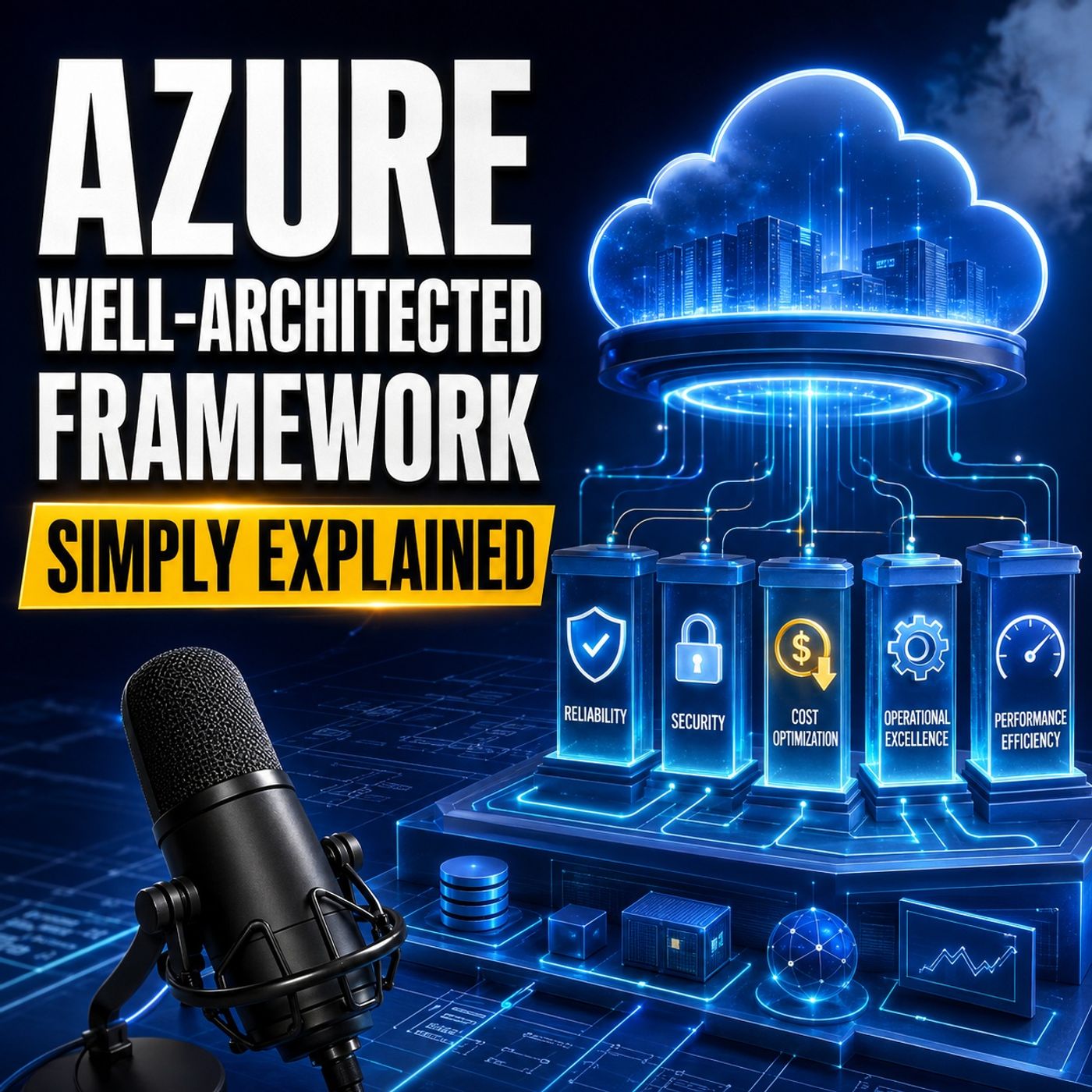 Azure Well-Architected Framework - Simply Explained63 / 100
 Beyond the Portal: The Strategic Architecture of Microsoft Graph and PowerShell68 / 100
 Think Like an Attacker: Microsoft Security Exposure Management with Uros Babic [MVP-MCT]78 / 100
 EXTENSIBILITY FIRST: Building .NET Systems That Survive Change with Miguel Castro [MVP]85 / 100