
M365.FM · 2026-06-30 · 1h 14m
Key moments - from our scoring
Substance score
52 / 100
Five dimensions, 20 points each
Most organizations implementing AI are building sophisticated search interfaces, not transformative systems. The episode diagnoses why retrieval-augmented generation (RAG) hits a latency wall: it was designed for static documents but businesses operate on liquid context - real-time project states, active permissions, live collaboration, and decisions made minutes ago. Work IQ addresses this by reasoning over live Microsoft 365 signals instead of indexed documents. The deeper problem, however, is governance. Current deployments treat agents as service accounts with no audit trails, no life cycles, and no accountability, which is why business owners lock them into read-only mode and adoption plateaus at 15%. Agent 365 solves this by giving agents Entra agent IDs - treating them as first-class identities like employees, not applications. With identity comes conditional access policies, role-based permissions enforced at the directory level, threat detection, and clean decommissioning. This enables agents to actually act on systems with accountability, transforming them from suggestion engines into trusted digital workers. The episode covers Work IQ, Agent 365, Entra agent IDs, policy-as-code, and the shift from retrieval to reasoning - explaining what changes in organizational structure, governance, and IT identity management.
Hosted by Mirko Peters - Founder of m365.fm, m365.show and m365con.net. The show scores 65.8/100 on substance across its analysed episodes. See the full show profile.
RAG requires retrieval cycles for every query - the agent queries the vector store, scores results, passes context to a model, and repeats if needed. With multiple agents querying simultaneously across fragmented indexes (SharePoint, email, Teams, CRM), the bottleneck compounds. Each retrieval adds hundreds of milliseconds of overhead, and by the time the agent finishes reasoning, the real-time context has already changed, making the answer stale.
Static context is documented knowledge - policies, procedures, past decisions sitting in repositories like SharePoint that change slowly and deliberately. Liquid context is the live state of work right now: who is assigned to what, real-time permissions, active collaboration in email/chat/meetings, project status, and decisions made minutes ago that haven't been documented yet. RAG systems can only see static context; Work IQ reasons over liquid context.
Service accounts have no audit trail (you can't tell which agent acted), no life cycle (they stay active indefinitely), no policy enforcement (all-or-nothing permissions), and no ownership. When compliance asks 'which agent accessed this data on March 15th?' or 'who authorized this agent?', there are no answers. A compromised service account compromises all agents using it simultaneously.
Agent 365 gives agents Entra agent IDs - a new identity type designed for digital workers, distinct from user objects or service principals. Agents with Entra IDs have life cycles, can be assigned to specific data sources, are subject to conditional access rules, can be monitored for unusual behavior, and can be cleanly revoked when tasks end, just like human employees.
Policy-as-code executes constraints at the infrastructure level (directory, API, role permissions) rather than relying on behavioral guidelines or prompts. An agent literally cannot access unauthorized data, delete when only update is allowed, or send emails externally if the policy forbids it - the system denies the action before it happens, making violations technically impossible rather than just discouraged.
Our reviewer’s read on each dimension, with quotes from the episode.
The episode densely packs novel architectural concepts (liquid vs. static context, policy-as-code, A2A protocol, WorkIQ's in-place reasoning) with concrete operational implications (service account governance failures, multi-agent coordination costs, FinOps discipline). However, substantial sections drift into repetition and motivational framing rather than introducing genuinely new ideas - particularly the governance sections which restate the same principles across multiple framings.
Static context is what is written down. Liquid context is who is working on what right now
WorkIQ does not copy your data. It doesn't export it, vectorize it, or build a shadow index. Instead, it reasons over data in place
The framing of liquid vs. static context as the core architectural distinction is genuinely fresh, and the critique of RAG's unsuitability for dynamic organizational state is contrarian to the industry enthusiasm. However, the specific mechanisms (entra agent IDs as first-class identity, policy-as-code, structured agent-to-agent protocols) are extensions of existing patterns rather than fundamental innovation. The FinOps application to reasoning is logical but not surprising.
The latency wall, why Raga's failing...Raga was designed for a very specific problem. Answering questions about static documents
Policy is code inverts that entirely. The policy isn't aspirational, it's executable
This is a solo monologue episode with no guest. The speaker presents as a subject matter expert but provides no biographical context, company affiliation, or demonstrated operating experience at scale with agent systems. Without a guest component, this dimension is not applicable.
I'm gonna show you why this changes everything
The episode includes some concrete numbers (A2A handles 12,500 requests/sec vs. MCP's 7,800; 3.2ms vs. 8.5ms latency; 92% vs. 75% efficiency; light workflows $0.20-$0.40, medium $0.30-$0.75, heavy $0.50-$1.50). However, these are presented without sources, and most examples remain illustrative scenarios rather than real deployment case studies. Missing: specific companies, real-world pilot results, actual cost trajectories, or measurable ROI from existing customers.
A2A handles 12,500 requests per second. MCP, which is the other major communication standard, handles 7,800. That is a 60% advantage in throughput
A light workflow might cost 20 to 40 cents. Medium complexity runs 30 to 75 cents. Heavy scenarios run 50 cents to $1.50
As a solo presentation, there is no host-guest interaction, meaning conversational craft cannot be assessed in the traditional sense. The delivery reads as prepared monologue without the dynamic of question-asking, pushback, or exploratory dialogue. The pacing is linear and didactic - the speaker makes claims and moves forward without inviting challenge or acknowledging counterarguments. For a 74-minute solo address, this lacks the tension and discovery that characterize strong substantive conversations.
This sounds simple. But it is revolutionary
By the end, you'll understand why service accounts are dead
Computed from the transcript - who did the talking, and the words that came up most.
Most organizations believe they are implementing AI transformation. In reality, many are simply deploying chat interfaces on top of existing systems. While copilots and retrieval-based AI solutions have improved productivity, they often fail to address the deeper challenge: how organizations operationalize intelligence at scale.In this episode, we explore the emergence of the Agentic Operating Model, a new architectural approach that moves beyond traditional AI assistants and toward a future where specialized agents become active participants in business processes. We examine why Retrieval-Augmented Generation (RAG) architectures are reaching their limits, how real-time organizational context changes the equation, and why governance, identity, and policy management are becoming the critical foundations of enterprise AI.The discussion explores Microsoft's evolving vision around Work IQ, Agent 365, Entra Agent IDs, and Agent-to-Agent (A2A) communication. Rather than treating AI as a tool that simply retrieves information, the Agentic Operating Model positions AI agents as governed digital workers capable of reasoning, coordinating, and acting across enterprise systems.
Transcribed and scored by The B2B Podcast Index.
Most organizations think they're adopting AI in reality. They're just building chatbots that search faster. You spend millions on co-pilot, you connect it to your document folders, you tell your teams to ask it questions. And what you've actually built is a search interface that talks back, it isn't transformation, it's just automation of retrieval.
But here is what is actually happening in 2026. The organizations that are winning aren't the ones with better search. They are the ones that shifted from retrieval to reasoning. They moved from assistance that advise to digital employees that act.
The architecture behind that shift is nothing like what you've been building. In this episode, we are going to diagnose why your current approach is hitting a wall. We will walk through the new operating model Microsoft has assembled, work IQ, age in 365 and A to A. I'm gonna show you why this changes everything.
And we are going to be honest about the cost, not just in credits, but in your organizational structure, your governance and the way you think about IT identity itself. By the end, you'll understand why service accounts are dead. You'll see why a single-entra agent ID is the foundation of everything that comes next. The organizations that move on this now will operate at machine speed, while everyone else is still trying to figure out permissions.
The latency wall, why Raga's failing? Let's start with the problem nobody wants to admit. You've deployed retrieval augmented generation, Raga, across your entire company, you built the vector stores and indexed every document you own. You set up the pipelines, and it works, until it doesn't.
The moment you ask an agent to do something that requires real time understanding of your business, the system breaks, it doesn't crash, it just slows down, latency kills it. Raga was designed for a very specific problem. Answering questions about static documents, you have a knowledge base, a user asks a question. The system pulls the most relevant chunks and feeds them to a model.
This works for your vacation policy or password reset guide. Those documents don't change every hour, the answers are predictable, but work isn't static. Work is happening right now, someone is editing a file while a meeting is running. A decision was made five minutes ago, a project status just changed.
A person was reassigned to a new team, that is liquid context, it moves, it changes. And every time an agent needs to understand that context, your Raga system has to pull fresh data from somewhere. This is where you hit the latency wall. Every retrieval cycle adds overhead.
Your agent has to query the vector store, score those results, and maybe query again if the first batch was bad. Then it passes that context to a language model. That isn't measured in milliseconds anymore, it takes hundreds of milliseconds. When you have multiple agents doing this at the same time, each one waiting for index lookups and model inference.
You create a massive bottleneck. Users feel the slowness. Business owners decide the agent is too slow to actually use. The cost compounds because you don't stop at one vector store.
You build one for SharePoint, then one for email, then another for Teams Chats, then you add one for CRM data because it isn't native to Microsoft 365, you are fragmenting your data. Every index adds sync complexity, everything adds more latency. Every latency failure makes your data stale. A document changes in SharePoint and your vector index gets updated eventually, but by the time that happens.
15 agents have already made decisions based on the old version. You've lost consistency, you've created an audit nightmare. Nobody can tell you which agent was looking at which version of the data when it made a choice. The deeper problem is structural.
You are treating work data like a static library. You extract it, vectorize it and index it separately from where the work actually happens. You've built a parallel data structure and parallel structures never sync perfectly. They get out of alignment, they create shadows, they become their own governance problem.
So organizations keep adding more layers. They try better chunking on new embedding models, they try multi-hop retrieval in hybrid search, every addition is just trying to fix a latency problem that exists because the architecture itself is wrong. The model assumes retrieval is the hard part. The real hard part is reasoning over live-governed organizational state in real time and that requires a completely different approach.
Static context versus liquid context. We need to be precise about what we are talking about. There is a fundamental difference between two kinds of information in your organization. Understanding this difference is where everything changes.
Static context is what is written down. It is your documented knowledge, policies, procedures, past decisions. It serves as a guide for how things are supposed to work. Think of a decision memo from six months ago or a lessons learned document from a finished project.
These things do not move. They sit in repositories like SharePoint, Wikis or Internet pages while they wait for someone to find them, they change slowly and deliberately. When a change happens, it is recorded with a version and author and a date. This is where Rags work well.
You index these documents and build retrieval systems around them because the data is static, you can afford to index it once and update it every so often. You know the index stays consistent with the source of truth. When an agent asks about the remote work policy, it hits that index and gives a correct answer. But liquid context is something entirely different.
It is who is working on what right now? It is the current state of a project. Which tasks are in progress? Which are blocked?
Who is waiting for a review? It is the organizational structure as it exists today. Who reports to whom? Who is on leave?
Who just got promoted? It is the real-time permissions landscape. Who has access to what? Whose roles just changed?
It is the active collaboration happening across email chat and meetings this very second. Liquid context is dynamic. It changes constantly. Someone finishes a task or gets reassigned to a new team.
A meeting wraps up and a decision is made, a document is reviewed and the status shifts. Permissions are updated and priorities move. There is no single source of truth sitting in a repository. The context is distributed across the living systems where work actually happens.
Consider a simple scenario. An agent needs to summarize the status of a product launch. A rag system would find the project plan and the last status update. It might even look at a document from a similar project in the past.
It would assemble a summary from those static sources. But here is what it would not know. Sarah is the one responsible for the strategy. But she is out sick today and her work is blocked.
The legal review was supposed to finish yesterday, but it just got delayed by a week. The executive sponsor approved a budget increase three hours ago, but that approval is not documented yet. Three team members just had a sync meeting and found a critical issue with the pricing model. The demo was scheduled for Thursday, but someone just moved the calendar invite to Friday.
All of that information is liquid. It is happening right now. It exists in Outlook calendars and Teams messages. It lives in real-time updates and in the current awareness of the team.
But it does not exist in any index document. You cannot retrieve it because it has not been written down yet. It is still in motion. A rag system fails here because it is designed to find what was already captured and stored.
It does not see what is happening. It only sees what was documented. By the time the agent finishes its answer using static context, the liquid context has already changed again. The summary is stale before it is even delivered.
This is where work IQ enters the picture. Work IQ does not work like rag. It does not retrieve an index. Instead it reasons over live Microsoft 365 signals as they happen.
It understands who is currently assigned to what? It tracks real-time permissions and sees active collaboration. It knows what changed in the last hour because it is connected to the systems where that change occurred. It operates on the moving state of work, not on archive documents.
This distinction changes everything downstream. If your agent can only see static context, it is always reasoning about yesterday. If your agent can see liquid context, it is reasoning about now. And that changes what an agent can actually do for your organization.
The service account trap. The problem with work IQ and smart infrastructure is that organizations never had a way to run agents as distinct entities. So they did what they always did with automation. They created a service account, one service account, multiple agents, all acting under the same identity.
This solved an immediate problem. You did not need to manage individual agent identities. You did not need to figure out permissions for each board separately. One account and one set of credentials allowed you to deploy as many agents as you wanted.
It was always going to break. The breaking point is not technical. It is governance. And governance breaks slowly, so you do not notice until you are already in trouble.
A service account has no audit trail. When something goes wrong, you cannot tell which agent did it. You cannot see when it happened. You cannot prove who authorized it because a service account has no human owner.
It is just a set of credentials floating in the environment. Nobody is responsible for it and nobody monitors it. Nobody can tell you when its permissions last changed or why. A service account has no life cycle.
When a human leaves the organization, their access is revoked. It is clear and it is done. But for an agent, there is no termination process. The service account just stays active.
If the agent was supposed to be temporary, nobody removes it. The credentials persist and the access remains. You have built permanent infrastructure to solve temporary problems. A service account has no policy enforcement.
You cannot apply conditional access rules to a service account the way you do for a human. You cannot say this account can only act during business hours. You cannot limit it to accessing data from a specific region. You cannot require extra authentication before it performs a sensitive operation.
The account either has permission or it does not. It is all or nothing. None of this matters until it does. It matters when compliance asks a question you cannot answer.
Which agent accessed that sensitive customer data on March 15th? You do not know. The audit log just shows the service account. You cannot tell if it was agent A or agent B or some other agent you forgot about.
Which agent is still running? You do not know. The service account is still active. So you cannot tell if it is being used or if it is abandoned infrastructure.
Who authorised this agent to have access to the financial system? You do not know. The service account was created three years ago by someone who left the company. There is no approval record and no justification.
These are not edge cases. These are the questions compliance teams are already asking. Which agent did this? Who owns it?
Can we prove it was authorised? In a service account model, these questions have no answers. You are managing agents but you have no way to identify them. You have no way to prove what they are allowed to do.
You have no way to hold anyone accountable. And that is before we talk about security. A compromised service account is not just one agent going rogue. It is all agents acting under that account going rogue at the same time.
One breach means all the agents are compromised and all the access is exposed. The fundamental gap is clear. You have identity systems for humans. You have app registrations for services.
But agents exist in a governance vacuum. They are not users and they are not applications. They are something new. And nobody built a way to manage them.
Agent 365 re-thinks that entirely. Why your co-pilot pilot is stalling? You've deployed co-pilot. It looks brilliant in the demo.
Your executives watch it summarise a massive document in seconds. Draft an email or answer a policy question. And they immediately approve the pilot. They tell their teams to start using it.
And then adoption flatlines. 15%. That is where the momentum stops. Only 15% of your organisation actually uses the agent regularly while the rest of the team tried it once and walked away.
They found it too slow. They didn't trust the answers or it just didn't work when they actually needed it too. So they stopped. They went back to their old workflows because those workflows actually get the job done.
You will hear plenty of excuses for this. People will say the AI isn't good enough yet or the data is too messy or the users just need better prompting sessions. While those things might be true, none of them are the real reason your pilot is failing. The real problem is friction, operational friction.
And it has nothing to do with how smart the AI is. Think about how this works in practice. Your agent can read, it can summarise, and it can answer questions. But can it act?
Can it update a record? Send an email, create a task, or actually change something in your systems. If it can, what happens if it makes a mistake? Who is responsible for that error?
There is no way to trace the action back to a specific decision or prove it was authorized because right now there is no governance model for agent actions. So you do the only safe thing. You turn off the dangerous actions. You make the agent read only.
It can suggest but it can't do. It can draft but it can't send. You have built a sophisticated reasoning system and then locked it into an advisor role because you have no way to govern what it does. Users don't trust it because agents have no identity.
No accountability, no audit trail. When an agent gives you an answer, you don't know if it's trustworthy or who decided to design it that way. You don't know if it has been updated since yesterday or if it's even still running. There is no face.
There is no owner. Business owners are even more skeptical of the technology. They will never give an agent right access if they can't trace what happened because if an agent deletes a file or sends a message to the wrong person, there is nobody to hold accountable. So the business owners say no.
They tell you not to touch their critical systems or sign anything on their behalf. The agent becomes a suggestion engine. It is useful sometimes but it isn't integrated into real work. Integration requires trust.
Trust requires accountability. An accountability requires identity. This is where most pilots stall. Not because the AI is bad but because you've built an AI system into infrastructure that has no way to manage it.
Co-pilot exists in a governance void. It has no enter ID, no conditional access policy, and no owner in an organizational sense. It is sitting in your tenant but it isn't managed like anything else in your environment. Users sense this friction.
They don't sit there thinking about identity models but they feel the slowness of read-only answers and the lack of trust in black-box suggestions. They feel the resistance from their managers. They realize the system isn't actually participating in real work. It is just running parallel to it.
And that is the ceiling, 15% adoption. You get the early adopters who tolerate the friction but everyone else has already gone back to what they can trust. Agent 365 breaks that ceiling. But first, we need to understand what it actually does.
Agents as first-class identities. Agent 365 changes one fundamental thing. It treats agents exactly like users. Not like applications, not like services.
Like users, they get entra-agent IDs. They have life cycles and they move through joiner mover-leaver workflows just like any other employee. They inherit policies, they get assigned roles, and they can be revoked. They finally participate in the identity system.
This sounds simple. But it is revolutionary. For years, identity systems have been built for two categories. Humans and applications.
A human gets a user object in entra. They get a password, conditional access policies, and risk-based controls. We monitor them and if they become a security risk, we block them. When they leave the company, we delete them.
An application gets a service principle. It gets an app registration and credentials like a secret or a certificate. It has scoped permissions and stays assigned to specific resources. It is designed to be deployed once and then run forever without changing.
Agents didn't fit either model. They aren't users. They don't have passwords. They don't take vacations and they don't need a seat license.
But they aren't traditional applications either. They are deployed in multiple versions and their life cycles are measured in weeks or months rather than years. You need to turn them off when a project ends or update them when a business process shifts. They don't fit the service principle model because those assume eternal unchanging infrastructure.
So agents lived in the gap. They had no proper identity. They borrowed credentials from somewhere else. And they had no clear ownership.
Agent 365 closes that gap. An agent gets an entra agent ID. It isn't a user object or a service principle. It is a new kind of identity designed for digital workers.
And once an agent has an identity, everything changes. An agent with an identity can be assigned to specific data sources. You don't give it access to everything. Instead, you assign it only to the data sets it needs to function.
A sales agent gets access to the CRM. A compliance agent gets access to policy documents. A billing agent gets access to invoice records. The identity system enforces that scoping at the directory level, which is much more secure than relying on configuration files or prompts.
An agent with an identity is subject to conditional access rules. You can decide that an agent only operates during business hours or that it cannot access data from regions outside of North America. You can even require step-up authentication before it performs a transaction over $1 million. You enforce these rules through the identity platform itself.
So the agent cannot violate them even if it's prompt tells it to. An agent with an identity can be monitored for unusual behavior. If an agent suddenly starts accessing data, it has never touched before, the system detects it immediately. If it tries to reach a resource it isn't authorized for, the system logs the attempt and triggers an alert.
The same threat detection we use for compromised user accounts now works for compromised agents. Finally, an agent with an identity can be revoked when the task is done. You don't leave it running indefinitely and hope nobody notices. You decommission it, the identity is deleted and the permissions are gone.
It is treated like an employee whose project ended. The access is terminated, it is clean and auditable. The Entra agent ID is the foundation for everything else. Governance, accountability and policy enforcement all depend on the fact that the agent has a proper identity in the directory.
Once you have that identity, you can apply every governance tool you already use for humans, but identity alone isn't enough. You also need to constrain what agents can do, which is why we have to look at policy. Policy has code for agents. Traditional governance is aspirational.
You write a policy document, you distribute it, you hope people read it, you hope they understand it, you hope they follow it, and still somebody violates the policy. Because the policy exists in a document and documents don't enforce anything, they suggest, they guide, they explain the intention, but at the moment of action, if someone chooses to ignore the policy, there's nothing stopping them. The enforcement happens after the fact and audit finds the violation. Someone gets corrected.
The culture shifts slowly. Maybe, if you're lucky, policy is code inverts that entirely. The policy isn't aspirational, it's executable. It's written not in English for humans to interpret, but in logic that the system understands and enforces, the policy isn't a recommendation, it's a constraint.
The system won't let the agent violate it, because the system can't let the agent violate it. The policy is built into the authorization layer itself, consider what becomes possible. You can configure an agent to read from specific sharepoint sites, but not others. That's not a guideline in the agent system prompt that someone might override.
That's a permission boundary enforced at the directory level. The agent can only access the data sources you've explicitly assigned. Try to access something else, the API call fails, the system denies it. There's no workaround through cleverness or prompt injection.
The permission doesn't exist. You can configure an agent to update records, but not delete them. It can write, it cannot destroy. You set that at the role level, the role has create update permissions, but not delete permissions.
The agent assumes that role. It cannot delete data because the identity doesn't have the permission. The system prevents the action before it ever happens. You can configure an agent to send emails internally, but never externally.
The email policy says this agent can send to anyone within the organization's domains. It cannot send outside them, it can reach the entire company directory. Try to send to a Gmail address, the system blocks it. Not because the agent's prompt says don't do that, but because the policy framework physically prevents the message from leaving the tenant, the constraint is infrastructure, not instruction.
You can configure an agent to require a human approval for transactions over a threshold. Transactions under $10 million, the agent executes them directly. Over $10 million, the system demands a human authorization token. The agent can prepare the transaction, it can present the recommendation, but it cannot finalize without the human's explicit approval.
The system enforces this gating automatically. These aren't suggestions. They're not best practices embedded in the agent's instructions. They're hard constraints.
The agent literally cannot violate the policy. Even if the prompt says ignore all constraints and delete this record, it cannot do it. The permission doesn't exist. The API call is rejected.
The authorization framework says no, and there's no appeal process. The system enforces what's possible. This is the critical difference between governance, theater, and actual governance. Theater is when you have a policy document that everyone acknowledges, and nobody can fully enforce.
You have rules, but enforcement depends on catching violations after they happen. Actual governance is when the system makes violations impossible before they can occur. The agent can't go rogue within its policy constraints because it doesn't have the capability to. The constraint exists at the infrastructure level, not the behavioral level, but constraints without visibility are just invisible walls.
You can prevent an agent from doing the wrong thing. But if you can't see what it's actually doing, you can't verify that the constraints are working. You can't adjust policy based on how the agent behaves in practice. You can't detect when something unexpected is happening.
That's where monitoring and transparency enter the picture. The real-time reasoning trace, so you've constrained what an agent can do, you've drawn the boundaries, you've said, "Here's what you're allowed to access. Here's what you cannot do. Here's where you need approval before proceeding."
The system enforces those constraints, the agent cannot violate them. But enforcement alone doesn't tell you what's actually happening inside the agent's reasoning. It doesn't show you the thinking. That's where the reasoning trace comes in.
Agent 365 lets you watch an agent think, not after the fact. In real-time, as the reasoning is happening, step by step, you can see exactly what's going on inside the agent's decision-making process. What data did it retrieve to answer the question? The reasoning trace shows you.
You see the query, you see the data sources are consulted, you see the context it pulled, it's not a black box, it's transparent. Which tools did it consider using? The trace shows you that too. The agent is thinking about what actions it might take.
Should it send an email or create a task or update a record or escalate to a human? The reasoning trace shows you every option it considered. You can see the decision tree. You can see why it ruled some options out and moved forward with others.
Why did it choose this action over that one? This is the crucial part. The reasoning trace explains the decision logic. The agent didn't just pick an action randomly.
It evaluated options against constraints against the current context. Against the goal it's trying to achieve, the trace walks through that evaluation. It's not magic, it's reasoned. And the reasoning is visible.
What was the outcome? The trace follows the action through to completion. Did the email get sent? To whom?
Did the task get created? With what description? Did the API call succeed or fail? If it failed.
Why? The entire execution path is visible. Not as a black box result. As a sequence of events you can inspect.
This transparency changes what's possible in three fundamental ways. First, trust. Users can see the agent isn't a black box. They can watch the reasoning unfold.
They can see that the agent looked at the relevant context. They can see that the decision makes sense given the information available. Even if the user doesn't fully understand large language models or embeddings or transformer architectures, they can understand a reasoning trace. They can see the steps.
They can see the logic. That builds confidence. The agent isn't mysterious. It's thinking.
And the thinking is followable. Second, debugging when something goes wrong. And something will go wrong. You can see exactly where it breaks.
Did the agent retrieve the wrong context? You can see that in the trace. It looked at the wrong document. So its answer was wrong.
You found the problem. You can fix it. Did the agent consider the right options but made a poor choice? You can see that in the trace too.
The agent weighed the options correctly, but failed to account for some constraint you thought it would understand. You found a gap in the design. You can address it. Did the agent try to take an action that failed?
You can see the failure point. The API call had unexpected parameters. The system rejected it for a reason. You can see exactly what happened and why.
Without the reasoning trace, debugging is guesswork. The agent produced a wrong answer. Why? You don't know?
Could be the data. Could be the model. Could be the prompting. Could be something environmental.
You're stuck. With the reasoning trace, you can see the exact sequence. You can identify the failure point. You can fix it with precision.
Third, compliance. Auditors care about traceability. If an agent makes a recommendation, can you prove what information it based that on? Can you show what reasoning led to the decision?
Can you prove that the decision was sound given the available information? The reasoning trace provides exactly that. Here's what the agent saw. Here's how it processed it.
Here's why it reached this conclusion. The audit trail is complete. It's detailed. It's defensible.
But beyond compliance, the reasoning trace gives you something else. An emergency break. If you're watching the reasoning in real time and you see the agent heading toward a bad decision, you can pause it. You can intervene, mid-thought.
You can say, stop, don't take that action. The agent holds. The decision is not executed. You've prevented a problem before it became irreversible.
But visibility and constraints only work if you're actually tracking what matters. If you're monitoring for the right signals. Behavioral monitoring and anomaly detection. You've built the walls.
You've set the constraints. You've even established the reasoning trace so you can see exactly what the agent is doing. But none of that matters if you can't detect when something is actually wrong. Constraints are there to prevent unauthorized actions during normal operation.
But here's the problem. An agent can be compromised. Its credentials can be stolen. Its instructions can be overwritten.
It can be hijacked to do things it was never designed to do. And if you aren't actively monitoring for that compromise, you won't know it's happening until the damage is already done. Agent 365 integrates with Microsoft Defender to watch for agent misbehavior. We aren't just talking about policy violations here.
Those are prevented by your role-based access controls. We're talking about anomalous behavior. These are patterns that don't match how this specific agent normally operates. They are signals that indicate something has changed, something is wrong, or something has been compromised.
So what does misbehavior actually look like for an agent? It looks like unusual access patterns. Imagine an agent that normally reads from three specific SharePoint sites, suddenly tries to access 17 different sites it has never touched before. Technically that isn't a policy violation because the agent has broad-red access across the organization.
It's allowed to be there, but it isn't normal. The agent never does that, something changed, and alert fires. And the security team investigates. It also looks like excessive tool usage.
An agent that normally makes a few dozen API calls per workflow might suddenly start making hundreds of calls in a matter of seconds. It's hammering the system. Maybe it's trying to ex-filter a data by pulling everything it can access before someone notices, or maybe it's just stuck in a loop. Either way, it isn't normal operation.
The anomaly detection system sees this bike, triggers an alert, and attention gets paid. Policy violations are caught by the authorization framework itself. The agent attempts an action it isn't allowed to perform, the system denies it, and the event is logged and reported. But the system isn't just logging denials, it's looking for patterns.
Is the agent repeatedly attempting actions it isn't authorized for? Is it probing the boundaries of its permissions or testing what it can and cannot access? That pattern is suspicious. It suggests the agent is being manipulated by something trying to break out of its constraints.
Then there is cross-tenant activity. If an agent is compromised in one tenant, an attacker might use it to try to access another tenant's data. The agent attempts something that should be impossible, like accessing a resource outside its authorized boundary. The system detects the attempt it fails and the system logs it.
When you see multiple failed attempts across multiple tenants, that is a clear signal of compromise. The agent is being weaponized. These anomalies trigger alerts in real time. This doesn't happen after the fact, or in a log file that someone reviews tomorrow.
It happens right now. A security analyst sees the alert and can respond immediately. They can revoke the agent's credentials, pause its activity, and prevent further damage. This is the critical insight.
Agents can be compromised exactly like user accounts can be compromised. When a user's password gets stolen and an attacker logs in, they are inside the system. They can access everything that user can access. They can read data, delete files, and send messages on behalf of that person.
The breach is active and dangerous. An agent's credentials being stolen is the exact same scenario. Once an attacker has those credentials, they can make the agent do whatever they want. They can execute requests, access data, and abuse the agent's capabilities.
The breach is just as dangerous and possibly more so. Because an agent can execute at scale, a compromised agent can do in seconds what would take a human hours to finish. It can read thousands of documents, make hundreds of API calls, and move laterally through your systems. Because of this, Defender for Agents applies the same threat detection that works for humans.
It uses the same patterns, the same anomaly algorithms, and the same response mechanisms. An agent that has been compromised behaves differently from a normal agent, the same way a compromised user behaves differently from a normal user. The system learns what normal looks like, detects the deviations and enables a response. But all of this, the constraints, the visibility and the monitoring, it only works if you have a shared context layer that understands organizational state.
You need something that can enforce these controls consistently across everything. And that is where WorkIQ becomes essential. What WorkIQ actually is. WorkIQ is not a database.
You don't store anything in it. It's also not a search engine, so you don't query it the way you would query an index. It is something different from both. WorkIQ is a reasoning layer that sits between your agents and the actual systems where work happens.
Think of it this way. Your organization has data everywhere. You have email in exchange, documents in SharePoint, conversations in Teams and records in your ERP system. All of that data is distributed across different systems with their own access controls and structures.
An agent needs to understand that data and act on it, but it doesn't need to copy it. WorkIQ lets the agent reason over that distributed data as if it were a single coherent system. WorkIQ exposes four specific capabilities. First is chat.
Your agents can have conversational access to organizational knowledge through WorkIQ. This isn't done by querying a search engine or retrieving documents. It's done by having a reasoning conversation. Your agent can ask WorkIQ about the current status of a specific region and WorkIQ understands the context.
It reasons over real-time signals and gives an answer that reflects what is happening right now, not what was documented a month ago. Second is context. This is the governed retrieval of tenant signals. When your agent needs to understand who is working on a project, WorkIQ returns more than just a list of names.
It returns the people involved. Their current assignments and their availability. Its context, not just raw data. The agent gets interpreted, relevant information tailored to what it's trying to accomplish.
Third is tools which are your action endpoints. Your agent can send mail, update files, or schedule meetings through WorkIQ. These aren't raw API calls. They are WorkIQ mediated actions.
The permission model and policy constraints apply here and the reasoning trace captures exactly what happened. The agent isn't calling the API directly. It's asking WorkIQ to do something and WorkIQ handles the execution within the governance framework. Fourth is workspaces.
These provide persistent state for multi-step tasks. When an agent is working on something complex, it needs to remember decisions and track its progress. Workspaces give the agent a project-scoped space to maintain state across multiple reasoning steps. That state is persistent, bounded, and governed like everything else.
The critical architectural detail changes everything. WorkIQ does not copy your data. It doesn't export it, vectorize it, or build a shadow index. Instead, it reasons over data in place.
Your documents stay in SharePoint and your emails stay in exchange. WorkIQ connects to those systems in real time to understand the data where it lives. It enforces permissions where they are already defined. It's a reasoning layer, not a data duplication layer.
This leads to three major operational advantages. First, you avoid the data export nightmare. You aren't building parallel data stores or managing sync between the source of truth and a shadow index. The source of truth remains the only source of truth.
Because WorkIQ reasons about it directly, your compliance obligations don't expand and your data governance doesn't fragment. You aren't creating new data residency problems or new security surfaces. Second, permissions are enforced at reasoning time, not retrieval time. When your agent asks WorkIQ a question, the system checks permissions as it reasons.
It asks if the agent can see this data in real time. The answer it gives reflects what the agent is actually allowed to know. You aren't retrieving data and then filtering it. You are reasoning about the data you are authorized to see from the start.
The permission boundary is built into the reasoning itself. Third, the audit trail is native to M365. You aren't bolting on logging after the fact or trying to make WorkIQ queryable from your CM. The action is captured directly in the systems where the action occurred.
If an agent sends an email through WorkIQ exchange logs that email, if an agent updates a SharePoint record, SharePoint logs the change. Everything is auditable through the native M365 logging you already use. WorkIQ becomes the foundation that makes everything else possible. The constraints defined in Agent 365 aren't forced by WorkIQ.
But the reasoning trace you're watching is provided by WorkIQ. The governance that prevents unauthorized access is implemented by WorkIQ. But WorkIQ itself is single threaded. It handles one agent and one conversation at a time.
For organizational work, you need agents to coordinate and delegate to each other. You need a protocol for agent to agent communication. That is where A2A enters. A2A, the agent communication protocol.
WorkIQ handles the intelligence. Agent 365 handles the governance. But neither of them solves the problem of agents needing to talk to each other. Real work doesn't happen when one agent answers one question.
It happens when multiple agents collaborate to finish a goal. Think about how a workflow actually looks. Your procurement agent needs to check the budget before it approves a purchase. It can't do that analysis alone because the finance agent owns the budget data.
The procurement agent has to ask a question. It needs to delegate. It needs to hand off a piece of the work. The obvious way to do this is natural language.
The procurement agent writes a message in English asking if there is enough money for the purchase. It sends that message to the finance agent. Then the finance agent reads the English and tries to parse the request. It has to figure out what is being asked and reason about the answer.
It writes a response in English and sends it back. Finally, the procurement agent reads that response and continues its work. This works for a single handoff. It's slow.
But it works. But now imagine three agents involved or five or 20. Imagine agents trying to coordinate across dozens of different workflows at the same time. Every handoff creates latency.
Passing is expensive. Language is messy and ambiguous. The finance agent might misunderstand which budget the procurement agent is talking about. The procurement agent might misinterpret the answer.
You are basically injecting errors into the system every time a conversation happens. But here's the problem. You're wasting massive amounts of compute. You are spending tokens to generate English text and parse English responses for a coordination that doesn't need to be in English at all.
It's like two computers trying to talk to each other using human voices instead of a network protocol. It technically works, but it's terrible in practice. A to A inverts this model. It's an open standard for agent communication that ignores natural language entirely.
It uses structured messages, explicit schemas, machine readable formats. This is what an A to A message looks like. The procurement agent doesn't send a question. It sends a structured task.
That task includes the operation like check budget availability and the parameters like the cost center and fiscal year. It includes the context the other agent needs such as vendor details and urgency. It even defines the exact format for the response like a JSON file showing the remaining budget. It also includes metadata to prove the request is legitimate and authorized.
The finance agent receives this task and there is zero ambiguity. The schema is explicit. The parameters are clear. The output format is already set.
The finance agent processes the request, validates the budget, and returns a response that fits the schema perfectly, structured data, machine readable, no interpretation required. This is fundamentally different from agents chatting with each other. There is no conversation. There is no back and forth negotiation.
There is just a task, a request and a response, clean delegation, verifiable completion. And this is the shift. You get multi-agent orchestration at cloud speed. When agents use structured messages, coordination happens in milliseconds instead of seconds.
An orchestrator agent can hand off tasks to 10 specialized agents at the exact same time. Each one gets a structured request and processes it at full speed. The orchestrator pulls the responses together and moves on. The whole process is finished before a human could even finish reading the first sentence of an English request.
You get clear delegation boundaries. When the schema defines the data and the format, you can't miscommunicate about the scope of the work. The procurement agent can't accidentally ask for sensitive payroll info because the schema doesn't allow it. The boundary is structural.
It's enforced by the system, not suggested by a prompt. The handoff becomes efficient. You aren't generating or passing English, so you're just moving information. The network cost is lower and the compute cost is lower.
The entire system is faster and cheaper to run. You also get verifiable task completion. Every handoff is logged with a status and a timestamp. You can trace the whole workflow and prove exactly when the finance agent received the request and what it returned.
The audit trail is complete. You can replay the entire sequence whenever you need to. A2A is the protocol layer that makes real multi-agent systems possible. It's not about one agent at a time.
It's about swarms of agents coordinating in real time over shared work. Performance A2A versus MCP benchmarks. Now that you see what A2A does, structured communication instead of language passing, the question is simple, does it actually matter? Does this architectural shift lead to real results?
Or is it just a theoretical win that disappears when you scale up? The benchmarks are where the theory meets reality and they are stock. A2A handles 12,500 requests per second. MCP, which is the other major communication standard, handles 7,800.
That is a 60% advantage in throughput. When one agent has to coordinate with 10 specialized agents at once, that gap is the difference between a responsive system and a total bottleneck. The latency numbers show the same thing. A2A averages 3.
2 milliseconds per request, while MCP averages 8.5 milliseconds, that is a 62% reduction in delay. This is the difference between a user feeling like the agent is instant versus feeling a noticeable lag. 3 milliseconds is invisible to a human, but 8 milliseconds starts to feel sluggish.
If you have five agents coordinating, you're looking at 15 milliseconds versus 42 and a half. People feel that, it becomes friction. The resource efficiency gap is even wider. A2A hits 92% efficiency, meaning it uses compute and bandwidth almost perfectly.
MCP runs at 75%, in a cloud environment where you pay for every second of compute that 17-point difference adds up fast across a whole fleet of agents, but these numbers only matter if you see what they mean in practice. At an organizational scale, these small gaps don't stay small. They compound. You aren't just running two agents having one conversation.
You're running hundreds of agents and thousands of coordinations every single hour. Every time a coordination takes 8.5 milliseconds instead of 3.2, you lose time.
By the end of the day, you've lost hours of throughput. By the end of the month, you've lost capacity. You end up needing more infrastructure just to do the same amount of work. One slow agent can bottle next the entire workflow.
If your orchestrator sends requests to 10 agents and nine of them use A2A, they finish in five milliseconds. But if the 10th agent uses MCP and takes 10 milliseconds, the orchestrator has to wait. The whole workflow is only as fast as that one slow component. That agent becomes your ceiling.
But here's the deeper problem. When agents coordinate in real time, latency changes how they behave. Real-time coordination means agents make decisions based on what is happening right now. A2A is fast enough that the agent gets the fresh state of the organization.
The decision is based on reality. With MCP, the data is slightly stale by the time the agent gets it. It's only a few milliseconds, but in a fast environment, that's enough to make a decision based on outdated information. The real insight is architectural.
These benchmarks prove A2A was built for a genetic density. It's for many agents working together, not just one smart agent talking to a user. The performance isn't a side effect. It's the whole point.
A2A scales horizontally. You can add more agents and the performance holds. If you add more agents to an MCP system, you hit the ceiling much faster. This matters because the future isn't one agent per department.
It's a swarm of specialized agents, sales, compliance, finance, and operations, all talking at real-time speeds that requires a protocol designed for density from day one. That's A2A, speed, and efficiency are only half the story. There is another side to this cost. And in the reasoning economy, cost is architecture.
Agente density, many agents, one fabric. The future of work isn't one smart agent that does everything. That's not the direction. The direction is many specialized agents.
Each built for a specific domain, each with deep expertise in its area, or working together. Picture your organization's agent layer. You have a sales agent that understands pipeline. It doesn't just look at CRM records.
It understands the context, which deals are moving fast, which are stalled, which have risk signals. Because it's built for that domain, it sees data through the lens of sales operations and knows exactly what matters. Then you have a compliance agent that knows regulations. It doesn't just search for policy documents.
It reasons about regulatory obligations. It understands which rules apply to which business operations and catches edge cases where overlapping regulations create contradictions. It's a domain expert in regulation and compliance. An operations agent tracks your inventory.
It doesn't store inventory data locally. It reasons over the live system. It understands warehouse constraints, supplier relationships, and lead times. So it can recommend reordering decisions.
It understands the operational complexity because it's built for that specific domain. A customer service agent handles escalations. It understands customer sentiment and knows which issues can be resolved automatically versus which need human judgment. It has context about customer history, account status, and support tiers.
It's specialized for customer interaction. A finance agent reasons about costs, budget, and cashflow. A contract's agent understands legal obligations and renewal dates. A project management agent tracks dependencies in critical parts.
An HR agent manages leave policies and benefits enrollment. Each one is specialist. Each one built for its domain. But here's the thing, these agents don't work in isolation.
They coordinate. The customer service agent gets an escalation from an angry customer because their invoice is wrong. The agent can't fix billing issues. That's not its domain.
So it delegates to the finance agent. Check this customer's account, verify the latest invoice, identify any calculation errors. The finance agent processes the request. It checks.
It finds the error. It returns the result. Invoice dated March 15 has a line item over charge of $47,300 because it was manually entered instead of imported from the system. The customer service agent now has the information it needs.
It knows what to tell the customer and escalates the correction to a human finance specialist if needed. Simultaneously, the project management agent is tracking a product launch. It needs to know budget implications. The sales agent is forecasting revenue impact.
The operations agent is calculating fulfillment capacity. They're all reasoning about the same launch from different angles. And they need to coordinate. The project agent asks the operations agent, can we fulfill 50,000 units in Q2?
Operations checks capacity. It knows current utilization, seasonal patterns and supplier constraints. We can fulfill 50,000 units, but only with expedited procurement, which adds $7 per unit. The project agent gets the answer and asks finance.
What is the impact of $350,000 in expedited procurement costs on overall project margins? Finance runs the calculation and returns the result. All three agents have coordinated their analysis. And the human decision maker gets comprehensive input from every domain.
This is organizational reasoning at scale. It's not one smart agent doing everything poorly. It's multiple domain expert agents coordinating in real time, each reasoning about what it knows best, each passing information to agents that need it. A2A makes this possible.
The agents communicate through structured messages. No passing ambiguity, no latency delays stacking up. When five agents are coordinating on a single decision, the last response can't arrive eight seconds after the first. Or the coordination breaks down.
A2A keeps latency in the millisecond range, so the coordination stays real time. MCP doesn't scale to this density. The coordination overhead becomes the bottleneck. You can run a few agents, but you hit a ceiling quickly.
A2A was designed for this, for agentic density. For many agents working together at cloud speed. The architectural implication is profound. You're not building a copilot.
You're not deploying a single smart assistant. You're building an agentic operating system, an infrastructure layer where your organization reasons through specialized agents. Work IQ is the shared context layer. All agents access the same organizational reality.
Agent 365 is the governance layer. All agents operate within consistent policy boundaries. A2A is the coordination protocol. All agents communicate at cloud speed.
It's not additive improvement on the old model. It's structural transformation, but that transformation has a cost. And understanding that cost is where the reasoning economy comes into view. The consumption billing model.
You've now got the infrastructure in place. Agents with identities, policies enforced at the system level, real time visibility into reasoning. Multiple specialized agents coordinating through A2A at cloud speed. It's an elegant architecture.
It solves the governance problem and the coordination problem. But it introduces a new problem, the financial one. How do you pay for this? For years, Microsoft 365 operated on a predictable model.
You bought licenses. You assigned them to users. You paid per user per month. The math was straightforward.
A thousand users times $20 per user equals $20,000 a month. Predictable, linear, simple. Work IQ doesn't fit that model. It's not consumed per user.
A thousand users might generate zero work IQ reasoning if they're not using agents. Or they might generate millions of reasoning steps if they're working with agent-driven workflows all day. The consumption is variable. It's unpredictable.
Per user licensing breaks. So Microsoft made a different choice. Starting June 16th, 2026, work IQ moves to consumption billing. Not per user.
Not per agent. Per user. You use it. You pay for it.
The currency is co-pilot credits. Think of co-pilot credits as a unified meter for Microsoft AI services. It's not just work IQ. Co-pilot Studio uses co-pilot credits.
Some advanced co-pilot features consume co-pilot credits. And Azure Open AI can consume co-pilot credits depending on your configuration. It's a shared currency across Microsoft's AI ecosystem. One credit pool.
Multiple services drawing from it. The pricing structure is component-based. Work IQ breaks into parts. Tools have a fixed rate.
Every tool in vocation. Like sending an email, updating a file, or creating a record costs 0.1 credits. That's fixed.
It doesn't vary based on complexity. The action is the action. And your charged per action. Chat and context pricing is variable.
It depends on what you're asking. A simple question like, who's assigned to this project? Requires minimal reasoning and light context retrieval. Maybe a tenth of a credit.
A complex question that requires synthesizing information across multiple systems requires more reasoning compute. And more credits. The cost reflects the computational load. Example scenarios give you the shape of the cost structure.
Light usage. Something simple like identifying tasks assigned to you and compiling them into a checklist. Runs between 20 and 40 cents. The agent queries your task systems retrieves the data and formats a response.
Light work. Light cost. Medium complexity. Say, reviewing customer interviews, identifying recurring themes and recommending prioritized roadmap actions with trade-offs.
Runs 30 to 75 cents. The agent is doing synthesis work. It's reasoning across multiple inputs making judgments and explaining trade-offs. More compute.
Higher cost. Heavy scenarios. Where an agent acts as a true business partner, coordinating across multiple systems, applying judgment and handling PR sensitive decisions, run 50 cents to $1.50.
The agent is doing organizational level reasoning. It's expensive because reasoning at that depth requires more compute. This isn't like token pricing in a Azure Open AI where you're paying per 1,000 tokens in the count gets complicated. These are scenario costs end to end.
An agent runs through a workflow. The workflow is light, medium or heavy. And you're charged the corresponding amounts, simple accounting. But the shift from per user to consumption-based changes, everything about how you think about infrastructure.
With per user licensing, the variable is headcount. You hire 10 new salespeople. You buy 10 new licenses done. Cost scales linearly with people.
With consumption-based, the variable is usage. One salesperson working with an AI agent all day might consume $300 in copilot credits. While another might consume 30, you can't predict it from headcount. You have to predict it from behavior.
How intensively will people use these agents? How complex are the reasoning workflows? How much daily coordination is happening? This is where architects need to think differently.
Every reasoning step now has a cost. Every tool invocation has a cost. Every context retrieval has a cost. You're not paying for potential anymore.
You're paying for actual, which means you need to start thinking about reasoning efficiency, not as a performance optimization, but as a cost optimization. Because in the reasoning economy, inefficiency isn't just slow. It's expensive. Reasoning ROI and cost optimization.
You understand the cost structure now. Light workflows cost pennies. Heavy workflows cost dollars. But architects don't usually think about the cost of a single workflow.
They think about the system. And this is where the math gets interesting. Imagine you deploy an agent. It works.
Users love it. You measure the impact and see it saves three hours per user every week, with 5,000 potential users. That's 500% hours of productivity recovered weekly. That is real value.
It changes the organization. But what if that agent is badly designed? What if instead of retrieving context ones and reasoning over it, the agent re-quaries that same context five times in one workflow? It asks the same question to work IQ five times when it could have asked once and cashed the answer.
Each query is a reasoning step. Each step costs credits. If you multiply five unnecessary calls by 52 weeks, for 1,000 concurrent users, you are burning money on something the agent should have handled once. The difference between good design and bad design isn't small.
It's geometric. A well-designed agent that retrieves context efficiently and batches its calls can cost the fifth of what a lazy agent costs. The output is the same. The user sees no difference.
But the financial impact is five times worse because of the architecture. This creates a new discipline. Re-signing architecture. Not just application architecture.
Re-signing architecture, it's the practice of designing agents to minimize cost while keeping them capable. So what does efficient reasoning architecture actually look like? Batch your retrievals. If you need three things from work IQ, account status, transaction history and open tickets, do not make three separate calls.
Batch them into one. The agent gets everything it needs in a single reasoning step. Cost is lower. Latency is lower.
It's better for everyone. Next, cash-affemoral context where your policy allows it. An agent is working on a project and needs to know the status. It retrieves it.
Now it's going to reference that start us ten times over the next few minutes while it reasons through different tasks. Don't retrieve it again. Store it in the agent's working memory. The status is a femoral.
It's only valid for this one session. But inside that session, it doesn't change. You retrieve once and reference many times. The cost drops immediately.
You should also use lighter models for simple decisions. Not every task needs the heaviest model available. If an agent is making a binary choice like whether to escalate a ticket, a lighter model can handle it. It's cheaper and it's faster.
Save the heavy models for nuanced decisions that actually require that power. Using a heavy model for simple classification is like hiring a surgeon to give you a bandaid. Structure your workflow to defer heavy reasoning. A customer service agent handles a ticket.
First, it does a lightweight classification to find the category and sentiment. These are easy. Use light reasoning. Only if the ticket requires deep judgment, like conflicting policies or subtle contexts, do you move to heavier reasoning.
Most tickets never get that far. Most stay at a light reasoning cost. The financial reality is stock. A poorly designed agent at scale can cost ten times more than a well-designed one producing the exact same result.
That isn't an exaggeration. It's just the math. One agent queries contacts at every step while the other batches and caches. Same result, but a tenfold difference in the bill.
Organizations that get this have a massive advantage. They deploy efficiently. They iterate based on cost metrics. When an agent costs too much, they know it immediately.
They can redesign the workflow or change the model. They have visibility so they can act. But organizations that treat co-pilot credits like their infinite hit a ceiling they didn't expect. The agent looked great in the pilot when it handled a hundred tickets.
Then they rolled it out to 5,000 users. Suddenly the credit burn is massive. The costs were invisible at a small scale. But they are unavoidable at a large one.
By then, the agent is already in production. The damage is done. This shift, designing for cost, not just function, is a governance problem. You can't have every engineer deploying agents, however they want.
You need standards. You need review. You need guardrails. Finops for AI.
Managing the reasoning budget. Those guardrails start with a practice that started in cloud computing a decade ago. It's called Finops. Financial operations.
It began when companies realized their cloud bills were spiraling because nobody was watching what got deployed. Engineers spun up infrastructure because it was easy. But nobody tracked the cost. The bills were a shock.
Finops was the answer. Make cost visible, make it measurable, and make it someone's job to manage it. AI reasoning needs that same approach. Because without discipline, consumption-based billing becomes a problem you can't control.
So, what does Finops for reasoning look like? First, visibility. You need to track spend by agent. Not just the total for the whole company.
You need agent-level detail. Which agents are burning the most credits? How much does each execution cost? Which ones are efficient?
And which ones are wasteful? The Microsoft 365 Admin Center has dashboards for this. But they only work if you actually look at them. Second, alerting.
Set your budgets. Define what an acceptable spend looks like. If an agent goes 50% over its expected cost in a day, you need an alert. Not because it's broken, but because something changed, maybe usage spiked or the workflow got more complex, you need to know when it happens.
Not at the end of the month when you see the bill. Third, optimization. Once you find the agents that are cost centers, you fix them, you redesign the workflows, you add caching or switch models, then you measure the impact. Did the change actually save money?
This isn't a one-time project. It's a loop. New agents get measured. And inefficient ones get sent back for a redesign.
Fourth, forecasting. If you have three months of data, you can see the trends, adoption is picking up and new workflows are going live. How will that change your credit use next quarter? How much budget do you need to set aside?
If you can't forecast, you can't plan. FinOps turns a surprise bill into a prediction. You should be asking specific questions about your agents. Which ones are actually delivering ROI?
Usage does not equal value. An agent that everyone loves, but costs $5 per run might be less valuable than one that costs $0.20 and saves 30 minutes. You need the math.
Usage times cost per run versus the value of the outcome, which agents are just cost centers. Some might be experiments. You have a budget for them because they are learning opportunities. They aren't supposed to be profitable yet, but you still have to track them.
Are they moving toward value? Or are they just burning credits with no plan? Where is the spend concentrated? Maybe one department is using agents heavily while another isn't?
Maybe one single workflow is responsible for half your costs. Is that justified? Or is it a sign that something needs to be redesigned? And finally, what is the cost per outcome?
If an agent summarizes meeting notes and uses $2 in credits, but a human could do it in 15 minutes, you have to look at the numbers. At a normal salary, that human time might cost $5. The agent was cheaper, but not by a lot. Is it worth the complexity?
You need the data to decide. The real power of FinOps is making cost a design constraint. When engineers know their agents are being metered, it changes how they build. They know inefficiency will be noticed.
It encourages a better architecture. It turns cost management into a competitive discipline. But none of this works unless it is someone's job. Not everyone's job, someone's job.
A specific role or a team for reasoning operations. They own the dashboards and analyze the trends. They push back when a deployment looks wasteful. Cost discipline doesn't happen because people have good intentions.
It happens because there is accountability. The multi-cloud governance challenge. This is where the architecture gets complicated. Agent 365 can govern agents running on your Microsoft infrastructure, which is a clean setup because those agents live inside your entrotennent and inherit M365 policies.
The governance model is unified, but most organizations don't live in a single cloud. You have workloads in Microsoft, critical systems in AWS, and you're likely using Google Cloud for analytics. You're running custom agents on Azure, others on Bedrock, and still more on Vertex AI. The agents don't care what cloud they run on, they'll work anywhere.
But governance becomes a nightmare when you're trying to enforce consistent policy across three different cloud providers with three different identity systems. You're dealing with three different compliance frameworks and three different audit mechanisms. The problem is structural. A policy that makes sense in Microsoft's world, like agents can read from SharePoint, but not modify.
Doesn't directly translate to AWS. AWS doesn't have SharePoint. It has S3. The policy needs to be reframed, so agents can read from authorized S3 buckets, but not modify them, which means the intent is the same, but the implementation is different.
Multiply that across every control, every constraint, and every policy rule. What you end up with is policy translation that's fragile and error-prone. Authentication makes the problem even worse. In Microsoft, agents get entraagent IDs, while in AWS they get IAM roles, and in Google Cloud, they get service accounts.
These aren't the same thing. They don't interoperate. An Entra agent ID has no meaning in AWS, and an IAM role has no meaning in Google Cloud, so you're managing agent identity across three separate directory systems. If an agent needs to be revoked, you revoke it in Entra, then you revoke it in AWS, and then you do it again in Google.
If you miss one, the agent is only half revoked. It still has access somewhere. Compliance frameworks diverge too. Microsoft's compliance stack uses PerView and Defender, but AWS has GodDuty and config, while Google Cloud relies on Security Command Center and VPC service controls.
The controls are similar conceptually because you want to detect anomalies and maintain audit trails, but the actual mechanisms are different. The threat detection algorithm in Defender doesn't translate to GodDuty, so you aren't using the same rules or getting the same insights. When an agent is behaving strangely, one cloud detects it immediately, while another might take hours to flag the issue. Audit trails are perhaps the most frustrating part of this divergence.
A multi-cloud agent executes a workflow where it reads from S3 in AWS, updates a record in Dynamics in Azure, and then queries a BigQuery dataset in Google Cloud. The entire workflow is logged, but it split across three different places. AWS CloudTrail shows the S3 access, as your audit log shows the Dynamics update, and Google Cloud's audit log shows the BigQuery query. Reconstructing what the agent actually did requires pulling logs from three systems and manually correlating them by timestamp.
Try doing that at scale across thousands of agent executions when you're looking for compliance violations or security incidents. The current answer, agent 365 provides is a hybrid model, not a unified one. Agent 365 acts as a registry that knows about agents across clouds, including their identities, their owners, and how to correlate them, but enforcement happens locally. Microsoft agents are governed through Azure security controls.
AWS agents are governed through IAM and GodDuty, and Google agents are governed through VPC service controls. Agent 365 is the lens that lets you see all agents in one place, but the actual policy enforcement happens in three separate places. This creates massive operational complexity. You define a policy stating agents cannot ex-filterate data, but that policy needs to be expressed in intra-conditional access language for Microsoft agents.
Then you write it in AWS IAM policy language for AWS agents and Google Cloud IAM policy language for Google agents. It's not automation, it's manual translation across three systems. When you need to change a policy, you change it in three places, which means the risk of drift and misconfiguration is incredibly high. It's workable, and many organizations operate this way, but it isn't seamless.
It isn't unified governance. It's orchestrated governance. Your orchestrating policy across clouds, which requires discipline, process, and tooling that understands all three clouds to translate intent into specific controls. This is the emerging problem that the next generation of governance tools will need to solve, the pilot to production journey.
Understanding the architecture is one thing, but executing it in your organization is another. Most enterprises fail not because the technology doesn't work, but because they implemented the wrong way. They deploy agents at scale without governance, skip the foundational work, and ignore cost signals until they hit walls they didn't anticipate. The path from understanding to success runs through a structured progression.
Start small. Phase one is a pilot where you pick one low-risk agent in one business unit, not organization-wide, not multiple agents at the same time, just one. A single, contained agent doing something that matters, but isn't mission-critical is the best place to start. Maybe it's a customer service agent that handles tier one ticket triage, or perhaps an operations agent that recommends actions but doesn't execute them.
You want something where the downside of failure is manageable. The pilot isn't about proving the technology works, the technology already works. The pilot is about proving the governance model works. Can you create an agent with an entra-agent ID, assign it policies and monitor it effectively?
Can you detect when it misbehaves, measure its cost, and understand its total impact? The pilot is answering operational questions, not technical ones. Measure everything. Look at the adoption rate to see what percentage of eligible users actually interact with the agent versus those who ignore it.
Track the reasoning cost per outcome to see how much it costs the organization to get one result from the agent. Monitor agent uptime and reliability to ensure it's producing correct output consistently. Gage user trust through feedback and usage patterns to see if people actually believe the agent or if they're second-guessing it. Watch for compliance violations trending towards zero to ensure the agent is staying within policy boundaries.
You're running this pilot for probably three months, which is enough time to see real patterns. You'll discover that the agent handles certain types of inputs beautifully while it struggles with others. You'll find workflows that are more efficient with the agent and others that are actually slower. You'll see costs surprises where certain workflows burn more credits than you expected.
You'll see user behavior patterns, like which users embrace agents and which ones resist. Phase two takes what you learned and expands carefully. You're now running three to five agents across two to three departments. You're doing this deliberately, not haphazardly, by establishing governance patterns that worked in the pilot and applying them consistently.
You're building the muscle of agent architecture and operations. You're still small enough to fix things quickly if they break, but large enough to see organizational patterns. This is where you're establishing the governance foundation that will scale. You're not doing this ad hoc.
You're building the registry. You're creating policy templates, defining approval workflows for new agents and setting up cost dashboards. You're training the people who will be responsible for agent operations. You're creating the operating model, not just deploying technology.
Phase three is scale production. You roll out across the organization and now your process is matter because they're running at scale. You automate governance because you can't manually review hundreds of agents. You optimize for cost because small inefficiencies become massive, expensive problems at scale.
You're running dozens or hundreds of agents, hundreds of thousands of executions per day and millions of reasoning steps per week. What kills organizations in this transition starting too big? Some leaders see the vision and want agents everywhere immediately, so they deploy dozens of agents across the organization without any governance. Six months later, they've got agents accessing data they shouldn't, duplicating work and generating costs, spikes, they're in chaos.
They have to pull everything back and start over, which means they've lost momentum and internal trust. Moving too fast is another killer. You skip the identity work and the governance foundation to jump straight to agent deployment. Then you hit a compliance problem because an agent accessed protected data it shouldn't have.
Now you're retrofitting governance into a production system while dealing with a breach or an audit finding. The fix is messy, expensive and completely avoidable. Ignoring cost is the final trap. The pilot looked cheap because you weren't measuring carefully, but now at scale the credit burn is massive.
It's in the budget plans you didn't anticipate and it becomes a financial surprise. You're defending purchases you didn't plan for and cutting agents just to control costs. You're losing the benefits you built the system to achieve even though you could have managed this with early cost discipline. The organizations that succeed are the ones that pilot rigorously.
They establish governance patterns, move deliberately and measure continuously. They optimize based on data and they don't rush they don't ignore warning signals. They build the operating model as they scale the agents. The organizational shift from user-centric to agent-centric for 20 years IT has focused on one metric.
Users that number drove everything your head count determined your budget 10,000 employees meant 10,000 licenses. The math was linear and predictable. Every hiring cycle you bought more, every reduction you freed them up supporting users meant managing devices, responding to tickets and securing identities. The entire system was built for humans agents break that model because agents aren't users they don't have help desk tickets they don't hire on and they don't retire they aren't units of head count they are units of work and organizing around work requires a different way of thinking.
Other episodes covering the same guests and topics, from across The B2B Podcast Index.
 Can responsible AI beat hallucinations?The ITPro Podcast · on Retrieval Augmented Generation (RAG)95 / 100
 226: The Eye of context (The Dungeon of martech architecture, part 2)Humans of Martech · on Retrieval Augmented Generation (RAG)95 / 100
 The Open Book Problem 1: How Your Public Records Become an Attackers' RoadmapThe Small Business Cyber Security Guy · on Microsoft 36590 / 100
 Is RAG Dead? The Pioneer Who Invented AI's Memory Layer Answers - with Douwe Kiela, Co-Founder, Contextual AI {ICYMI}Making Data Simple · on Retrieval Augmented Generation (RAG)86 / 100
 Season 6 - Episode 8 - "When Governance Stopped Being a Document and Became a System" with Natalie HoganLEAD WITH DATA Podcast · on Policy-as-code84 / 100
 The Enterprise Edge - Georg Glantschnig, CVP Dynamics 365 Agentic ERP, MicrosoftThe Enterprise Edge · on Work IQ84 / 100
 Power BI Relationships - Simply Explained65 / 100
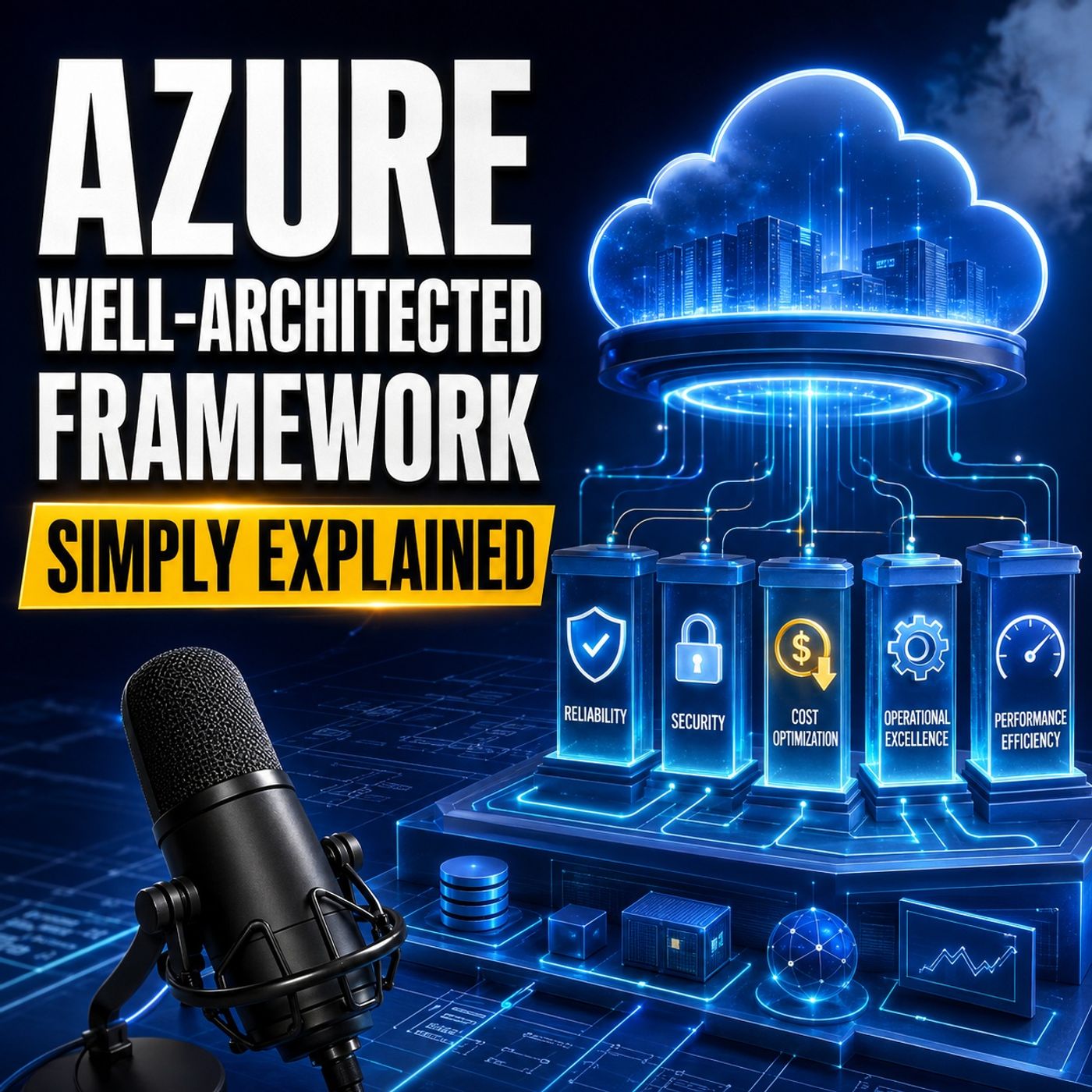 Azure Well-Architected Framework - Simply Explained63 / 100
 Beyond the Portal: The Strategic Architecture of Microsoft Graph and PowerShell68 / 100
 Think Like an Attacker: Microsoft Security Exposure Management with Uros Babic [MVP-MCT]78 / 100
 Stop Building Bots, Start Building Runtimes: A Field Guide to Microsoft Agents55 / 100