The Azure Security Podcast · 2026-03-21 · 36 min
Key moments - from our scoring
Substance score
60 / 100
Five dimensions, 20 points each
Baseline Security Mode represents Microsoft's answer to a long-standing gap in configuration guidance across its cloud platforms. Rather than leaving administrators to navigate countless security settings, the feature consolidates Microsoft's real-world threat intelligence into a single Admin Center interface, recommending minimum-bar configurations for Microsoft 365, Entra, Teams, Exchange, SharePoint, OneDrive, and soon PowerApps and Purview. Dave Manassian emphasizes that the urgency stems from AI accelerating attackers' ability to exploit legacy configurations - discontinued file formats, basic authentication, legacy apps, and uncontrolled third-party integrations that silently leak data across security boundaries. The tool's killer feature is impact analysis: admins can generate reports showing exactly which users, apps, or sites would be affected before implementation, then exclude specific items while applying protections to everyone else. This "stop the bleeding while you offboard" approach lets organizations close known vulnerabilities without forced disruption. Since launch at Ignite, adoption has been remarkably fast - 320,000 tenants have initiated the workflow within 30 days, with 50,000 already completing it. Included with existing Microsoft 365 licenses, it requires no additional investment.
Hosted by Michael Howard, Sarah Young, Gladys Rodriguez and Mark Simos. The show scores 81.0/100 on substance across its analysed episodes. See the full show profile.
Baseline Security Mode is a feature in the Microsoft 365 Admin Center that recommends and applies Microsoft's security best practices based on real-world threat intelligence. You access it via Settings > Org Settings > Security and Privacy in the Admin Center.
It blocks legacy file formats, disables ActiveX controls, blocks basic authentication, disables Microsoft Publisher, and controls third-party app access to prevent data from flowing outside Microsoft 365's security boundary without proper governance.
You can generate an impact analysis report for any setting without implementing it - this shows which users, apps, or sites would be affected. You can then exclude specific items from the policy before applying it organization-wide.
No, Baseline Security Mode is included with existing Microsoft 365 licenses at no additional cost.
Currently available for Microsoft 365 and Entra covering Teams, Exchange, SharePoint, and OneDrive. Version 2 will add PowerApps, enhanced Exchange capabilities, and Purview settings, expanding from 18 to over 30 total recommendations.
Our reviewer’s read on each dimension, with quotes from the episode.
The episode delivers solid, concrete information about BSM features and implementation. However, much content is procedural walkthrough (how to navigate the Admin Center) rather than novel insights. The specifics about exclusion policies, impact analysis, and the third-party app data leakage problem are genuinely useful, but there's moderate repetition between guests and padding (news section, day-in-the-life segments).
data can start flowing freely from the security boundary of Microsoft 365 out of that security boundary into that new AI capability or AI tools that they're testing out
we're going from around 18 settings or so in V1 of BSM to around 30 or so, over 30 settings
The concept of a centralized baseline security recommendations dashboard is useful but not particularly novel - security hardening guides and defaults have existed for years. The framing around AI-accelerated threat exploitation is timely but not deeply original. The thinking is competent but largely confirmatory of existing security best practices (block legacy auth, disable ActiveX, control third-party app connectors).
AI is coming into the picture and it's really, you know, kind of expediting then and potentially opening up these, you know, existing potential problematic areas
security shouldn't depend on perfect decisions. So it really should start with a safe default
Sophie Kerr and Dave Manassian are legitimate Microsoft product practitioners (Senior PM and Principal PM respectively) with direct responsibility for BSM. They bring real product knowledge and shipping experience. However, neither has demonstrated track record as operators outside Microsoft or practitioners who've implemented security at scale in customer environments. They are insiders explaining an internal product rather than battle-tested external practitioners.
I'm a Senior Product Marketing Manager here at Microsoft
I'm a principal product manager on the product team across. So I drive a lot of the admin experiences
Moderate specificity. The episode names concrete examples (blocking Publisher, disabling ActiveX, controlling third-party app access) and provides adoption metrics (320,000 tenants in 30 days, 50,000 completed). The procedural details about where to find BSM in the UI are specific. However, there's limited concrete data on actual vulnerabilities exploited, remediation impact, or customer outcomes. No dollar figures, no specific breach examples, no detailed metrics on risk reduction.
in the last 30 days or so, we've had around 320 ,000 customers, unique tenants that have started the workflow already. And we have around 50 ,000 that have already finished
you're going to click on Settings in the left navigation, then go on to Org Settings. And then once you're there, you're going to click on security and privacy. And baseline security mode is going to be right at the top
Hosts ask competent introductory questions but rarely push back or challenge claims. No genuine disagreement, minimal follow-up on vague statements (e.g., 'legacy configurations' could have been probed harder). The conversation is cordial and linear; guests provide scripted-sounding answers without friction. Hosts miss opportunities to ask about real customer pain points, competitive alternatives, or implementation failures.
Can you give me like a really concrete example?
what's the uptake been with customers so far?
Computed from the transcript - who did the talking, and the words that came up most.
In this episode, Michael and Sarah talk to Sophie Ke and Dave Minasyan about Microsoft Baseline Security Mode, a new feature to help ease security settings. We also cover the latest Azure security news including Microsoft 365 E7, Microsoft 365 Copilot, Azure Blob Storage SFTP, Azure Database for PostgreSQL, and new Confidential VM types.
Transcribed and scored by The B2B Podcast Index.
Welcome to the Azure Security Podcast, where we discuss topics relating to security, privacy, reliability, and compliance on the Microsoft Cloud Platform. Hey everybody, welcome to episode 126. This week is myself, Michael, with Sarah. And our guests this week are Sophie Kerr and Dave Manassian to talk about Microsoft Baseline Security Mode.
But before we get to our guests, let's take a little lap around the news. Sarah, why don't you kick things off? Okay, so a couple of things, a couple of exciting things. Well, at the time of recording this, this was announced last week, which is the new Frontier Suite.
Now, I know we don't talk about licensing that much here on the podcast, but this is a biggie. So we now have E7, and that means it's got an absolute ton of different... things that you can buy together. So you've got Agent 365 and Copilot and it's called the Frontier Suite.
So you can kind of guess. We'll put a link in the show notes so you can read up about it. But most people buy some kind of Microsoft licensing and this is one of the new big ones. So that's definitely worth having a look at.
And most importantly, we also announced the GA of Agent 365, which is coming in May. which is very exciting because I love Agent 365. If you have been unfortunate or fortunate enough to see me demo that at one of the AI tour stops, it is very cool. And I think it's going to have a lot of security uses.
Although it's not officially a security tool, I cannot see it not becoming one. So if you're waiting for when that's going to be announced, the GA will be May 2026. And then last but not least, again, at the time we're recording this, it will depend, of course, Michael, however long it takes you to edit this. But at the time of recording this, next week is RSA in San Francisco.
Now, I'm going this year. I haven't been to RSA since 2019. It's been a while. But again, I will link to it in the show notes.
Probably at this point, you'll know whether you're going to RSA or not. But RSA is obviously one of the very big security conferences of the year. Microsoft has a huge presence. We have a pre -day, we have a post -day, and we have a karaoke party on the Monday night.
And of course, we have a booth, et cetera, et cetera. Microsoft people who have sessions. As I said, I will link to it all in the show notes. So if you are going to RSA, definitely go check out all the Microsoft events.
There are many. There are a lot of cool Microsoft security people there. And I'm going to be there, though. So, well, if you happen to be there, come say hi.
And that's it for my news this time. I have a few items. First of all, I actually presented just over a week ago now at the NDC Security Conference in Oslo in Norway. I gave the keynote there about 25 -ish years of the Microsoft security development lifecycle.
So kudos to Sarah. If it wasn't for Sarah, I would not be doing NDC because she made sure she hooked me up with all the right people. Although it has taken a couple of years for us to get together just with calendars aligning. So yeah, it was really a lot of fun.
Got to meet a lot of really, really cool people. And Oslo is definitely a bit cooler than Texas. Next thing in public preview. There is EntraID -based access for Azure blob storage over SFTP, secure FTP.
This is really cool because now you've got, if you need to use SFTP, you've now got all your single sign -on and multi -factor authentication, conditional access, native RBAC and ABAC, and access controller support, which is really good to see. So again, you're moving away from sort of a username and password. Next one, also in public preview, is a customer -managed encryption key support for... premium SSD version 2 disks for Azure Database for PostgreSQL, my old stomping ground in Azure Data.
Again, anything that has support for customer managed keys is always high on my list because that way it gives the users of the product absolute control of the keys. Next up, we now have, in general availability, a whole bunch of confidential virtual machines based on the fifth generation Intel Xeon processors using Intel Trust Domain Extensions, or TDX. These are available now in various regions. It's great to see, again, the continuation of more support for more VM types that support confidential computing.
And with the news out the way, let's get to our guests. As I mentioned, we have Sophie and Dave here to talk about the Microsoft Baseline Security Mode. So Sophie and Dave, welcome to the podcast. We'd like to each take a moment and introduce ourselves to our listeners.
Thank you, Michael, and thank you, Sarah. So hello, everyone. My name is Sofika, and I'm a Senior Product Marketing Manager here at Microsoft. And I cover Agent 365, Security and Governance, Microsoft 365, Security Copilot, Microsoft 365 Copilot, Security and Governance, as well as Microsoft Baseline Security Mode.
And hey, folks, I'm Dave, and Michael and Sarah, thank you for the invite. It's awesome to be here. I'm a principal product manager on the product team across. So I drive a lot of the admin experiences across the board, specifically around content governance.
And as customers get ready for co -pilot and AI adoption, the content management and governance capabilities are becoming vital. So I drive a lot of that. And also on the security front, I drive many of the, again, prep and early thread detection type of capabilities for our admins. So yeah, that's me.
Okay, you two. Well, thank you for joining us. So I'm going to start with the most obvious question, just so we level set before we go on. But what is Baseline?
What is the Microsoft Baseline security mode? Yeah, that's a great question. So Microsoft Baseline Security Mode lives in the Microsoft 3C5 Admin Center. What it does, it gives admins, IT admins, a single place in the Admin Center to turn on a set of security protection and baseline security protections that we as Microsoft recommends based on real world threat intelligence.
Dave, anything you want to add to that? No, I think one of the big reasons why we decided to invest into baseline security mode now is because we are seeing an increase in amount of potential threats that are kind of getting exploited, especially with new kind of up and coming AI capabilities that not only good guys have, but also bad guys also get access to. Many of the things that specifically settings and tenant kind of configurations that were kind of had potential gaps within them or especially, you know, kind of things that kind of lingered around when.
when they should have been really deprecated. These type of things are becoming more and more areas that bad actors can exploit. And we decided to invest into this now to really help customers and help really kind of address the customer outcry around Microsoft, you know, kind of recommended baseline or minimum bar kind of configuration setup that we didn't really... have before that span across Microsoft 365 and Microsoft in general.
So we're investing into that now to really kind of help our customers hear from Microsoft what Microsoft thinks that minbar should be. Dave and Sophie, you've already kind of touched on this, but why did we need this? Well, I think I know the answer to this because I have seen there have been public talks about, you know, some... default stuff that probably needs changing.
I've seen those over the years, like various B -sides. But in your own words, why do we need baseline security mode? We're in the era of AI, AI apps, AI agents, and AI can really accelerate the ability for malicious actors to exploit configuration gaps. And specifically, we're talking about legacy configurations that can be the most vulnerable in your enterprise environment.
So we're talking about the amplification of these legacy risk, how, you know, environments now getting really, really complex. And so if you're implementing a change, you may risk unintended disruptions. And then also, if you use multiple solutions, that could, you know, create a fragmented security experience as well. And that is really the problems that we're looking to solve.
Dave, do you want to add on to that on, you know, why baseline security mode? No, I think you got it all right. I think a lot of our customers depend on, you know, kind of third party applications or, you know, we had several customers that are actually receiving legacy type of files that Microsoft has discontinued for a while. And we still support that, but we don't recommend the usage of those.
So we do have some customers that are still kind of because of their customers are using it. They kind of have to use it. But those types of files, sometimes legacy files, sometimes have different security risks. There are different apps that are now coming in and using.
potentially could exploit these files, et cetera. So we really are trying to do a few things, and I think Sophie is going to cover it in a minute. We're really trying to help the customers, one, clearly understand what are those recommendations that we have and what are the potential areas of... vulnerabilities that exist.
And then the other thing is, is that we're trying to help you identify these vulnerabilities. And then the third, resolve them in a much easier way, which we'll cover in just a minute. So why now? It's because now we're seeing to Sophie's point, you know, AI is coming into the picture and it's really, you know, kind of expediting then and potentially opening up these, you know, existing potential problematic areas and potentially increasing the risk for infiltration of bad actors into the environment and tenant.
Can you give me like a really concrete example? So you mentioned files and you mentioned the word legacy in there as well. Is that like legacy settings? Is that legacy configuration?
You want to give a super concrete example of something that's actually in the product? I can give one example here. For example, one of the settings that is available in Microsoft Baseline Security Mode today is that you can essentially block Microsoft Publisher and block basic authentication. So that's one example on the authentication side.
And on the file side, you can essentially disable people from opening old legacy formats, and then they can... block active X control. So those are some of the examples. Anything else, Dave, you want to talk about that really resonate with our customers?
Yeah, I think you covered it. Those are like the really big ones that we see constantly happening. The other one is we're allowing the admins to actually control the app access, third -party app access into the environment, especially when it comes to third -party apps that have AI. A lot of times what happens is up until now, the users would just go test out a third -party app like any of the AI providers.
And as part of that, if they have a connection to SharePoint or connection to Microsoft 365, they would actually activate that connector without realizing that once that activation is made, data can start flowing freely from the... security boundary of Microsoft 365 out of that security boundary into that new AI capability or AI tools that they're testing out. And as a result, create potential leaks of information. There's also some of the security things that we have, like labels, et cetera, that we have within.
the confines of the Microsoft 365 secure boundary that sometimes does not get translated when the content flows outside of Microsoft 365. So as a result, you end up with leaked information into some third party tools. So now we have capabilities within baseline security mode. for the admin to actually control the ability for their users to be able to do this kind of things.
So that's basically that's another one. But I think the reason we have every single setting is because like Sophie mentioned earlier, we have had security kind of MSRCs. kind of created within Microsoft 365. And we actually had to go learn the hard way to go deal with these security vulnerabilities and close those gaps in Microsoft specifically.
So now we want to bring all that knowledge and expertise out through this experience to all customers across the board. So which products is Microsoft Baseline Security Mode available for? Yeah, great question. So right now in phase one of Microsoft Baseline Security Mode, it is now generally available for Microsoft 365 and Microsoft Entra.
Dave, do you want to speak a little bit about potential roadmap for Baseline Security Mode? Okay, so yeah, so definitely I can definitely cover that. So as of right now, we are supporting, you know, several apps. Also Entra is one and then Microsoft 365, we're supporting Teams.
Exchange, SharePoint, certain apps in SharePoint or capabilities in SharePoint. And I think that's pretty much it. What's upcoming is we're adding quite a bit more to this. So there's going to be new settings that are going to be coming in from PowerApps.
There's going to be more enhanced settings coming in from Exchange, Teams, SharePoint, OneDrive. We're also bringing in some Purview capabilities as well, settings into BSM as well. And we are actually adding a whole new surface area. So up until now, we've been kind of covering apps as one -off type of...
settings within BSM. Now in V2, which is upcoming, we're going to start seeing apps as a whole other pillar. So there's going to be many different things that are going to fall into that area as well. So in other words, we're going from around, I think it was around 18 settings or so in V1 of BSM to around 30 or so, over 30 settings.
So we're still kind of, things are in fluctuation mode right now. So we're still adding removing settings for V2. So what are the key highlights and features of the baseline security mode? Yeah, so we think of it like this, like Dave has said, and I've mentioned before.
So BSM... allows you to act on these tailored recommendations from Microsoft so that you can secure your tenant with these pre -configured default protections against those known vulnerabilities in legacy configuration. Then what's really interesting is that you can adopt changes safely. So you can actually test these configurations that you're about to implement in simulation mode before rollout.
So that helps to make adoption more straightforward and help you to minimize the risk. So I think those are the two things that I would definitely highlight for baseline security mode. Dave, anything that you want to add to that? Yeah, I think you did a pretty great job covering it.
I think the main thing that I want to reemphasize is the ability for the admins to really assess impact before the setting is implemented. And on top of that, the ability to actually stop the bleeding while certain kind of change management processes take place. So an example of this. would be, let's say, you ran one of the settings or opened up one of the settings, ran the impact analysis, and impact analysis identified there's going to be certain type of users or apps, depending on the setting, that would be impacted if you took the recommendation.
In many of the settings, we are supporting exclusion policies where you can add these... impacted apps, users, et cetera, or sites to that exclusion list, which means you're taking the recommendation, you're stopping the bleeding for the entire tenant while excluding the impact, and that buys you time to actually go and work with the app owners or file owners or users, right, and kind of off -board them slowly and go through your... go through your processes, change management processes with the impacted folks to off -board them from these kind of legacy experiences.
So it not only gives you a really easy way to kind of take the action, but it also gives you the impact analysis, exclusion policies to help you really roll things out across the board in a very kind of easy way. I know we don't talk about this too much on the podcast, but it's obviously worth covering um everyone probably if people are listening they think wow this sounds amazing but how much does it cost um uh you know is there an additional cost for this or how how are we doing that yeah so the great news is you can benefit from this integration because Baseline security mode is made by Microsoft for Microsoft with Microsoft recommended configuration, and it is included with your existing Microsoft 365 license.
Yeah, to add to that, we actually were, we did talk about potentially putting it behind a license of certain kind, but one of the things we realized very quickly is that like the goal of this is to really bring this experience and really help all of our customers to close any kind of security issues or vulnerabilities across the board. And that didn't really feel like it would be fair to put it behind a license. So we literally opened it up to anyone and everyone across Microsoft 365.
We love that. I love anything that's included. That's always a good thing. As I said, I'm not a big license person, but it is something to think about.
I know we already talked about some concrete examples. Michael already asked you that question. But so how does it work? So how do you turn it on?
And we know that often when we change different settings and stuff, we can break things, right? So how do you go about that if someone wanted to turn on the baseline security mode and not mess things up? Yeah. I can actually cover that really quick.
So it's fairly straightforward. We made it as simple as possible. So you log into your Microsoft 365 Admin Center. We build it there so that, because that's usually the place where all the admins kind of start the experience of managing settings, etc.
Now, once you're there, you're going to click on Settings in the left navigation, then go on to Org Settings. And then once you're there, you're going to click on security and privacy. And baseline security mode is going to be right at the top. So when you click on it, what you're going to see is essentially us, like the wheel will spin.
That would be us actually looking at your settings in your tenant and evaluating to see which settings actually meet our... meet our recommendation versus not. So once that evaluation is complete, usually it takes about, you know, five seconds, like two to five seconds, something like that, pretty quick. Once that happens, in that same panel, we'll show you the settings that we recommend you to where we feel there's not much impact, where you can actually just immediately implement automatically.
Or... there are going to be some settings where we do see impact in general across our customer base, and we do recommend you to first run the impact analysis before implementing that. We're calling this the one -click experience, meaning you don't really have to do much. You can just start the BSM evaluation and then you click save.
Once you click save, all the recommendations will be automatically applied. However, you can go more manual route and really pick and choose the specific things that you want to initiate, turn on, turn off, and decide on your own which settings you want to run the impact analysis for, etc. And to do that, on the bottom of that left panel, you're going to see a button called Open Baseline Security Mode. When you click on that, we will show you a full dashboard of all the baseline security mode settings.
There's going to be a column there called status. That status column will show you which of the settings that you have in your tenant meets the Microsoft recommendation or meets Microsoft min bar, right? And then you're going to see an indicator called, you know, you know, called at risk. So at risk means that specific setting is not really meeting the Microsoft minimum security bar, security mode, you know, kind of min bar.
So the next thing what you want to do is everything, obviously, if it meets the standard, then you're all good. Anything that is at risk, you want to actually click on. And when you click on it, the left panel will show up with. all the information that you really need to know with all the learn more links that if you really want to deep dive into it, you can do that.
But in most cases, when you click on the setting, you will see an area called or a button called generate report that when you click on it, nothing actually gets implemented. We just kind of run the impact analysis without triggering anything. So what we recommend you to do is you know, come to BSM security mode page, look at everything that says at risk, go into the panel, just get familiar with what it says really quick, and then generate the report. Again, generating report doesn't change anything.
It doesn't implement anything. It just literally runs the report to tell you what the impact would be if you were to enable the same. Okay, so that... could take anywhere from a few minutes to a few hours.
And for some of the reports, depending on how much data you have, it could take a few days sometimes, right? So you want to kind of initiate these reports as quickly as possible to make sure that you have the data at your fingertips when you actually are in a process of making a decision. So once you do that, if anything that basically... has no impact meaning there's you know the impact analysis didn't find anything generally it's you know kind of at that point if nothing is impacted we recommend you to go ahead and um you know kind of take the um or you know make take the recommendation uh that is given there uh and then click save policy so once you save it uh obviously the we will trigger all the apis to go in and uh close down that gap in your in your ecosystem in your tenant.
Anything that says there is some potential impact, in most cases, we have a scope area right under the setting recommendation where you can literally just exclude the impacted users or apps or whatever the impact that is determined. is there again and then once you exclude the impact you want to take the recommendation and click that checkbox so that you stop the bleeding so that new folks are not using and creating more problems right and then what we see customers do with the excluded folks, right, excluded users or whatever from the policy is they usually just contact the user and try to work with them to kind of get them off -boarded from using.
these files. Now, the funny thing is that we do have some customers that actually, regardless of impact, they just go in and implement all the recommendations. And then they get, obviously, some users that are impacted, and then they would let the admin know that they're impacted, and then admin will go and work with them. So sometimes that's a lot faster way to implement it.
There's a little bit of user pain, but... you are closing security gaps, known security gaps and vulnerabilities. So we definitely recommend you to go do that, you know, faster than like sooner, as soon as possible, let's put it that way. So that's kind of just a really quick overview of based on security mode, but it's really not rocket science.
We build it to make it very, very easy. Okay, so... This was announced in November at Ignite, but what's the uptake been with customers so far? Have a lot of people started turning on baseline security mode?
I know that you've got some stats for us. Yeah, absolutely. Yeah, this has been one of the probably fastest adoption I've seen across several products that we've been. driving so far.
Just to give you an idea, in the last, let's see, in the last 30 days or so, we've had around 320 ,000 customers, unique tenants that have started the workflow already. And we have around 50 ,000 that have already finished. So far. So it usually takes, depending on the size of the organization, it takes, you know, anywhere from and kind of how.
eager is the customer to really close the gaps very quickly. So we have some organizations that just go ahead and just do it right away. So as soon as they find out about it within a few days, they're pretty much done. And we have some organizations that are a little bit more process oriented and they have their processes that they have to go through.
And that sometimes could take a couple of weeks, two, three weeks sometimes to get through it. In majority of the cases that we see, it's a pretty quick process. So far, it's a pretty fast adoption, considering that we're dealing with, one, security, kind of pretty, you know... impactful security -related features.
And then also this is our admin capability. So admin capabilities usually take longer to onboard and kind of get going. But in this case, it's pretty fast. I'm very proud of what we've been able to achieve so far.
With that, I want to, we always finish off with asking our guests, what is a day in the life of... Dave and Sophie look like? Because Microsoft people have so many different things they do. So I'm going to hit you, Dave, first.
Dave, what does a day in the life of Dave look like, a typical day, if you have one? Especially right now, it's pretty busy. So my meetings usually start at around 6am. Usually I have meetings across the different regions of the world.
So different depending on the project. Then I have a bit of time to really catch up with emails over coffee, probably about half an hour to 40 minutes. Then I jump in into spec reviews. I drive a lot of different admin areas, including SharePoint advanced management.
So we have 15 to 20 feature crews that have specs and ideas, et cetera, that have to review and kind of solidify and approve, et cetera. Then there's design meetings that we have to go through for feature development, etc. And then lots of leadership updates and LT buy -in meetings where we kind of take a lot of these ideas, etc. And make sure that our executives are aligned and kind of make sure that their questions and their concerns are all addressed.
And my favorite time is... On Mondays, actually, at around 8 p .m., we have all the different feature crews that we have, which is around, I think at this point, around 90 people or so, come together and we share demos of different things that we either coded or build, especially with a lot of AI capabilities that are coming on board.
All of us are really becoming builders, so regardless of discipline. So we're all building and sharing things that we have created or researched, etc. So it's always an exciting time to see how much we can accomplish when all the tools are in the ecosystem and they're working properly and you really have access to all these tools. So that's my typical Monday, I would say.
Tuesday is very different. Awesome. Sophie, how about you? Yeah, I agree.
No day, one day is the same. But, you know, as a product marketing manager, it's all about translating complex product and security, you know, security features into these stories. So a typical day for me is usually bouncing between product deep dive. So for me to understand.
products such as baseline security mode, and then having customer conversations such as executive briefings or calls with customer and obviously messaging work. So I try to on a daily basis, right? So what I do is really connecting the dots so that complex technology or simple ones like BSM will show up in a very simple and credible manner for those that need it. The last thing, I know I warned you when we talked before we recorded this, the last thing that we ask our guests is, if you had a final thought to leave our listeners with, what would it be?
I'll go first. So, you know, thinking about BSM, but I really think security shouldn't. depend on perfect decisions. So it really should start with a safe default.
So that's what I will leave everyone with and then just get started with baseline security mode today. Yeah, from my end, this is something I'm reminded every day because we're building a lot of AI, new capabilities, agents, et cetera, within my orgs. And AI is coming really, really fast. And it's something that is really, and I know everyone has heard about how it's developing really fast and our environment is changing, but it really is changing fundamentally how we look at security, how we look at administration, functionality, the job functions in general.
And with these kind of changes, it's really, really important to have the tools in place and really implement the tools that are provided, right? Especially from organizations like Microsoft, right? And especially if they're free, to implement them as quickly as possible to really make sure that you meet the changing environment and changing kind of threat ecosystem vulnerabilities, et cetera. head on as quickly as possible.
So time is of the essence, especially when it comes to these kind of known vulnerabilities that BSM, that we're trying to bring to you guys in a very, very simple way to really get them applied as quickly as possible and close these known areas to really reduce the surface area of potential attack. Well, thanks, Sophie. And thanks, Dave. With that, that's always our final question and final thoughts.
So we'll wrap it up there. To everyone who's listening, thank you very much for listening. We hope you found this episode useful. And Michael usually wraps this up, so I get to do it for once.
We hope you enjoyed this. Check out the show notes for more details and stay safe and we'll see you on the next one. Thanks for listening to the Azure Security Podcast. You can find show notes and other resources at our website, azsecuritypodcast .
net. If you have any questions, please find us on Twitter at AzureSecPod. Background music is from ccmixter .com and licensed under the Creative Commons license.
Other episodes covering the same guests and topics, from across The B2B Podcast Index.
 AI Is Having Its Dropbox MomentAI Proving Ground Podcast · on Microsoft Purview85 / 100
 Treat AI agents like human employeesTrust Issues · on Microsoft Purview80 / 100
 How to get the most out of Microsoft Copilot: Adoption tips for businessesAI for Business with BCN · on Microsoft Purview77 / 100
 From Models to Momentum: Uniting Architects and Engineers with ER/StudioData Engineering Podcast · on Microsoft Purview72 / 100
 Pax8 Roadshow Special - Nihil MorjariaPartnerships Unraveled · on Entra ID67 / 100
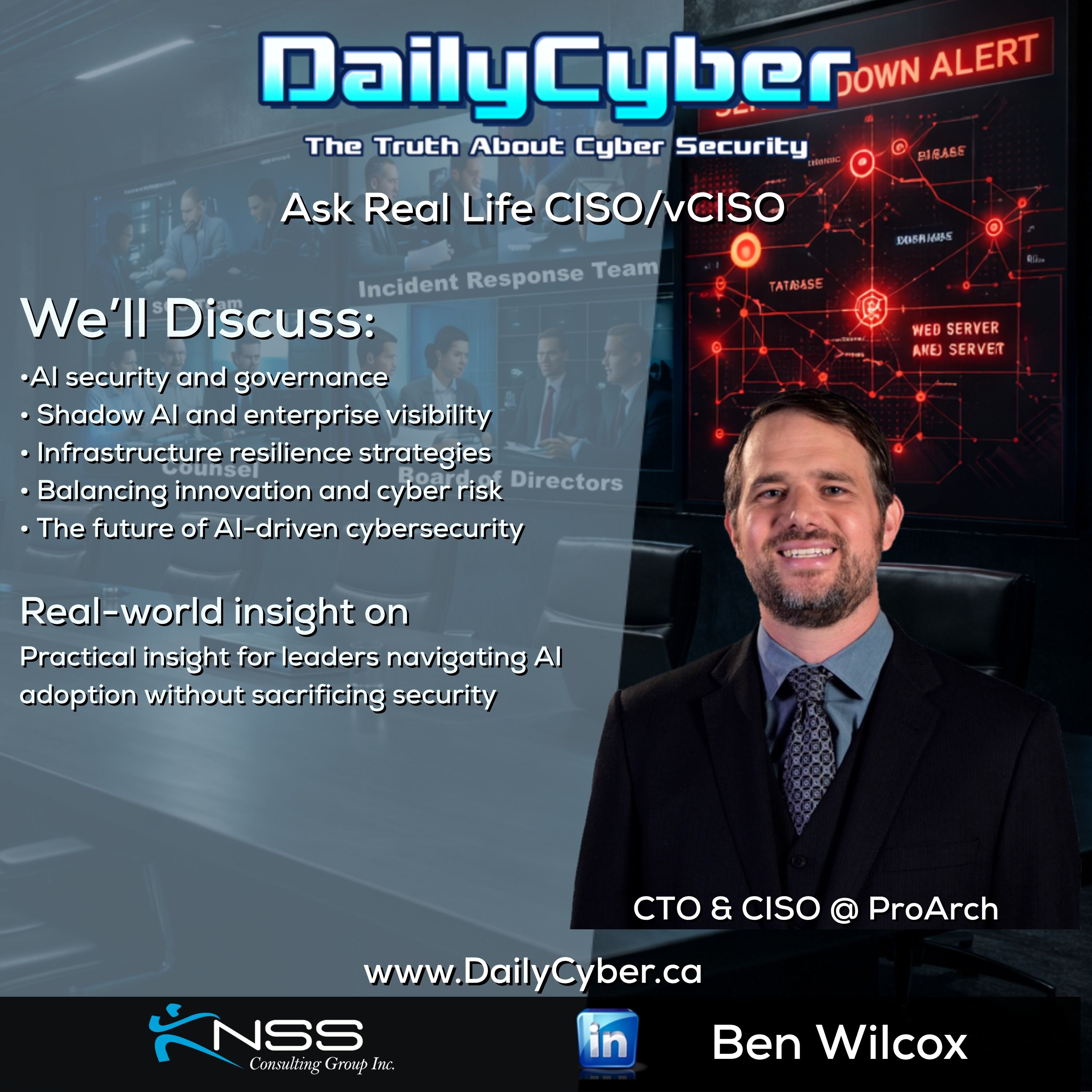 Infrastructure Resilience & Business Risk | DailyCyber 294 with Ben WilcoxDailyCyber The Truth About Cyber Security with Brandon Krieger · on Microsoft Purview64 / 100Episode 129: John Savill's Top of Mind67 / 100Episode 128: Post Quantum Cryptography87 / 100Episode 127: Threat intel update and AI87 / 100Episode 125: Origins of MITRE ATT&CK84 / 100Episode 124: Microsoft Security Response Center for AI81 / 100