Random but Memorable · 2026-06-23 · 19 min
Key moments - from our scoring
Substance score
39 / 100
Five dimensions, 20 points each
This bonus episode tackles practical security questions from the Random But Memorable community. The hosts dig into 1Password Environments, explaining how the tool moves secrets from plain-text .env files into secure vaults that can be shared across teams - particularly useful for developers and AI agents via 1Password SDKs and CLI integrations. They discuss why password managers and basic practices (strong unique passwords, multi-factor authentication, keeping software updated) prevent 90% of attacks, and debunk outdated practices like forced 90-day password resets that led people to predictable patterns. On passkeys, they acknowledge slow adoption partly due to UX friction and confusion - many sites still position them as optional alongside passwords rather than replacements, and most real-world use cases are secondary authentication (2FA) rather than primary login. The conversation closes with emerging solutions for AI agents: secure agentic autofill to prevent credential sharing, cursor hooks for IDE integration, and SCAM benchmarking to test whether AI models resist security risks. They highlight the danger of agents using broad API keys and wandering through systems unexpectedly, and discuss detection engineering approaches to enforce rules limiting what agents can do simultaneously (process untrusted input, access sensitive data, or change state - but not all three).
1Password Environments moves secrets from plain-text .env files into 1Password vaults, allowing teams to securely share and sync environment variables without copying them into Slack, Git commits, or other insecure channels. Developers access these values via 1Password SDKs and CLI tools.
The practice encourages people to use predictable patterns (like football player names in sequence) that are easy to guess, whereas one strong unique password stored in a password manager is more secure and doesn't degrade over time with reuse.
Passkeys suffer from UX friction and confusion - most websites position them as optional additions to passwords rather than replacements, and in practice they're mostly used for second-factor authentication (2FA) rather than primary login, failing to create the clear benefit users need to adopt them.
1Password offers secure agentic autofill so developers can instruct AI agents to authenticate via 1Password instead of sharing credentials directly, preventing credential exposure while still giving agents the access they need to complete tasks.
Agents given broad API keys have unrestricted permissions and may take unexpected actions (like reading git history to bypass access restrictions, or sending emails to contacts) because they optimize for speed and the path of least resistance without understanding intended constraints.
Our reviewer’s read on each dimension, with quotes from the episode.
The episode has a handful of genuinely interesting observations - especially around agentic AI security and passkey adoption patterns - but is heavily diluted by product explainers, throat-clearing, and conversational meandering across a short runtime.
Do you guys know about the rule two in agentic stuff? So there's like three things that AIs can do. They can process untrusted inputs, access sensitive data or private data or change the state or communicate internally, right? So that's A, B, and C. Usually you only want AIs to be able to do two.
it realized it didn't have access to read the repo but it did have access to read the git history so it read the entire git history to understand what was in the repo
The episode recycles substantial amounts of standard security advice (strong passwords, MFA) but does surface a couple of fresher angles - passkeys being co-opted for MFA rather than replacing passwords, and first-person AI agent misbehaviour stories that feel genuinely observed rather than borrowed.
I think that the negative factor is probably just the UX of the password is so obvious. It's been hundreds of years in use
I noticed that there were outgoing emails from me to people that had some of this. It was so Matt, like I experienced that in December and I was like, whoa.
The episode features three 1Password employees (Allie, Wade, Matt) doing a Q&A - they are practitioners with real product and security knowledge but this is an internal branded conversation with no external operator or expert guests, capping the ceiling significantly.
I actually went to a to a conference yesterday from the cell um and uh one of the cool things was they showed the number of agents that they have internally
As of early 2026 we're solving this from kind of multiple angles. We offer early access to secure agent autofill
There is one concrete stat (91% customer service automation) and a vivid first-person AI repo/git-history anecdote, but named companies are conspicuously absent, the conference is unnamed, and most claims about banks and passkey adoption are asserted without evidence.
their customer service is 91 percent of tickets answered by a bot that they train on their own software
it realized it didn't have access to read the repo but it did have access to read the git history so it read the entire git history
The Q&A format over pre-submitted questions limits probing; hosts largely agree with each other and give polite affirmations, though there are brief moments of genuine pushback and natural self-correction that prevent it from feeling entirely scripted.
I thought you were going to say it's better to use the phone because it's more secure, but no, it's actually just a pain. It's just a friction point. It's just because I'm lazy.
I don't know whether we've made things easier there. I think that we've probably made things more secure.
Computed from the transcript - who did the talking, and the words that came up most.
You asked, we answered! ️ In this bonus episode of Random but Memorable, we’re tackling listener questions from Reddit and the 1Password Community. We cover everything from why some people are still skeptical of passkeys, to the role 1Password will play in a future where AI agents sign in and complete tasks on our behalf. Plus, we dig into 1Password Environments and how it helps developers securely manage secrets. Allie, Matt, and Wade also reveal the cybersecurity misconceptions they’d love to retire for good. Short, practical, and packed with listener questions - keep them coming at podcast@1Password.com #Ask1Password - Ask Us Anything! Please send us an email at: podcast@1password.com Ask us a question in the 1Password Community forum
Transcribed and scored by The B2B Podcast Index.
Hello, and welcome back to a special bonus episode of Random But Memorable. I'm Allie, and I'm here today with Wade and Matt, and we are going to answer some of the listener questions that we did not get a chance to answer last season. We also asked for questions recently on Reddit and our community forum, so a big thank you to everyone who responded. and we're going to try and answer as many as possible today.
So let's dive right in. First up, we have a question from Caitlin who says, Hi, Random But Memorable. I've been loving the show lately. I particularly love the episode with Glenn Wilkinson about hack recovery.
My question for the team is, I've seen some mention of 1 Password environments recently and how it can help dev teams. What is the benefit of using it? So what this feature does is essentially move your .env files, the secrets within them, and make them 1Password references.
And then you store them in 1Password. You can actually sync them. I think that's the coolest feature is like when we were doing something in the design team and we were like all prototyping and everything like that, We just added a bunch of secrets into a vault, shared them out, and then everybody had the right kind of things to build. Yeah, so it's basically environment variables, and they are usually located in plain text files local on your machine.
And then those files sometimes are unintentionally committed as well to a Git repo or a branch or something like that, or copy and paste it into messaging services like Slack to share them and that type of thing as well. So 1Password Environments basically helps developers and really anybody using ANV files organize and manage environments, environment variables securely. And developers can store their environment variables in 1Password and then use the 1Password SDKs and CLI to access those values.
You can also use 1Password environments with Cursor and kind of just give AI agents secure access to credentials and eliminate the hard-coded secrets from your code. All right. Hope that helped to answer your question, Caitlin. On our next question comes from Mike who says, Have you ever added a new feature to one password that looked perfect from a security perspective, but it failed because it didn't align with how people actually behave?
I mean, isn't that version one of everything? Isn't that like version one of like 90% of the things that we do? But like when we when we launch any feature, we always talk to customers about it. And we always have like customer interviews and all of these types of things.
but like when you test a feature like this you're usually using a prototype you're using a beta version you're using something and like people are outside of their normal environment they're like they're on a call with a stranger they're like we we do our best to kind of put people at ease in these things and we we do our best to kind of cater for all of these things but like it's not a perfect environment it's not with your data we we do betas and we do things with larger audiences as well to try and answer this question.
But really, it's always the 1.1s that land much better for me. I think you're right about that. I also think that the folks, and I don't want to misspeak, but I do think the folks that tend to have the nightly or beta version of the 1Password extension, for example, installed are our 1Password champions.
So sometimes I think features get launched and put through beta fairly well. But then when it goes to kind of gen pop is when we get usability issues with folks that are maybe just not as comfortable as our champions with the product, right, which then helps us iterate to make it more accessible for everyone. Mike also asked, if you could eliminate one common misconception about cybersecurity from the public discourse, what would it be? My one misconception is that hacking is kind of mysterious and hard.
It's not really that hard. It's like, there's enough stuff about cybersecurity on YouTube where anyone can become an expert fairly quickly and fairly easily. And everything has already a program written for you to actually launch and do these attacks This probably isn the best misconception to tell people but like cybersecurity isn as hard as you think it is That probably the best one Like as long as you keep your stuff updated and you have a password manager, like 90% of attacks you'll be good from.
I was thinking the same as you were talking about how easy it is to hack someone. I was thinking that the flip side of that is I think people feel like it's really overwhelming, but at its simplest form, right? It's like have strong passwords. Don't use the same one.
Have multi-factor when you can, right? It is simple when you break it down versus thinking that it's going to be complicated. I don't think the misconception piece applies to mine because I think it's already been unraveled in society. But I think for a long time, the change of password every 90 days or every 30 days, that was everywhere.
I had security conversations with people and they were like, hey, see what I do to get around this? is I use a football team and then I will just move through the players. And I showed them have I been poked. And like, yep, there we were typing in players' names.
And I was like, look, all of these are probably connected to your email address. Like it doesn't take an expert to work out what your next password is going to be. Like it's probably a Liverpool player. There are not that many of them.
i was i've been watching the world cup so it definitely depends which team you pick with how strong your passwords are gonna be like you pick some norwegian team where that just their name is super long it may work out uh but that's a really good one i i completely forgot about that right it was big for a while yeah it forever it was we've also had a question from lachlan hunt on Reddit who asked, past keys have been available for a few years now, but many users are still skeptical or actively hostile to them.
But what do you think has contributed to that negative first impression? And what can the industry do to turn it around? I think I don't know what contributed to the negative first impression. I don't know if it was usability issues.
But I do think that is how the industry can help turn it around is making it easier to change credential like a typed password into a passkey. And I know, I mean, plug for one password, that is something that we do, which I think is great. But I've also seen it on on websites now, right? Like kind of the one click versus having to go through multiple steps.
I think the the negative factor is probably just the UX of the password is so obvious. It's been hundreds of years in use and in some sort of like, you know, Roman castle where you utter the password. Like, it's a common, common thing. And then we decided to make it kind of device bound, click with biometrics and this kind of thing.
And the difficulty is just the societal shift. And I think we softened that, or at least tried to, by trying to make it alongside the password for a while. You know, like, there's a decent number of websites where you're like, would you like to add a passkey to your account? It doesn't overrule your password just yet, but maybe in the future if we have enough of them, let's dip our toe in the water.
I think that made it more complex, if I'm honest. I don't know what they do half the time. It adds a passkey to my account and then it asks for it, but 90% of the time I'm using one password. And it's filled in the password quicker than I could biometrically do anything.
That's a good point. I don't know whether we've made things easier there. I think that we've probably made things more secure. Some sites are using it as 2FA as well, which is a bit weird.
These companies that add passkeys most of the time are looking to try and get people in quicker because of e-commerce. And they're trying to get people to their shopping carts quicker. So if they can do that via passwords, or they can do it by, hey, you were on this device, or we can just leave you logged in as long as we feel comfortable. or it's the fact that like someone reset their password five or ten times and they're just like really irritated by the fact that they can't remember it and they don't shop here anymore because of that the the retailers are probably really comfortable using both passwords and pass keys that that's kind of my my take on it i i think like it's gonna take a lot societally for us to move on from that i have no rebuttal that was too good i just think like the number of pass keys that I have has stayed the same for like six months seven months I I try to always opt into past keys Whenever I see something something I always go into passkeys But I think you hit the nail on the head with like they're more used for MFA than initial login.
That is almost what I've seen every single time. The other thing is like the big American banks, none of them use passkeys yet. They all still use SMS text, like, or just regular password, which I would much rather have a passkey for MFA rather than SMS text any day. Do you think with AI that will change, like how easy it is to send?
I'm just thinking like phishing, right? Like with the SMS, people are a little bit hesitant about that and the voice to confirm your identity. And I know banks do that. Do you think there's any world where as AI kind of takes off and these become more sophisticated that pass keys take off alongside of it?
The way the UK banks do it mostly is they require an app now. so like i've seen this more and more where like you prove usually via like a video and all sorts of stuff like that you own your phone and and like you're logging in your your biometrically authenticated to your to your phone and then when you log in online it's just like hey go and get your phone like we're gonna like you press a button on your phone and then we'll let you in and so like interesting that's not even passkey based that's like it's a pain because like i'm trying to leave my phone around the house more and more and then like you go and pay for something it's like you're gonna have to go and get it but i'm noticing that more places than i'm noticing passkeys is like they will use the phone as the the kind of source of truth which is much better than using the email as source of truth, which I absolutely hate because like most of the time it takes like a good two minutes to come through to my account.
And then like, I don't know, by that time I'm bored. I'm off doing something else. I thought you were going to say it's better to use the phone because it's more secure, but no, it's actually just a pain. It's just a friction point.
It's just because I'm lazy. Okay. Finally, we have a question from Victor who says, there's lots of discussion about AI agents signing into accounts and completing tasks on our behalf. What role would 1Password play in this new world?
Yeah, this has become a big thing. I think Apple released some stuff where AI goes and does stuff on your behalf. I think it's becoming a larger part of our online interaction. I actually went to a to a conference yesterday from the cell um and uh one of the cool things was they showed the number of agents that they have internally that like go off and do stuff and it was wild i like i thought we had like agents doing stuff like going and getting all research and summarizing it and that type of thing like their customer service is 91 percent of tickets answered by a bot that they train on their own software and they found it like more useful than anything.
Like buying it in externally, anything like that. No, a bot that they've trained on their material, wild. So like, yeah, I think that these are going to become a huge thing. Like I guess that 1Password's role in ensuring that these tasks are completed securely, like regardless of whether it's a person or an AI agent doing it that this is the space that's constantly evolving and I think you'll continue to see us come up with solutions for it and evolve it.
As of early 2026 we're solving this from kind of multiple angles. We offer early access to secure agent autofill which allows developers to instruct AI agents to sign in with 1Password instead of sharing credentials directly with the agent. So don't copy and paste things and send them to agents. Use secure agentic autofill.
We also offer cursor hooks to connect your 1Password account to cursor, an AI-assisted IDE, to make coding easier. And we have SCAM, the security comprehension and awareness measure, a new benchmark that will test the security skills of AI models and help you avoid using models that fall for security risks like phishing and exploitation attacks like that and i for one i'm really excited to see how how this space takes shape i think the number of innovations in this space of how we give agents only the access that they need and kind of scope it down in all of these sorts of angles for as short a time as they need it is really needed because more and more these agents are kind of going off doing things and most of the time they're doing it on like an api key which is just like the keys to the kingdom right they're programmed for uh like speed and getting it done by any means possible, right?
Like the path of least resistance and as quick as you can. And I think that's when things start to go awry versus no, no, no, this is the lane that you stay in. And for this amount of time and only doing this, yeah, I'm 100% with you, Matt. I think that'll be really great to see the innovations that start to come out of that.
Did you ever play with any of the like open claw and that type of thing? I found that was kind of like the moment for me when I realized if you tell an AI to go and do a job, it probably has a wander around and has a little bit of a look around the place before it does anything. And like, I didn't really appreciate that. I was just like, hey, can you go and like, just fill out this markdown file with this thing?
And it was like wandering around the folder and it was only when like it's OpenClaw and it kind of gives you the log of what it's doing that it really like appeared in front of me that was like, oh, this is like wandering around having a look at stuff. I don't know whether I like that. Like, what's it doing with it afterwards? My experience with that, in last year, I had set up competitive agents.
At the end of every week, they were to email me a summary in a specific format. And I noticed that there were outgoing emails from me to people that had some of this. It was so Matt, like I experienced that in December and I was like, whoa. And I mean, clearly there's no instruction about sending emails to contacts or responding to emails that I had received.
So that was, that was my first experience of it. And I mean, I think things are only getting more sophisticated now, but it was terrifying. And also embarrassing i'm like oh my gosh i'm emailing the teacher my competitive rundown of you know i i think when we used to watch sci-fi movies and it was like okay ai needs to optimize the planet by like removing the humans and we were like ah this is a good storyline and now i look at it and i'm like do you know what that probably is like the fastest way like you know make uh make climate neutral uh well you know uh yeah it doesn't make it uh that that much of a sci-fi jump anymore for it to when it solves problems in ways that i didn't think it was going to it that's like the truly scary part i had an agent that i thought could read a repo i asked it hey go go look at all these files give me back the repo and it realized it didn't have access to read the repo but it did have access to read the git history so it read the entire git history to understand what was in the repo.
And I was like, that was a good bypass. Like I had no, I did not even think about that at all. So I'm just like, okay, now, you know, it's in the repo and you can see the Git history. So you can update what you know is in the repo, but it's, it gets crazy when it does just little things like that, that you had no clue.
Do you guys know about the rule two in agentic stuff? So there's like three things that AIs can do. They can process untrusted inputs, access sensitive data or private data or change the state or communicate internally, right? So that's A, B, and C.
Usually you only want AIs to be able to do two. So process untrusted data or access data. You don't want them to build a chain state and communicate and vice versa. So there's a lot of stuff around detection engineering that's going around detecting AIs that are violating that rule in order to make it so like private data doesn't get sent out or untrusted inputs.
So like prompt injections aren't occurring within external communications with sensitive data, right? So a lot of fun stuff around that. Okay. Well, although I think we could continue talking for much longer, I will try to wrap it up for us.
Thank you for joining us for the bonus episode today. And please stay tuned because we have another bonus episode that is lined up for y'all as well. And if you have any questions for us that we didn't have a chance to answer today, please keep sending them to podcast at onepassword.com or of course, comment on any of our episodes on YouTube.
And we will definitely make sure to try and answer these during our new season. Thank you all for watching or listening and we'll catch you on the next one.
Other episodes covering the same guests and topics, from across The B2B Podcast Index.
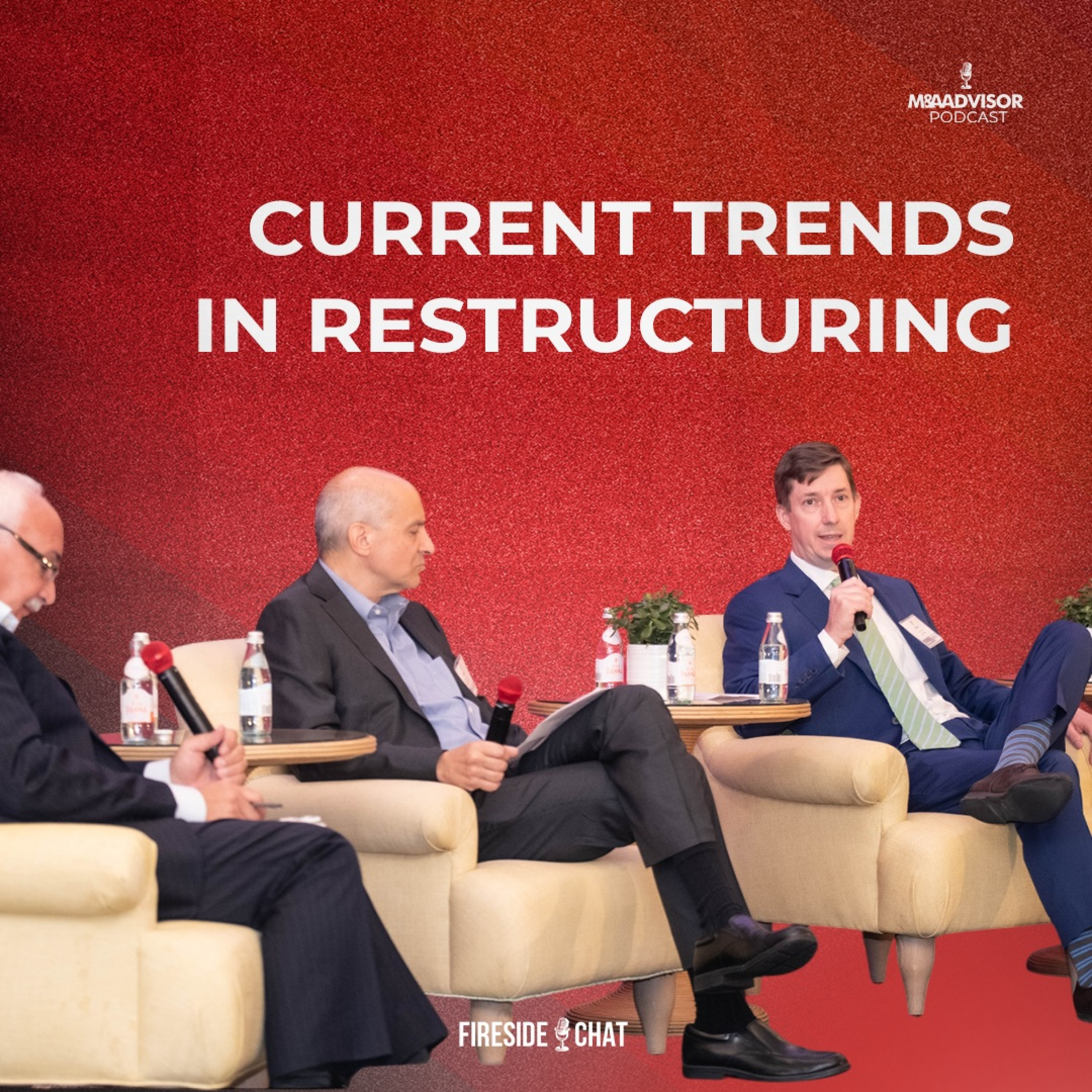 Current Trends in Restructuring : A fireside chat from the 2026 Distressed Investing SummitM&A Advisor Podcast · features Matt78 / 100
 CHRISTMAS SPECIAL | Inside Hoxton Wealth’s Biggest Year Yet: People, Growth & What’s Next For 2026Hoxton Life · features Matt70 / 100
 06 The Future of Digital Content MarketingDecoding Digital Content Marketing - IAB SA · features Matt67 / 100
 Monday Morning Data Chat - The Finale!Monday Morning Data Chat · features Matt45 / 100
 Why AI Pilots Fail: How to Escape AI Pilot Purgatory and Scale Enterprise AI with Ronnie Kwesi ColemanUsing AI at Work · on AI agents92 / 100
 More Agents Than Employees: How Zapier Disrupted Itself Before AI CouldTalking AI · on AI agents90 / 100
 How to start vibe coding without compromising security with Jeff Malnick
 Cybersecurity tips for the modern traveler with Gerald Auger
 The future of identity security with Jacob DePriest | WORLD PASSWORD DAY SPECIAL
 What to do if you’ve been hacked (with Glenn Wilkinson)
 Are you oversharing with AI? Author Jamie Bartlett has thoughts.