
Content Marketing School · 2026-06-12 · 14 min
Key moments - from our scoring
Substance score
16 / 100
Five dimensions, 20 points each
Annette Richmond, a video coach, breaks down four distinct video styles that B2B professionals and consultants should use beyond basic talking-head content. She covers how-to/educational videos (explaining new tools or techniques), edutainment (combining entertainment with teaching through transitions, text overlays, and on-screen effects), behind-the-scenes footage (building trust by showing your workspace, personal moments, or day-in-the-life content), and fun entertainment videos (using CapCut templates or relatable skits to create shareable, emotionally engaging content). Richmond emphasizes that LinkedIn, Substack, TikTok, and Instagram all reward video diversity, and that sharing non-educational content like footage of your dogs or grocery shopping can outperform traditional expertise-focused videos. She demonstrates how to repurpose phone recordings as b-roll while podcasting, use simple transitions like palm-to-camera effects, and leverage existing templates to save production time. This episode is essential for solopreneurs, consultants, and coaches looking to build know-like-and-trust factors through strategic video repurposing rather than production-heavy content.
The four types are: how-to/educational videos (teaching skills or demonstrating tools), edutainment (combining entertainment with teaching through effects and transitions), behind-the-scenes content (showing your workspace, personal life, or day-in-the-life footage), and fun entertainment videos (shareable, funny, or emotionally engaging content using templates or skits).
Simple transitions like palming your hand to the camera lens between clips can create impressive visual effects. For example, palm the camera at the end of one location and at the beginning of another to show a transition from your office to the beach, making it appear seamless while teaching a lesson about self-care.
Behind-the-scenes content showing your personal life - like videos of your pets, family moments, or day-in-the-life footage - often outperforms teaching content. These videos help build the no-like-and-trust factor because people want to know details about the people they might work with.
Use CapCut templates, which include green screens and pre-made scenes (like the Devil Wears Prada template where Miranda Priestley appears to talk to you). These templates require minimal editing skills and create shareable content that people want to download and share with others.
Yes, you can place your phone on the side to record yourself simultaneously while doing a live stream or podcast, capturing behind-the-scenes footage without extra effort. This b-roll footage can then be repurposed as separate short-form content.
Our reviewer’s read on each dimension, with quotes from the episode.
The episode recycles four basic video content categories (how-to, edutainment, behind-the-scenes, entertainment) that any social media practitioner would already know, padded heavily with casual live-stream filler and personal anecdotes. There are no novel, non-obvious claims for a B2B operator.
every video doesn't have to be a how-to video. It doesn't have to be you on screen teaching something. it can be you having a cup of coffee or making a cup of coffee
video is the fastest way to build that no like and trust factor
The entire framework - know/like/trust, edutainment, behind-the-scenes relatability - is completely standard social media advice circulating for years with no contrarian, first-principles, or counterintuitive angle offered.
video is the fastest way to build that no like and trust factor
edutainment is something where you might be doing something to liven the video up
This is a solo live stream by the host herself, a self-described video coach, with no guest at all; there is no practitioner who has built or scaled a B2B business being interviewed, and the host's credentials are limited to coaching and speaking at Podfest.
since I'm a video coach, I might do something that's a little bit more tricky
one of the highlights of my sort of video journey as a coach was when I spoke at a conference
The only concrete references are pop-culture examples (Devil Wears Prada 2, Grey's Anatomy) used to illustrate CapCut templates; there are no business metrics, client results, conversion data, or named B2B case studies anywhere in the episode.
there are CapCut templates going around. And if you've seen the first one, you know the scene when Miranda Priestley hires Emily
there's a guy who plays Dr. Link, Lincoln on Grey's Anatomy
This is an unstructured solo live stream with a tiny audience and zero incoming questions; there is no interviewer, no follow-up, no pushback, and the host repeatedly acknowledges the absence of engagement, making craft assessment largely inapplicable.
if you have any questions, please put them in the chat. it's a small group here
I'm not seeing any questions in the chat
Computed from the transcript - who did the talking, and the words that came up most.
Send us Fan Mail If you think talking head explainer videos are the best way to get clients, you're wrong. Besides knowing what you know, potential clients want to know who you are. During this Substack live, I discussed 4 social media video styles: Education, Edutainment, Behind-the-Scenes (BST), and Entertainment. And how you can use them in your business. Top Takeaways → Video is not just a talking head; diversify your styles. → Edutainment can make videos more engaging and fun. → Behind-the-scenes content builds trust and connection. → Fun videos are often relatable moments, shown on video. → Using templates is an easy way to create video content. To catch my next live, join me on Suback @annetterichmond in The Lab. CHAPTERS 00:00 Introduction to Video Styles 02:56 Exploring Edutainment in Video 05:53 Behind the Scenes: Building Connection 09:04 Fun and Entertainment in Video Creation If you're ready to stop thinking about video and start doing it,
Transcribed and scored by The B2B Podcast Index.
Annette Richmond (00:01.59) Are live and I haven't done a live in a while. So I figured I would hop on and do this right now. here we go.
All right. We have the right camera, we have the right microphone. Okay, so I figured I would just pop in right now. And if you're in the audience, I see a couple of people in the audience, please do say hi.
And tell me where you are joining from. I am streaming in from Metro New York, where it is a lovely 79 degrees today. Luckily, it's not raining. So, one of the things that I wanted to talk about, and I did post on this recently, is the different styles of video because people think that you know a video is basically just a talking head.
And while it's great to be comfortable on camera, it's more fun for you and also for your audience if you are breaking up your your videos with some other styles. Now, first of all, the the main type, and now I'm talking about short form video here. I'm not talking about, you know, the videos that you're putting on, although they could fit in there, not really talking about videos on YouTube when I'm talking about a how-to video where it's sort of landscape style, and you know, someone is talking for 10 minutes or something, and it's kind of often like a webinar almost, but a very short webinar.
Sometimes they even have slides behind them. I'm talking about a how-to video, and that is the basic one that we think of it's educational video. Now, for me, that might be Talking about a new piece of equipment I have. Like maybe I want to say, I have this new little tripod thing that I can just stick on to anything that's flat.
So I can shoot in my kitchen or if I'm out shopping or even, you know, on a window someplace. So that might be a how-to video. It also might be me on camera giving you three ways to Annette Richmond (02:26.486) Be more comfortable on camera.
So that might be a video as well. But something that we see more and more frequently, we have been on LinkedIn even for a while. And before you think that short form video is only for like TikTok and Instagram, LinkedIn has been leaning into video since they put the video tab on the mobile, on LinkedIn's mobile app. I think that's now maybe even a couple of years ago.
So again, hi out there. And if you have any questions, please put them in the chat. it's a small group here, so I'm happy to answer any questions that you have. So, edutainment is something where you might be doing something to liven the video up.
Now, for for me, it might be. Jumping into the screen with a burst of flames. But when I get into the screen, when I land there, my message is you know, just don't be boring in your videos. Or I might do something where I'm walking under text, or I have text up screen, text popping on the screen as I'm talking, but I may be using that just to emphasize what I'm talking about.
For example, I might be talking about. Three ways to be more comfortable on camera. And one might be to just do video for 14 days. And another might be to do stand in a power pose before you start speaking.
And that would be something that's more like edutainment. And again. LinkedIn is not just, or Substack is not just about education. And one of the things that I love the most about Substack is the fact that everything seems to be acceptable and work on Substack you know, you have to be a little more careful with what you post on LinkedIn, although I share the same videos across every platform.
My glasses seem to be sliding down, especially today. Okay. Annette Richmond (04:50.922) So, you know, again, since I'm a video coach, I might do something that's a little bit more tricky, popping on screen.
you might do something like just, you know, coming in on a different angle or doing a short ease, simple transition like palming your hand to the camera at the end of a clip and then palming it at the beginning of a clip. So you go from maybe being in your home office to being at the beach. So that might be something that's edutainment, but you're also giving a lesson in that. So the lesson might be, you know, when you've spent too long working in your office, palm the camera and then palm it on the other side.
It's time to make sure that you take some self care and spend some time at the beach. So that is sort of an edutainment. На часто, вичморіду. Now, one of the things that I want to talk to you about too, and that is behind the scenes video.
Now, we're all a little bit nosy. That's why magazines like People Magazine are so popular because we like to know a little bit about celebrities, but we like to know a little bit about people before we work with them as well. So sharing bits of your life. For me, it's often I share videos of our dogs.
They get way more engagement than I do. Some people share videos of their kids. Some people, you know, do not. That's more private for them.
But it might be you working in your office. It might be walking around and giving a little tour of your office. That would be some behind the scenes because people like to know. Annette Richmond (06:46.
732) I used to use the term as this, like as the what this how the sausage is made. That was sort of a term that's been around since I was a kid. But one of my friends said, Well, it doesn't sound great to talk about the sausage. So I will say people like to know how the chocolate is made.
So it might be a video of you working at your desk. It might be a video of you. For me, it's me and my husband at a game or maybe at a conference. Not conference, concert.
But it might be also me at a conference. I when I went to Podfest I took a lot of videos while I was there and shared them. Because, you know, I always say that video is the fastest way to build that no like and trust factor. And sharing behind the scenes videos can is is a way to sort of up the ampage of that.
So you want to do that. And again, you know. One of the things that I do to share, create b-roll footage and also to show some behind the scenes is if I'm recording my podcast, or I could be doing it right now while I'm doing this live, is to put my phone on the side. So I'm recording myself while I'm recording the live or my podcast.
And now, behind the scenes, you know, behind the scenes are not videos to be teaching or to be selling. They're just videos to let people have a peek inside. We're about to have one right now as one of our dogs is sitting right here next to me and wants some attention. Now, the fourth type of video that I'm going to talk about today is just fun entertainment.
Now That is something for me often again, it's a some kind of a trick video. But an easy way to create your own fun videos is to use CapCut templates. So if you go into CapCut and just at the bottom you look through templates, you can find all different kinds of green screens. I did one recently where the Devil Wears Prada 2 has opened, it's been in the theaters now for several weeks.
Annette Richmond (09:04.28) But there are CapCut templates going around. And if you've seen the first one, you know the scene when Miranda Priestley hires Emily and Emily shows up at the office in these hideous skirt and and shoes and you know, compared to everyone there who is, you know, dressed to the nines, she looks just, you know, pretty dreadful. And as she's walking into the office, she's standing there.
And Miranda Priestley, Meryl Streep turns and looks at her and goes, Emily. And she's standing there. And Miranda Priestley is looking her up and down. And she goes, that's all.
So there's a CapCut template going around that has that scene where it's Miranda Priestley and then you put your own video in there. So it looks like she's talking to you. So that's just an example. I also will say we see a lot of celebrities doing these on TikTok.
because I'm not on Instagram much. I'm sure they're there as well. But for example, there's a guy who plays Dr. Link, Lincoln on Grey's Anatomy.
If you watch that, I still get suckered into watching it. there are he does a lot of videos with his his real life wife. Where they're doing these funny husband and wife skits. For example, one of them is she's packing for vacation, she's filling all the suitcases, and they go to the then you see them at the airport, and he's wearing all of his clothes.
Everything he's taking on vacation, he's wearing because there's no room in the suitcase. So when you think of fun videos, those are videos that people are going to want to share with other people, you know, download maybe to their Facebook. Page and show other people something that makes people smile and maybe also makes them laugh. So again, you know, every video doesn't have to be a how-to video.
It doesn't have to be you on screen teaching something. It can be you having a cup of coffee or making a cup of coffee. It can be you. Annette Richmond (11:28.
093) Shopping at the grocery. I've taken videos of me shopping at the grocery. You can put a little message over them if you want, or you can just say, this is a day in my life. So I want to throw it out there.
We've been on air now. And again, I don't know why my glasses are sliding like this. We've been on the air. I've been on the air for about 12 minutes.
My plan was to stay for about 15. So if you have any questions, please put them in the chat. you know, I I love to answer questions. And I will say, one of the highlights of my sort of video journey as a coach was when I spoke at a conference and one of the attendees, I ran into him at the airport, and he told me that instead of watching a video, he decided after listening my presentation that he was going to create his own video.
So I hope this will give you some ideas, some things to try. Nothing I've talked about is challenging. A simple hand palm to the to the camera lens is certainly an easy trick that looks impressive, but it's very simple to do. So if I don't have any questions, I'm not seeing any questions in the chat.
I will say thanks so much for joining me today live. And if you have questions, you can put them in the comments once I post the video. So Thanks for being here.
Other episodes covering the same guests and topics, from across The B2B Podcast Index.
 From Agency to Training Company (How IMPACT Made The Shift) w/ Bob RuffoloAgency Builders · on Short-form video68 / 100
 Why B2B Podcasts Stall on Spotify (and What TikTok Does Better) | Jason Bradwell, Founder of B2B Better and Host of Pipe Dream PodcastPipe Dream · on Short-form video61 / 100
 From Views to Sales: The Shoppable Video Playbook with Eitan KoterThe eCom Ops Podcast · on Short-form video54 / 100
 What the No Pressure Post Party Taught MeThe Mindful Marketing Podcast · on Short-form video50 / 100
 Nobody Sends Videos for Thought Leadership. Here's Why That Matters.Field Notes Podcast by Brand Shepherd · on Short-form video44 / 100
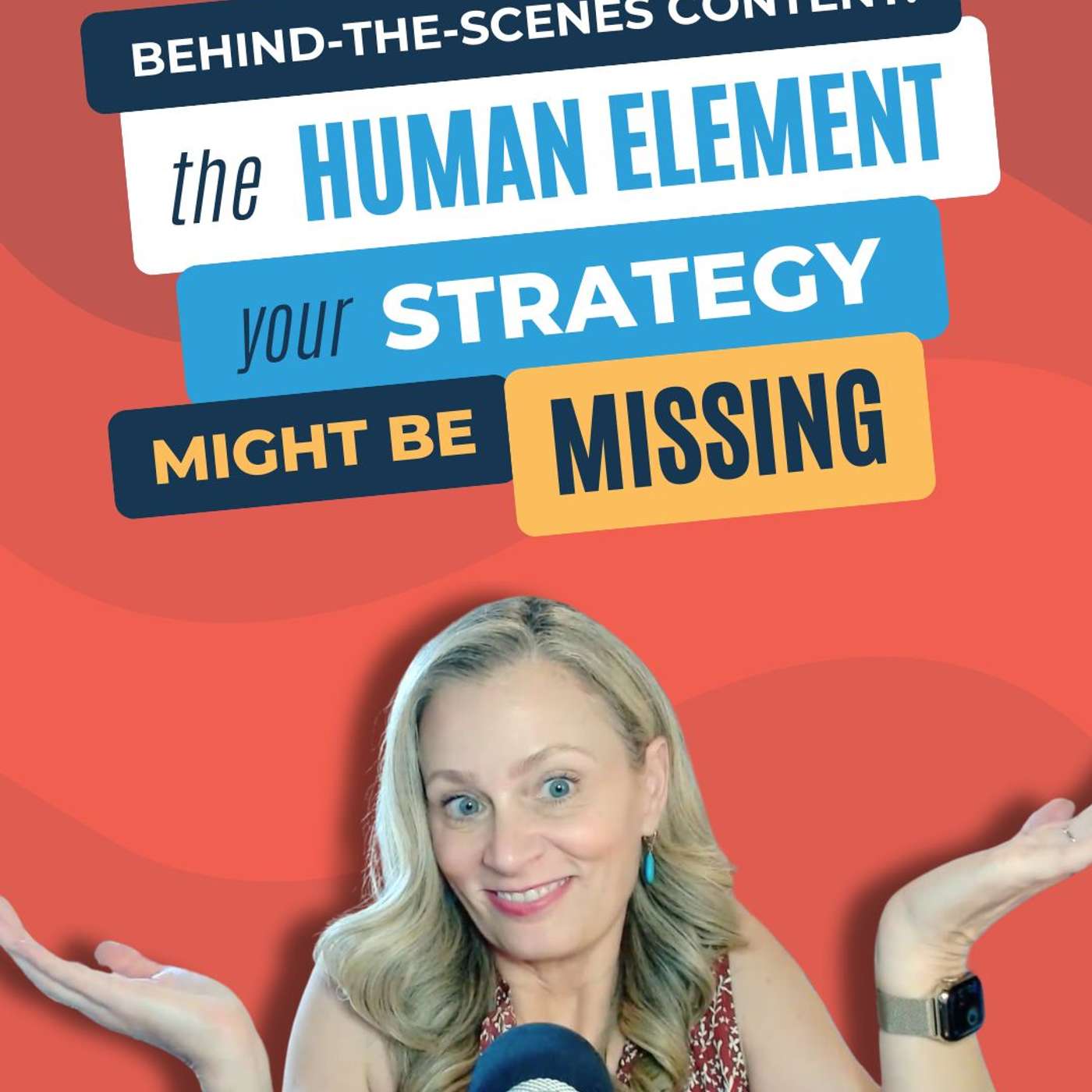 #232 - Behind-the-Scenes Content: The Human Element Your Strategy Might Be MissingDigital Marketing Made Simple with Jennie Lyon · on Behind-the-scenes content40 / 100
 144 - Why You Hate Being On Camera (and How to Get Over It)62 / 100
 142 - Royalty-Free Music 101: How to Stop the Copyright Flags43 / 100
 139 - Why 68% of People Skip Live Courses (And What I Did About It)48 / 100
 138 - The Videos That Connect With Viewers (That You're Probably Not Doing)42 / 100137 - Think Like a Marketer: Business Building Strategies for Entrepreneurs47 / 100